
Move to Webflow Without Losing SEO or Traffic
7,000+ pages and CMS items migrated to Webflow for Liquibase, Shipwell, Chili Piper and Trumpet.
Veza Digital's AI Search Visibility Audit is a comprehensive diagnostic that shows exactly how your brand appears, gets cited, and gets ignored across ChatGPT, Perplexity, Google AI Overviews, AI Mode, Gemini, and Copilot. Not a one-time snapshot. 30 days of continuous tracking to capture real citation patterns, competitive positioning, and content gaps. $4,500, fixed price.
Planning the move in house? Start with our website migration checklist, the same list we work through on every project. Moving from a specific platform? Each one has its own page below, with the steps, risks and URL patterns that platform needs.
Why Website Migrations Stall Marketing Teams
01
Legacy platforms slow marketing velocity. Plugins need updates, security patches pile up, and every new landing page waits in a developer queue. The current CMS becomes the reason campaigns ship late.
02
The move itself is the risk. URL structures change, broken links and redirect chains appear, and meta tags get lost in the transfer. The SEO loss rarely shows on launch day. It shows weeks later in organic visibility, when it is expensive to fix. More on the SEO risks of a Webflow migration.
03
Complex CMS structures and custom code hide where the SEO value sits. A page with few visits can hold the backlinks that rank the rest of the site. That is why the audit comes before any design.
Webflow Migration Services by Platform

AI Citation Analysis Across 6 Platforms
Lorem ipsum dolor sit amet, consectetur adipiscing elit. Suspendisse varius enim in eros elementum tristique. Duis cursus, mi quis viverra ornare, eros dolor interdum nulla, ut commodo diam libero vitae erat. Aenean faucibus.
Aenean faucibus nibh et justo cursus id rutrum lorem imperdiet. Nunc ut sem vitae risus tristique posuere. Praesent sodales mauris at lectus aliquet, ac congue nisi venenatis. Cras ac convallis ligula, ac porttitor nunc. Sed quis vulputate ante, quis iaculis metus. Vivamus eu neque accumsan, elementum diam a, efficitur nisi. Maecenas iaculis eros in augue convallis, at pulvinar lacus pretium. Nulla facilisi. Curabitur tristique, est non lobortis sollicitudin.
WAIO Migrations: AI
Search and Agent Ready
Lorem ipsum dolor sit amet, consectetur adipiscing elit. Suspendisse varius enim in eros elementum tristique. Duis cursus, mi quis viverra ornare, eros dolor interdum nulla, ut commodo diam libero vitae erat. Aenean faucibus.
Aenean faucibus nibh et justo cursus id rutrum lorem imperdiet. Nunc ut sem vitae risus tristique posuere. Praesent sodales mauris at lectus aliquet, ac congue nisi venenatis. Cras ac convallis ligula, ac porttitor nunc. Sed quis vulputate ante, quis iaculis metus. Vivamus eu neque accumsan, elementum diam a, efficitur nisi. Maecenas iaculis eros in augue convallis, at pulvinar lacus pretium. Nulla facilisi. Curabitur tristique, est non lobortis sollicitudin.
.avif)
How the Migration Process Works
There is no fixed timeline. We set the schedule after the audit, from page count, CMS collections and integrations, so the plan reflects the site you actually have.

Discover
- Crawl of the existing site
- Search Console and Google Analytics baseline
- Content analysis: keep, merge or drop
Map
- Site structure and CMS architecture for the new site
- Single hop 301 map for every URL
- List of integrations and custom code
Discover
- Components and CMS collections
- Content and asset transfer
- Meta titles, meta descriptions, schema markup and internal links
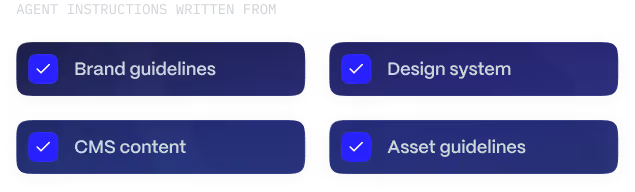
- Agent Instructions written, all on staging
Discover
- QA on staging: broken links, Core Web Vitals, mobile responsiveness
- One publish with every 301
- Google Tag Manager and analytics checked
- 72 hours of post migration monitoring
What You Get
SEO migration
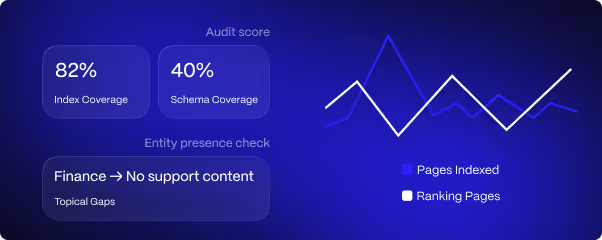
Every old URL mapped and redirected, metadata and schema carried over, a launch QA report and 72 hours of monitoring after the publish.
CMS migration
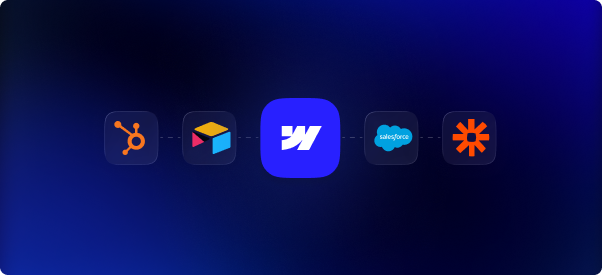
Collections, content and assets moved and checked. Forms, CRM and analytics reconnected, with content management training for your team.
Design rebuilt in Webflow
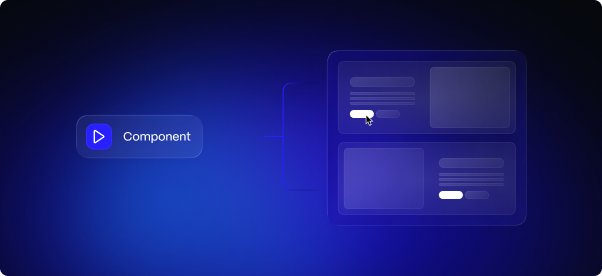
A component library the team edits without developers. A redesign is scoped on top if you want one.
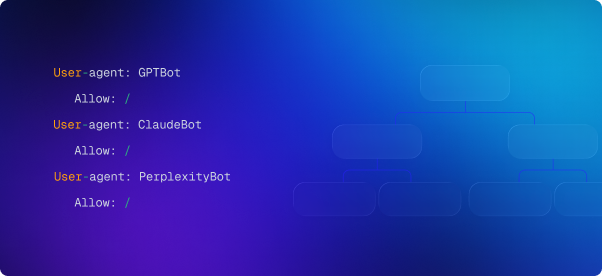
Agent Instructions and AI search setup
Webflow Agent Instructions from your brand, design system, assets and CMS. Structured data and AI crawler access checked before launch.
Webflow Migration FAQs

How much do Webflow migration services cost?
How long does a website migration take?
Do you audit before quoting?
Should we migrate in house or hire a Webflow migration agency?
Will my SEO rankings drop when I migrate my existing site?
Do you handle 301 redirects and URL mapping?
How do you ensure no downtime during launch?
What happens in the first 72 hours after launch?
Will our new Webflow site show up in AI search?
What does the Webflow migration process include?
Can you migrate CMS content like blog posts and case studies?
Can you migrate complex CMS structures, custom code, multi region sites or integrations?
What are the Webflow CMS limits, and do they matter for content management?
What are Webflow Agent Instructions, and do you set them up during the migration?
Which platforms do you migrate from, including a custom CMS?
Does Webflow support multiple languages?
Can we migrate away from Webflow later?
When is it time to migrate off our current platform?
Is Webflow ready for enterprise teams?
How involved does our marketing team need to be?
Can our marketing team keep publishing during the migration?
Why choose Veza Digital as your Webflow migration partner?
Start Your Migration
The audit and the redirect map come first. The audit also shows what the new site needs for AI search, and enterprise teams can ask for a scoped audit on the same call.