.jpg)
Abstract
The CMS you choose doesn’t just determine how you publish content, but it also defines whether your organization is prepared for AI-driven content, or stuck with traditional methods. Traditional CMS platforms like WordPress still dominate, powering 43.4% of all websites. But their architecture was designed for a single-channel web, not multi-channel AI ecosystems.
Headless CMS adoption is growing rapidly, with a projected 22.6% CAGR. Enterprises are increasingly prioritizing API-first flexibility, omnichannel delivery, structured content, and automation-ready workflows that AI can understand and act on.
This results in an operational difference, not just a technical one.
This guide serves as a comprehensive, data-driven comparison of headless vs traditional CMS across architecture, performance, security, scalability, and cost. You’ll see where each approach excels, and where it falls short, as well as how to make the choice that best fits your business.
Key takeaway: Neither of these approaches is universally the correct one. But for AI-powered content operations, personalization at scale, or multi-channel delivery, headless CMS is becoming the only real viable choice.
Comparison Table
Understanding the Core Architecture: Headless CMS vs Traditional CMS

What is a Traditional CMS?
A traditional CMS is a monolithic system where content management and presentation are tightly coupled. The backend, where content is created, stored, and the frontend (where content is displayed through themes and templates) belong to the same application.
In practical terms, this means that content, design, and delivery are handled within a single system. You create content, select a theme or template, and CMS determines how that content is rendered and displayed. Each page request gets processed server-side, combining database content with the presentation logic before being delivered to the browser.
Platforms such as WordPress, Drupal, and Joomla follow this model. According to W3Techs CMS stats, WordPress alone powers 43.4% of all websites, making it the dominant CMS globally. For teams evaluating a broader CMS comparison, this is a popular model because it gives non-technical users a straightforward way of managing websites without writing code.
Traditional CMS platforms became widespread in the late 1990s because they solved a major practical business problem: allowing marketing and content teams to update dynamic websites without the need for developers. Publishing became much easier via the use of themes, plugins, and visual editors.
This simplicity remains the model’s biggest benefit, but it also creates its primary limitation, which is that content is tied to presentation. As soon as businesses need to reuse the same content across multiple channels, things become restrictive.
What is Headless CMS?
A headless CMS removes the presentation layer completely, functioning as a backend-only content repository that delivers content via APIs, typically REST or GraphQL, to any frontend.
This is where the term “headless” comes from, because the head layer has been removed. Content exists as structured data, apart from regular page-bound content.
Typically, this is referred to as ‘content as a service.’ A product description, article summary, or customer testimonial can be created once and then delivered to a website or mobile app without needing to be rewritten for each channel.
Some of the key platforms that play a role in this category include Contentful, Sanity, Strapi, Prismic, and Storyblok. If you want a more in-depth headless comparison, these are some of the prominent options on the market.
The CMS market is projected to grow from $973.8 million in 2025 to $7.11 billion by 2035, at a CAGR of 22.6%.
Market Growth Chart
Imagine traditional CMS as functioning like a restaurant where the kitchen and dining room are connected. The chef oversees precisely how the food is prepared and plated in a single setting. However, headless CMS is more like a central kitchen that supplies multiple restaurants, food trucks, and delivery services as the nucleus of the operation.
The Fundamental Architectural Difference: Decoupling Explained
The fundamental architectural difference here is decoupling. When it comes to traditional CMS, the frontend and backend are typically deployed together. Content flows from the database into templates, then out to the browser as a completed webpage, and everything is built around a singular presentation layer.
With headless CMS, the backend and frontend function as separate, independent entities, connected by APIs. The CMS stores and manages the content, while frontends, such as REACT, mobile apps, or AI assistants, decide the best way to present it.
This shift has a transformative effect on everything else, and once content moves through APIs to multiple endpoints, there is an improvement in performance, flexibility, and scalability because the content isn’t restricted to a single delivery format.
ARCHITECTURAL DIAGRAM
The AI Readiness Factor: What Architectural Means More in 2026
Understanding AI readiness and architectural importance helps make your CMS decision into much more than a simple preference.
Traditional CMS platforms suffer from what’s known as ‘trapped content.’ The CMS stores content inside page templates, which is frequently mixed in with design and presentation makeup. This makes for content that is easily readable for humans on a webpage, but far more challenging for AI systems to interpret and automate.
Headless CMS instead treats content like structured data, storing reusable content objects that AI systems can understand and act on, instead of storing finished pages.
AI Readiness: Traditional vs Headless CMS
Traditional CMS
Headless CMS
This is a difference that unlocks certain capabilities traditional architecture cannot support, such as AI-powered tagging, automated publishing workflows, and predictive performance analysis. For instance, an AI workflow might detect a product update in a PIM, trigger translation, optimize metadata for SEO, and publish updates across numerous channels.
In 2026, architecture matters more than ever, because the debate surrounds not just how you publish content, but whether your content model can integrate with AI.
Performance, Scalability, and Security Compared
Content Delivery and Performance
One of the biggest differences between traditional and headless CMS architecture comes in the form of content delivery.
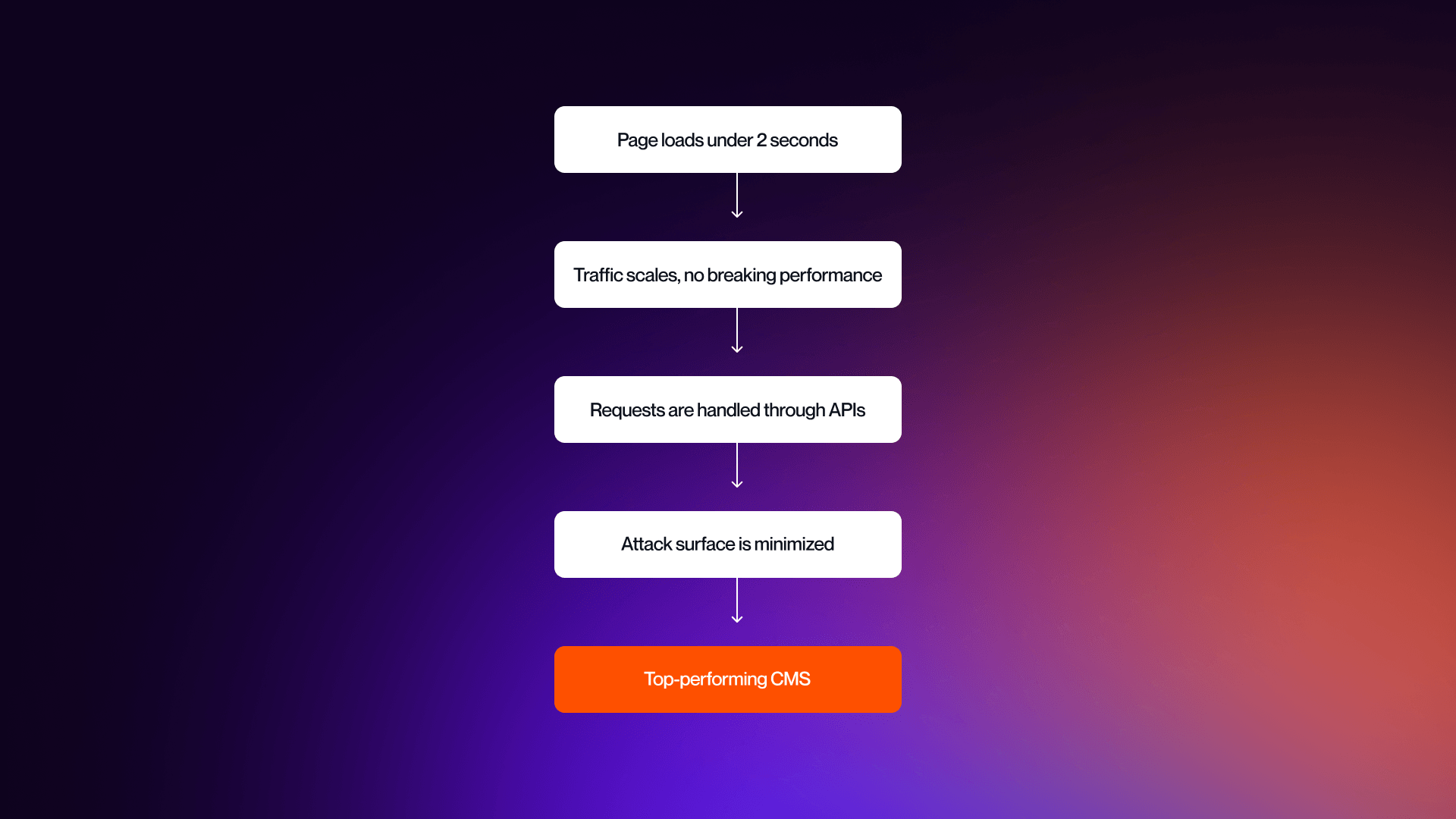
Traditional CMS platforms lean heavily on server-side rendering. Whenever a user requests a page, the system queries the database, processes templates, and generates HTML before sending it to the browser. Performance is tied directly to server resources, caching layers, and plugin optimizations. As your traffic increases, the load on the application also increases.
Headless CMS takes an altogether different approach. It allows for pages to be pre-rendered and served instantly via Static Site Generation (SSG). Users can receive content from their nearest geographical point as content is delivered via APIs that are cached at CDN edge locations globally.
The performance impact here is significant, because headless architecture delivers the following:
- 40-60% latency reduction
- 30-50% faster page load times
- Time to First Byte under 200ms
These are improvements that directly impact Core Web Vitals, which are integral to your company’s SEO performance.
Genuine results reinforce this. A UK fashion retailer that migrated to headless CMS reported:
- 4x increase in page views per session
- 35% reduction in bounce rate
- Improvements across Core Web Vitals metrics
Performance Metrics Table
Scalability: Handling Growth
Scalability is where architectural differences transform into operational changes. What does this mean?
Typically in traditional CMS, scaling refers to scaling everything. More traffic means more powerful servers, additional caching layers, and complex infrastructure setups because the front and backend are tightly coupled. During traffic spikes the systems can struggle to maintain their performance levels, particularly for busy events such as Black Friday, viral campaigns, and product launches.
Plugin dependencies can also complicate the scaling process. Bottlenecks and conflicts make the system heavier as more and more functionality is added.
Headless CMS architectures end up scaling differently. The front and backend are decoupled, allowing each layer to scale independently. Static content comes in the form of CDNs, which means traffic spikes can be dealt with at the edge, instead of at the application server.
Organizations handle 10x to 100x increases in traffic without degrading performance when properly configured. 76% of headless CMS deployments are cloud-based, and this enables horizontal scaling that adapts automatically based on demand.
SEO capabilities and long-term growth are crucial, and both things that are impacted by traffic. As traffic increases, performance stability directly impacts areas like rankings, crawl efficiency, and user engagements, which makes scalability are integral part of sustained SEO performance.
Security Considerations
Security remains one of the most important elements of modern business. It is also one of the most significant differences between traditional and headless CMS architectures.
Traditional CMS is very reliant on plugin ecosystems, making them vulnerable to attacks. Indeed, according to the Patchstack State of WordPress Security 2026 report:
- 92% of vulnerabilities come from plugins, and 9% from themes
- Fewer than 1% come from WordPress core
- Over 11,000 new vulnerabilities were found in 2025
- 42% y-o-y increase
- 43% of vulnerabilities exploitable without authentication
- Brute force attacks up 45% in 2025
The result is that traditional CMS environments are often high-risk, with vulnerabilities able to be exploited quickly, before patches have been applied.
WordPress Security Reality Check (2025 Data)
Where Vulnerabilities Come From?
The majority of risks comes from plugins and themes.
The Numbers:
- 11,334 new vulnerabilities discovered in 2025
- 42% increase from 2024
- 92% of breaches originate from plugins/themes
- 43% of vulnerabilities exploitable WITHOUT authentication
- 64% of WordPress sites have experienced a security incident
- 45% increase in brute force attacks in 2025
Vulnerability Breakdown:
The problem here is architectural, with traditional CMS platforms bundling content, presentation and functionality into a single system (via third-party plugins), adding numerous layers of vulnerability.
Headless CMS addresses this issue, and helps to overcome it via decoupling. Backend and frontend are separated, which helps limit direct exposure, and a lack of plugins means fewer entry points for attack.
Headless CMS is not inherently secure by default though, because API-based architectures bring their own risks, especially surrounding things like authentication and authorization, token management, rate limiting, and secure API endpoints.
However, if implemented correctly, headless architecture is considerably more secure, and provides less risk and vulnerability.
Multi-Channel Content Delivery
Headless CMS architecture really stands out in one area, and that area is multi-channel delivery.
Traditional CMS platforms tend to be designed for web publishing, and adding or extending content to things like mobile apps, IoT devices, digital signage, or voice assistant generally requires additional plugins or custom integrations. The problem here is inconsistencies, inefficiencies, and an increase in required maintenance.
Headless CMS, conversely, is tailor-made for omnichannel delivery. Content is stored once and then delivered to any endpoint via APIs. One content storage solution can help to power websites, voice assistants, IoT devices, mobile apps, and data signage, enabling users to use a ‘create once, publish everywhere’ model that boosts efficiency and conversion capabilities.
This shift toward omnichannel is already well underway, with 65.5% of the top 1,000 US retail chains now reportedly providing omnichannel experiences. This reflects increasing expectations for consistent content all across platforms.
Structured content modeling ensures that the same content type can be reused across all channels without friction, and without the need for reformatting or duplication. This helps create a uniform experience for users.
Developer Experience, Flexibility, and Customization
Frontend Flexibility and Technology Choices
Frontend flexibility is one of the biggest and most obvious distinctions between traditional and headless CMS architecture.
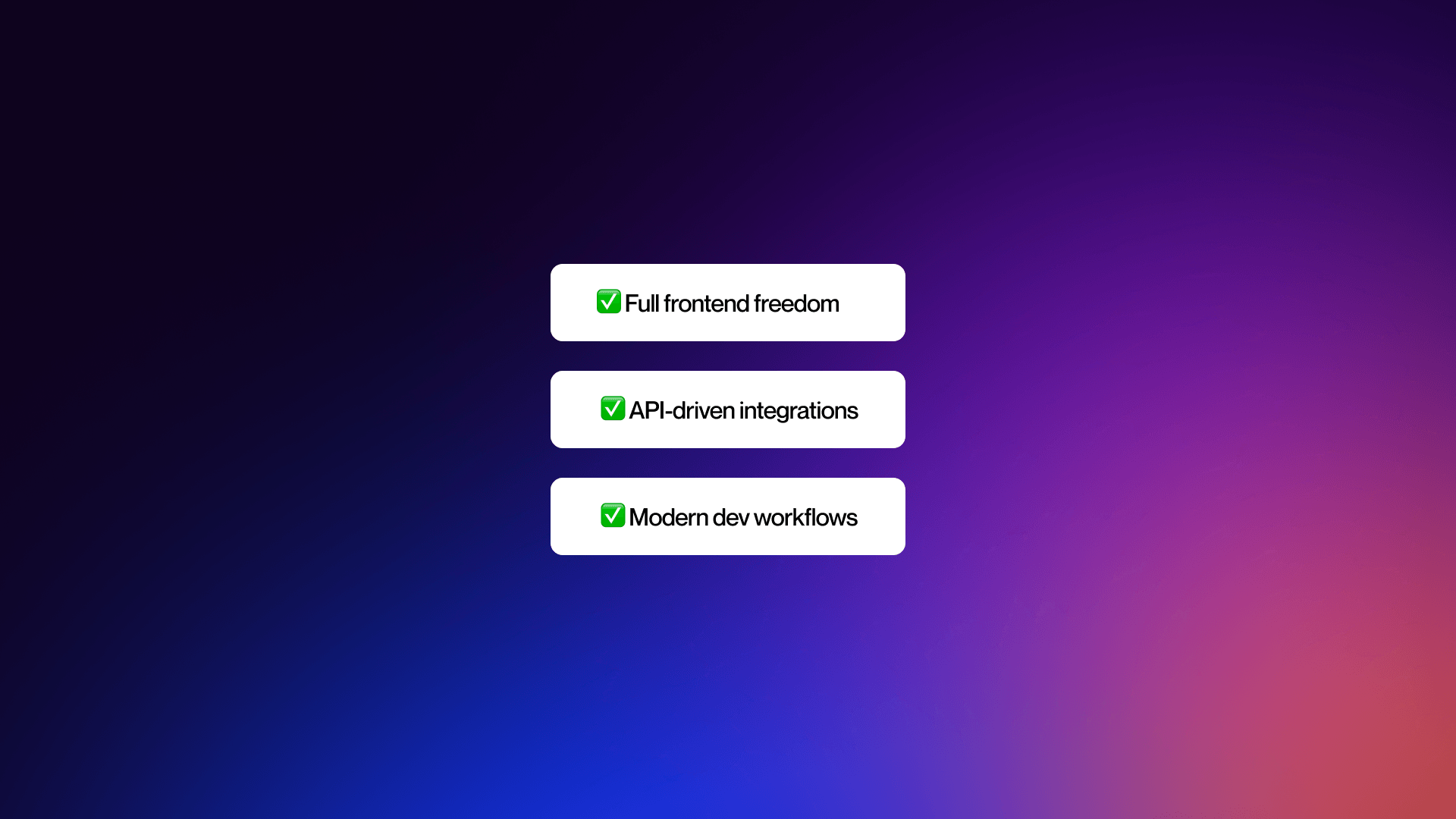
With the ability to choose from any framework, including the likes of Next.js, Nuxt.js, Svelte, Angular, React, and Astro, headless CMS provides complete freedom over frontend development. Because frontend and backend work independently, meaning the presentation layer is easily rebuildable and replaceable without negatively impacting the underlying content.
This helps enable modern architectures such as JAMstack, which improves performance and scalability, while allowing developers to use best-in-class tools.
On the other hand, traditional CMS platforms are more constrained. The themes and templates define how content is structured and displayed, and customizations require working within specific platform systems. Flexibility might have improved slightly, but traditional CMS still presents a predefined framework.
The tradeoff you have to deal with here is simplicity. Traditional CMS frameworks might be more restrictive, but they are also much more straightforward to use effectively. If your organization is looking for a custom digital experience, headless is the standout choice, but if you are creating something more straightforward, traditional will do just fine,
Plugins vs APIs: Two Approaches to Extensibility
Extensibility illustrates where the difference between traditional and headless CMS becomes very apparent.
Traditional CMS platforms are overly reliant on third-party plugins. WordPress alone offers more than 59,000 plugins, meaning functionality can be added without the need for coding. You can build feature-rich websites quickly and easily, but there is a price.
This plugin dependency illustrates many risks, including plugin conflicts, updates needing ongoing testing and maintenance, and technical debt accumulation. 30% of critical WordPress plugins fail to receive security patches in time. Overall, managing plugins becomes a real burden as your system becomes more complex.
Headless CMS is different, relying on API integrations instead of plugins. Functionality is provided through APIs, which connect specialized services, such as payment processors, CRMs, and analytics platforms.
There is a more deliberate architecture here, with each integration being purpose built, dependencies clearer, and systems become easier to scale over time. The trade-off here comes with effort. API integrations need more developmental work compared with plugin installations. However, they provide greater stability, security, and flexibility.
For this reason, many modern businesses will benefit from hybrid approaches, combining API-driven flexibility with visual editing. For teams wanting to explore this balance, Webflow development approaches are a great way of finding that essential middle ground between traditional CMS simplicity, and the flexibility that comes with headless.
Considering Webflow? See how we build modern web experiences. Check out our approach to Webflow development, and how we help teams balance performance and flexibility.
Developer Workflow and Modern Practices
Developer workflow is another area in which architectural differences can impact probability.
Headless CMS is aligned closely with modern development practices, supporting CI/CD pipelines for continuous development, version-controlled workflows using Git, automated testing and deployment process.
As a result, development teams can work faster and more efficiently. Frontend developers are able to build and deploy interfaces independently, and content teams can manage structured data within the CMS.
This is a separation that can reduce maintenance overhead, and developers report spending up to 30% less time on content infrastructure management via managed headless solutions.
Traditional CMS platforms also introduce things like workflow constraints. Because of the fact that content, code, and plugins are tightly integrated, it means that deployments require more coordination.
Development cycles suffer from friction, and even routine updates can introduce risk, causing velocity to slow down.
Many teams wind up avoiding automatic updates as a result of stability concerns, with studies showing that 32-33% of developers regularly enable automatic updates, which is largely because of the risk of potentially breaking functionality.
Learning Curve and Team Composition
The final consideration with developer experience provides the learning curve and team structure that is necessary for managing each system.
Traditional CMS platforms have a lower barrier to entry, with WordPress being used in almost 178+ different countries, supporting more than 60 languages via extensive documentation and community support. Non-technical users are able to manage content independently using WYSIWYG editing.
As such, traditional CMS is perfect for smaller teams, projects with more limited involvement, and organizations focused on marketing.
Headless CMS is different in the fact that it requires a far different skill set. The initial setup tends to involve developers, especially when trying to design content models and configuring APIs.
A consequence of this is a steeper learning curve. Developers are required much earlier in the process, marketing teams find themselves more reliant on technical support, and content workflows need intentional structuring.
However, it is clear that the gap is narrowing, with modern headless platforms improving usability with visual editors, improved editorial interfaces, and customizable content studios. Over time, this means greater collaboration between technical and non-technical teams.
The trade-off here is a simple yet important one. Traditional CMS brings simplicity and immediate usability, while headless CMS offers scalability and long-term flexibility.
When it comes to your business, the right choice of CMS depends on your technical maturity, team composition, and long-term goals.
Cost Analysis and Choosing the Right CMS for Your Needs
When comparing headless and traditional CMS, cost often becomes the deciding factor. Comparing the two requires an understanding of short and long-term investments and potential costs.
Implementation and Ongoing Costs
WordPress, and other traditional CMS platforms, are well-known for their low barrier to entry. In a lot of cases, the software itself is typically free, and the expense actually comes from themes, hosts, and plugins:
- Hosting - $5-100/month for basic, up to $500/month for managed
- Themes - $0-200 for one time
- Plugins - $0-500/annually
- Development: varied depending upon customization
For the majority of smaller businesses, the total first-year cost is generally under $2,000. But, it’s important to note that these numbers do not include hidden costs. Ongoing maintenance can provide operational overhead in the form of security patching, performance optimization, resolving conflicts, and plugin updates.
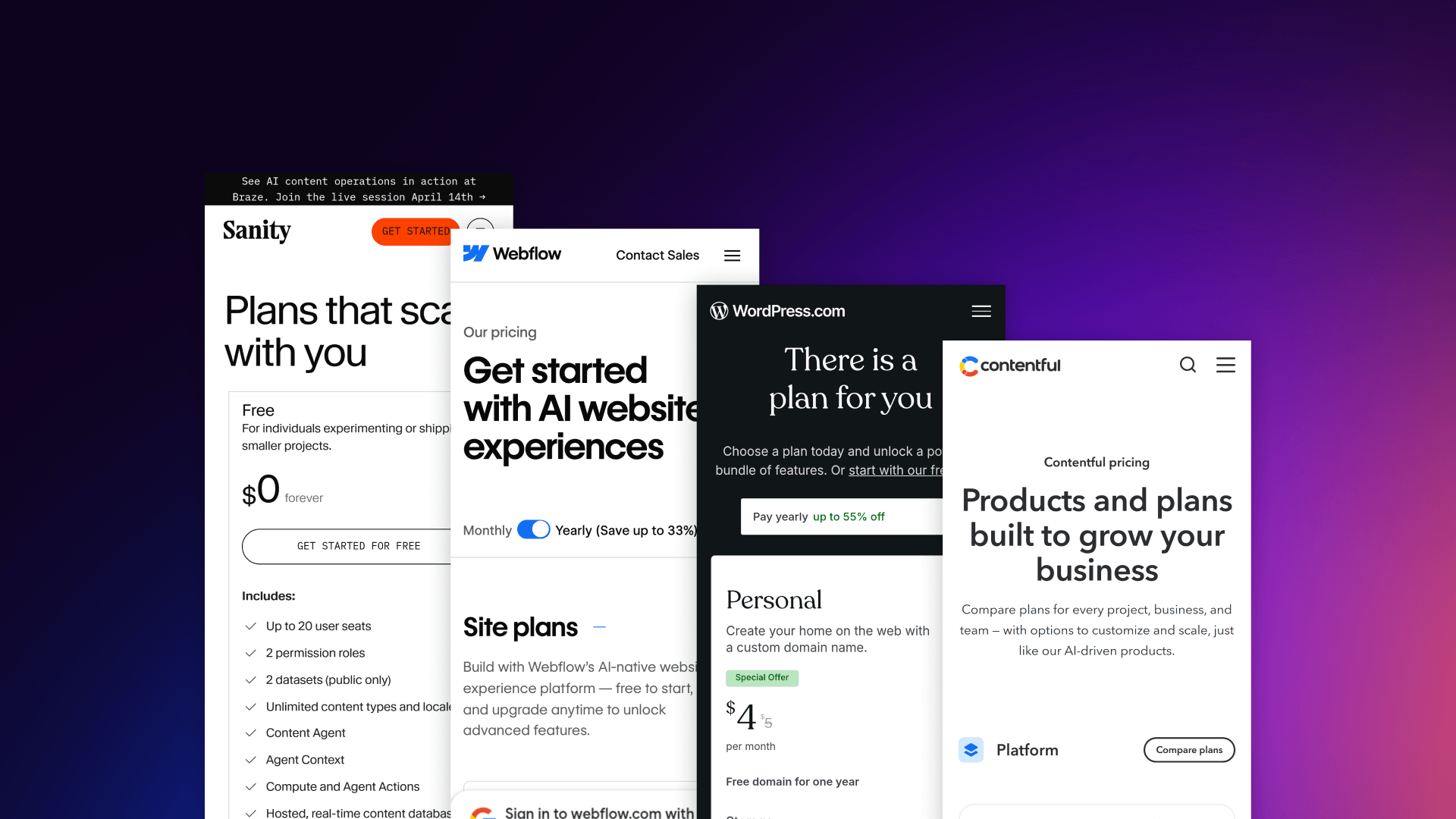
Headless CMS has a different type of cost structure, and most platforms here operate on SaaS pricing tiers:
- Sanity: Free Tier, $199/month (Team), $949/month (Business)
- Prismic: Free Tier, $100-500/month
- Strapi Cloud: From $99/month
- Contentful: Free tier, $489/month (Team), $2,000/month (Enterprise)
The biggest difference in terms of cost comes from implementation. And, unlike in the case of traditional CMS, headless CMS comes with some initial development costs:
- Straightforward implementations: $25,000-$75,000
- Mid-scale builds: $100,000-$300,000
- Enterprise platforms: $500,000-$1.5m
This might seem significantly more expensive at first glance, but the long-term data would appear to suggest that it works out more cost-effective. For instance, 52% of IT professionals report that headless CMS is more cost-effective over time. This is largely thanks to reduced maintenance needs, greater scalability, and improved performance.
COST COMPARISON TABLE
Traditional CMS (WordPress Example)
Headless CMS (SaaS Platforms)
Headless CMS Implementation Costs
When to Choose a Traditional CMS
If simplicity and speed are the priorities, traditional CMS typically remains a strong choice for many use cases. In fact, it is perfectly suited to:
- Small business websites with limited budgets
- Projects that need speedy time-to-market
- Single-channel websites that have zero app requirements
- Content-driven blogs
- Marketing-led teams operating without developer support
The benefits here are obvious, with traditional CMS allowing teams to launch fast, manage their content independently, and avoid the complex nature of custom development.
Common use cases include things like personal blogs, rapid prototypes, portfolio sites, personal blogs, and small nonprofits. If your business has straightforward requirements, traditional CMS can provide an efficient and cost-effective option.
When to Choose a Headless CMS
Headless CMS is intended for organizations that are operating at scale, where things like performance, flexibility, and delivery through multiple channels are crucial.
This is best suited for enterprise platforms delivering content across web, mobile, and emerging channels, as well as companies building AI-powered content operations. It is also perfect for eCommerce businesses requiring consistent product data, media publishing platforms with high content velocity, and SaaS startups prioritizing scalability.
Many of the use cases here include global brands delivering content across multiple platforms and languages, and D2C businesses combining commerce platforms. CMS is no longer just a publishing tool at this level, and it becomes a core part of the technology stack.
Choosing the right CMS platform and implementation for your business is critical. A lot of modern organizations like to work with implementation partners to ensure long-term business goals align with architectural decisions.
Teams looking to evaluate this shift need to focus on cross-platform technical alignment. Seeking the right guidance via a consultation can help your organization clarify trade-offs as well as reducing risk.
Need help evaluating your CMS options? Talk to our team. We work closely with B2B SaaS and enterprise teams to assess risk and architecture, and choose the right CMS for long-term scalability.
Top Headless CMS Platforms Compared (2026)
Platform Overview Comparison
Feature Comparison Matrix
The Hybrid/Composable Approach
It is important to understand that the choice here is not always binary, and this is why so many organizations are moving toward hybrid architectures, which could be the optimal choice for your company. And research suggests that 61% of teams now adopt a hybrid approach and utilise multiple CMS platforms.
Hybrid approaches typically include:
- Making WordPress headless via REST API or GraphQL
- Using Drupal’s decoupled architecture
- Combining visual editing tools with API-driven delivery
Composable architecture can help take this further, where instead of relying on a single platform, companies can use a stack of services that are connected via APIs.
This is a particularly pertinent approach when you are trying to move from traditional CMS incrementally, balance marketing usability with developer flexibility, and extend systems without needing to fully replace everything.
Platforms like Webflow are ideal because they sit in this middle ground where they combine API capabilities with visual editing. This provides businesses with a practical path to transition between traditional and fully headless architectures.
Decision Framework Summary
Making the decision between headless and traditional CMS platforms will depend significantly on your company’s goals and needs. Some of the core factors that play a role in this include:
- Budget - Under $10k per year vs. $50k+ for investment capacity
- Team composition - This requires marketing-led vs. developer-led organizations
- Channel requirements - Web-only vs. omnichannel delivery
- Content complexity - Simple pages vs. structured data models
- AI and personalization - Basic publishing vs automated workflows
- Security requirements - Standard vs. high-compliance environments
- Time-to-market: Weeks instead of months for implementation
CMS Selection Decision Framework
It’s important to remember that there is no better or worse option, and a lot of the time it depends on what works best for your company.
Traditional CMS is incredibly effective for web publishing that is simple and straightforward, and where speed is a key priority.
Headless CMS is becoming more essential for companies building AI-ready, scalable, multi-channel content operations. What you need to consider is not which architecture works better, but is more about which architecture fits the best with your business model, and long-term strategy.
Quick Decision Matrix
At Veza Digital, we help B2B SaaS businesses navigate these decisions in the right way. Discuss your CMS strategy and talk about the ways we can help you find the right option for you.
See our work to understand what we’ve done to help companies embrace the right CMS architectures to meet their needs.
FAQs
Q1. What is the main difference between headless and traditional CMS?
The major difference between the two is architectural, with traditional CMS combining content and presentation in a single system, while headless CMS separates backend and frontend, delivering content via APIs.
Q2. Is headless CMS better than WordPress?
Whether or not CMS is better than WordPress is dependent upon your use case. WordPress works brilliantly for smaller budgets and simple websites. Headless CMS excels for companies that require omnichannel delivery or enterprise scalability.
Q3. How much does headless CMS cost compared to traditional CMS?
Traditional headless platforms will typically cost below $2,000 per year, including additions such as plugins, hosting, and themes. Headless CMS, on the other hand, is typically priced from $100 to $3,000 per month, with implementation ranging from $25,000 to over $1 million.
Q4. Is headless CMS faster than traditional CMS?
In the majority of cases, yes. Headless utilizes CDN caching and static site generation, which provides 40-60% lower latency, and up to 50% faster load times. Headless architecture helps your organization meet Core Web Vitals benchmarks.
Q5. Is WordPress secure enough for enterprise use?
WordPress can be incredibly secure, but it requires detailed management. In 2025, over 11,000 vulnerabilities were reported. The majority of these vulnerabilities (around 90%) originated from plugins and themes. Headless CMS reduces risk because it limits exposure by removing the need for plugins.
Q6. What is a decoupled CMS?
Decoupled CMS is a hybrid between tradition and headless architecture. This is where the backend is separated from the frontend, but the CMS also provides built-in rendering. This provides greater flexibility than traditional CMS, but retains the usability of integrated systems.
Q7. Can I use headless CMS without developers?
The initial setup will typically require developers, but many modern headless CMS platforms will include visual editors, allowing marketing teams to manage their content independently upon implementation.
Q8. Which headless CMS is best for enterprise?
The right platform is subjective and will depend entirely on the needs and requirements of your business. Contentful is famed for its mature API ecosystem, Contentstack provides enterprise-level digital experience features, while Sanity gives developers strong flexibility and allows for real-time collaboration.
Q9. Is headless CMS good for SEO?
Yes. But with the caveat that it needs to be implemented correctly. Faster load times can improve Core Web Vitals, which is going to impact rankings. Headless CMS also supports structured data, and provides greater optimization. The best SEO performance is dependent on the right implementation.
Q10. What is composable architecture?
Composable architecture is a modular approach allowing businesses to connect services such as CMS, commerce, search, and personalization. Headless CMS is a key part of this model, and follows the MACH principles: Microservices, API-first, Cloud-native, and Headless.
Q11. Can WordPress be used as a headless CMS?
WordPress can absolutely be used as a headless CMS through the use of its REST API, as well as WPGraphQL. This helps enable businesses to utilise the classic WordPress backend, while also developing a custom frontend.
Q12. Why is headless CMS important for AI?
As AI becomes more widespread and dominant, it’s important for businesses to provide the structure that allows AI to access data. Headless CMS stores content in a way that helps AI analyze, personalize, and automate your content framework, futureproofing your business, and providing a successful framework for AI-driven content.