TL;DR
Most website builders now have their own MCP server. For example, Framer has one at mcp.framer.com, which they launched in October 2026. Wix and Squarespace also have their own servers, at mcp.wix.com and mcp.squarespace.com, respectively. Webflow's server is already on version 2.2, which was released in October 2026. So, the big question for marketing teams is not whether their website builder works with AI agents, but what these agents can do and how to control them. Framer's server allows agents to create pages, edit layouts, and manage content - and it's free for now, although it doesn't support localization yet. Wix focuses more on developers and business APIs, while Squarespace covers things like domains and commerce. Webflow's server, on the other hand, goes really deep into the design system, content management, analytics, and other data, and it even enforces site roles and offers features like branches and activity logs for Enterprise plans. We've compared what each vendor's server can do, as well as how mature they are, based on information from their own websites as of November 20, 2026. This should help you decide which website builder is the best fit for your agents to work with.
Framer MCP in 2026: An Official Model Context Protocol Server
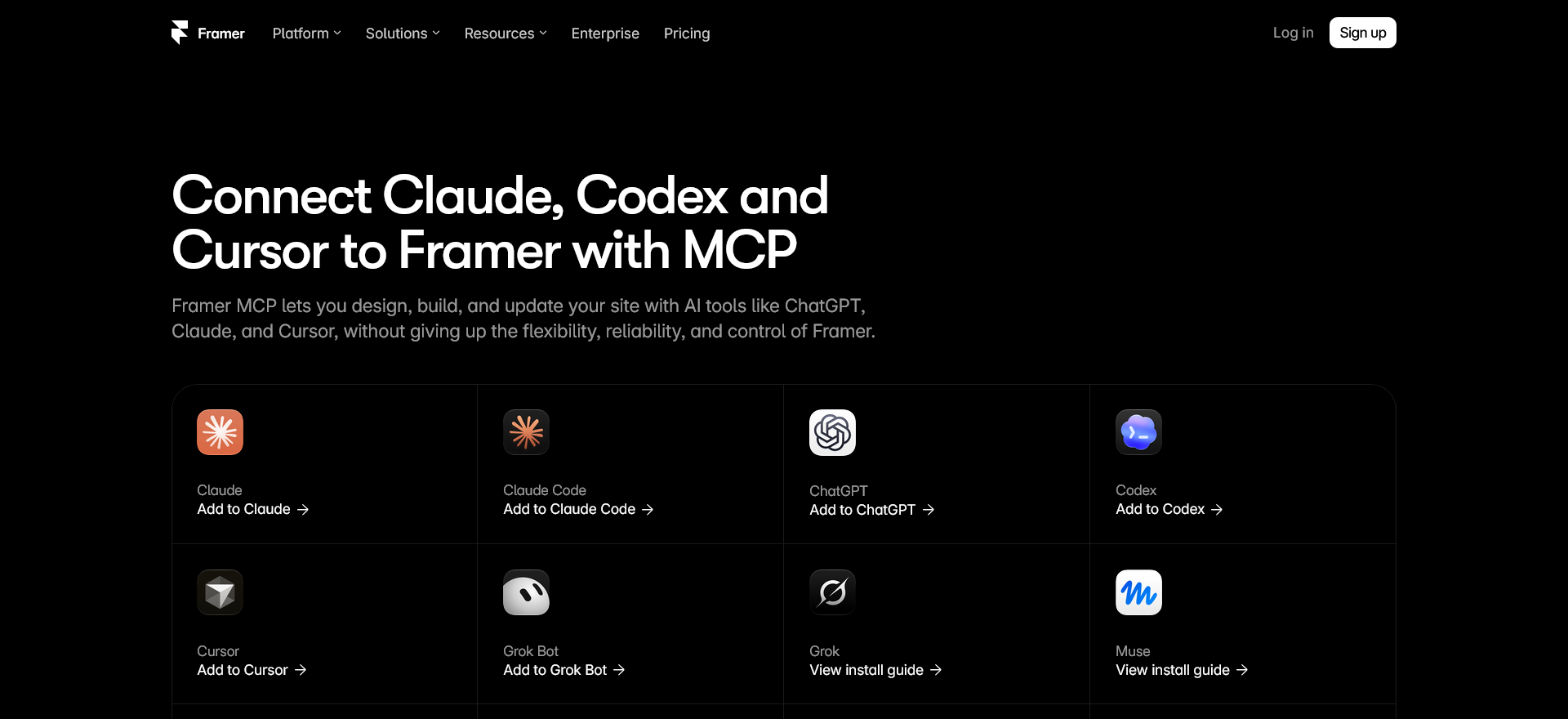
The official Framer remote MCP is hosted at https://mcp.framer.com/mcp. It works with Codex, Claude Code, Cursor, Pi, Windsurf, Warp, Grok and more remote MCPs. It can be added to teams via ChatGPT Plugins, the Claude Directory, or by visiting the URL directly.
Previously, You could use External Agents in Framer via a local CLI. However, to get full functionality, we recommend using the new remote MCP. While Tommy's MCP plugin is available in the Framer marketplace, it is not an official plugin. To use the official Framer MCP, visit https://mcp.framer.com/mcp. This guide is just about what agents can do, not the whole platform - if you want to know more about that, check out our comparison of Webflow vs Framer.
What a Framer AI Agent Can Do: Pages, Layouts and CMS Collections
When you look at what Framer's help article says, it's clear that an agent using MCP can do a lot of things - it can make new pages, change the way things look, update what's on the page, and take care of CMS collections. This pretty much covers what a marketing team does every day, like building a new landing page, tweaking the layout, and making sure the collections are up to date. For a team that focuses on design and wants to get things done quickly, most of their everyday work will fall under these tasks.
Here's what's important to know: the list shows you what's included and what's not. Framer's documentation doesn't mention SEO management or redirect workflows through MCP, so don't count on those features if you're planning tasks. Instead, work with what Framer offers. To be safe, try testing one real task on a copy of your project before relying on the server for more - this will help you avoid any potential issues.
Live Site Safety: Publishing, Branches and the Localization Gap
When an agent makes changes to a project, those changes stick around until someone publishes them. This creates a checkpoint for the team to review what's been done, which is important because editing something and publishing it are two separate things. The space between these two events is where errors can get caught. Some reports from outside sources also suggest that agents can work on a separate branch, which would add an extra step to the process, although we haven't found any official documentation to back this up on the pages we've checked.
There are two important things to consider here. When you connect, it uses the permissions of the account that you're signed in with, and the people in charge of the workspace might need to approve the connection before it starts working. One issue that might cause problems is that the new server doesn't support multiple languages right now, which can be a problem for teams that speak different languages. The old way of setting up External Agents does support multiple languages, and Framer is currently working with both methods. If your team has a website that's translated into different languages, you should plan and take this limitation into account.
Webflow's MCP Server: Deeper Access, Governed by Your Roles
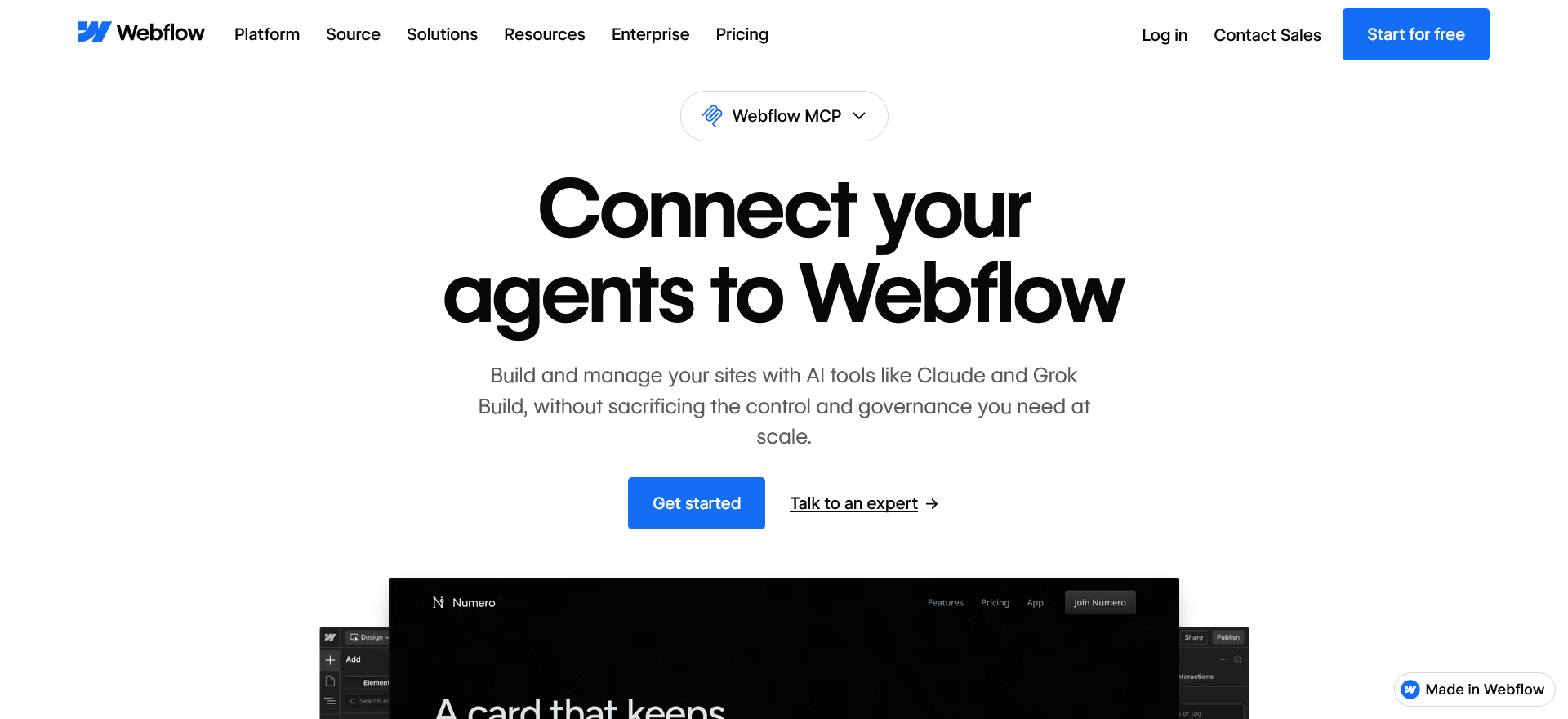
Webflow's server is located at https://mcp.webflow.com/mcp and it uses OAuth for security. The main idea is that agents can only do things that a user can already do in the Designer. So, when an agent is created, it gets the same access as the person who made it - nothing more, nothing less. The good thing is that roles, even custom ones, are still enforced. This means a team can control what an agent can do by limiting it to a specific role, so it can only work on certain tasks.
MCP 2.0 was launched on July 21, 2026, and it's available on every site plan. This new version provides agents with a design system and CMS context, and it also supports Agent Instructions. It enforces roles and offers really specific access to each site, CMS collection, page, and even locale, plus it includes analytics. Then, on September 21, they released version 2.1, which added some cool features like GSAP interactions, Cloud deploys, and Campaigns. A few weeks later, on October 15, they launched version 2.2, which included AEO, Optimize, and page-level Analyze. If you need features like branches and site activity log endpoints, you'll have to go with an Enterprise plan, because these are only available to Enterprise users, as stated in Webflow's developer documentation. This is important for teams that need to keep track of changes and want to make sure their work is safe.
So, there are limits to what a server can do. For example, an agent can't just create a whole new website from scratch. It also can't add new content to the website's CMS that's specific to a certain region. But, it can make changes to things that are already there. This means that people are still needed to build new things, while agents can handle making updates to existing structures. What really sets Webflow's server apart is the amount of data that an agent can access - this includes things like analytics and AEO data. states.
Framer MCP vs Webflow MCP, Side by Side
For a marketing team, there are three key parts of the table that really matter. These are publishing control, the permission model, and data access. They are important because they help the team manage what gets published, who can make changes, and what data they can see.
When it comes to controlling what gets published, Framer keeps an agent's changes under wraps until someone gives the green light. This makes it easy to review what's changed. Webflow, on the other hand, lets you create separate branches to try out new ideas safely, but you need to be on an Enterprise plan to do this.
For other plans, teams have to rely on setting up roles and getting into good review habits. In terms of who can do what, Framer uses the permissions of the account that's signed in and lets workspace admins decide who needs approval. Webflow is more specific - it sets roles and limits access to specific sites, collections, pages, and even languages. This gives you more control over who can see and change what.
When it comes to accessing data, Framer's scope is pretty straightforward - it covers pages, layouts, content, and CMS collections. But Webflow's server takes it a step further by adding context from the design system, analytics, and AEO data. This allows agents to not only analyze performance but also make changes to the content. As a result, the two servers are suited for different tasks. Think of Framer's server like a quick and efficient production assistant, while Webflow's server is more like a controlled workspace.
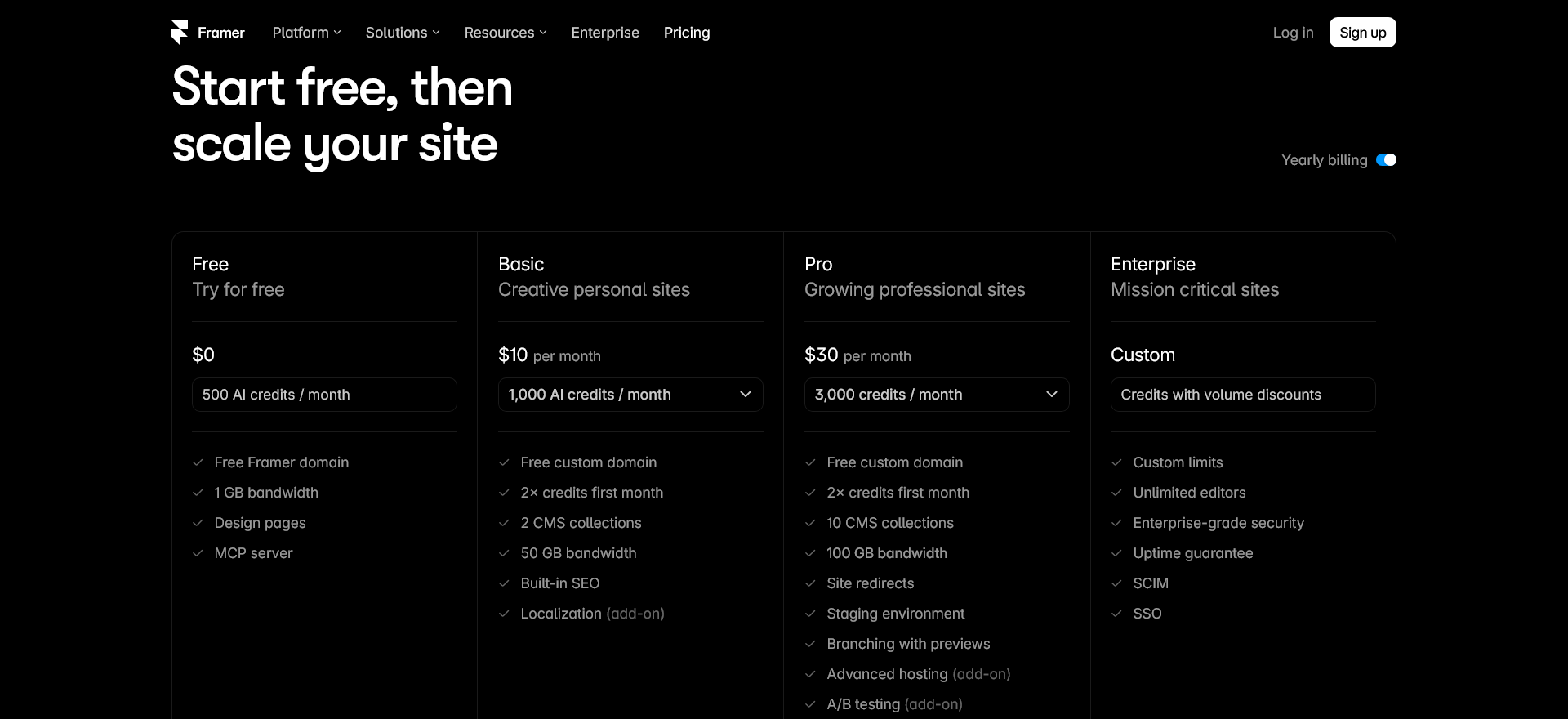
Then there's the cost - Framer's server is free during its preview period, regardless of the plan, with AI work billed separately through the user's chat app plan, according to reports from third-party sources.
Agent Access: Who Controls What an Agent Can Do
When people are using a website, being in control is more important than what the website can do. The four companies that build these websites have different ways of handling this, and the chart above shows what each company says about it, all lined up for comparison.
When it comes to permissions, Framer's agent works just like the account that's signed in - it has the same level of access. This means that workspace admins might need to give their approval before a connection can be made. On the other hand, Webflow's agent acts like a user in the Designer, with its own set of roles and custom roles that determine what it can do. You can even limit its access to a specific collection, page, or locale. Plus, Webflow keeps a record of the agent's actions in an activity log, although you need to be on an Enterprise plan to access the log endpoints. Wix is a bit different - it offers two options: OAuth or an API key with an account ID, which gives developers a lot of flexibility. Squarespace, meanwhile, requires Administrator or Store Manager permissions to use its store tools.
When a vendor's documentation doesn't mention a specific control, like an audit trail for Framer, the grid will simply state "Not documented". But that doesn't necessarily mean the feature isn't there. To get a better sense of things, try to think about what could happen if an agent misinterprets a prompt. Look for controls that can minimize the damage. There are three key things to check for: scope limits, an approval step, and a way to review what's happened. These can help prevent problems and give you more control over the situation.
Wix MCP and Squarespace MCP in Brief
Wix has a special server at https://mcp.wix.com/mcp that helps developers work with their platform. According to Wix's own guides, this server can search for information in Wix's developer documentation, create code for the platform, and make special requests to Wix sites. To keep things secure, it uses OAuth or a unique API key along with an account ID for authentication. The server can handle a wide range of tasks, including things like online stores, booking systems, payments, events, pricing, blogs, content management, and customer relationship management. This suggests that the server is mainly used by developers and businesses to automate tasks and workflows, rather than just building websites. A team at Wix likely uses this server to automate complex business processes, making it easier to manage and run their operations.
Squarespace has a server that you can access at https://mcp.squarespace.com/mcp, and you can find more information about it at developers.squarespace.com. The tools for managing domains can be used with any client, but the commerce tools only work with Claude and ChatGPT, and they're also built into Gemini. To use the store tools, you need to have Administrator or Store Manager permissions, which is based on the existing roles in the store. This makes sense for tasks like handling products and orders. If you're looking at other platforms, we have a guide that compares different CMS options with MCP, which might be helpful for teams.
Verdict by Use Case, and the AI Clients That Work With Each (Claude Code, Codex, Cursor)
We have a connection to Webflow, which is worth mentioning. As a Premium Certified Enterprise Webflow Partner, Veza has a vested interest in the platform and a deep understanding of its capabilities. Our knowledge comes from hands-on experience, including public sessions like the webinar on August 26, 2026, where Steve Shaw talked about "Building AI workflows with Webflow MCP 2.0". We also hosted an MCP masterclass for our agency network on April 28, 2026. This background gives us a unique perspective on Webflow's server.
A design-led team that ships marketing pages quickly fits Framer's server, since it covers pages, layouts, and CMS, holds changes until publish, and is reportedly free in preview. A multilingual site fits Webflow better, because Framer's server does not support localization at launch, while Webflow can update existing localized content. A team that needs scoped access and an audit trail fits Webflow, with Enterprise for logs and branches. A store or bookings business fits Wix or Squarespace, whose servers focus on commerce and business APIs. A team that wants agents to analyze performance fits Webflow, which exposes analytics and AEO data.
On clients, Framer's server works with Claude Code, Codex, Cursor, and other remote MCP clients. Webflow's hosted server uses OAuth, and Webflow's developer documentation lists the current steps for connecting a client. Our guide on how we build with agents describes the workflows we run. If you are on Webflow and want to prepare, use our Webflow MCP Readiness Checklist.
Closing
Every builder now has access to MCP. The key difference lies in what you can control. If your team uses Webflow, begin by setting a solid foundation that makes working together smoothly: have a simple design system, organize your CMS, write down the rules, and clearly define each person's role
Get the Webflow MCP Readiness Checklist
FAQ
Is there a Framer MCP for Claude Code?
Yes. Claude Code is a supported client for Framer's official MCP server, which is also available through the Claude Directory. The server URL is https://mcp.framer.com/mcp, and sign-in uses OAuth.
Is Framer MCP free?
Framer's server is reportedly free during its preview on every plan, including Free, with AI work billed to the user's chat app plan. That comes from third-party reporting of a pricing change recorded on 26 October 2026, so check Framer's pricing page for the current position.
Can Framer MCP edit my live site?
Agents can create pages, edit layouts, update content, and manage CMS collections, and changes stay in the project until you publish. A person publishes, so the live site changes only after that step.
How do you connect Webflow MCP to Claude?
Webflow's server is hosted at https://mcp.webflow.com/mcp and uses OAuth, so you add it through your client's MCP or connector settings and sign in. Webflow's developer documentation lists the current steps for each client.
Does Squarespace have an MCP server?
Yes, an official one at https://mcp.squarespace.com/mcp. Its Domains tools work in any client, Commerce tools work only in Claude and ChatGPT, and store tools need Administrator or Store Manager permissions.
Can Claude integrate with Wix?
Yes, through Wix's official MCP server at https://mcp.wix.com/mcp, which uses OAuth or an API key with an account ID. For a wider look at builder options, see our guide to Framer alternatives.
Does Framer MCP support localization?
Not at launch. Framer's older External Agents setup, which runs through a local command-line tool, supports localization, and Framer supports both routes until MCP reaches feature parity.
Is MCP still relevant in 2026?
Yes. Framer, Wix, Squarespace, and Webflow all run official MCP servers now, which shows how widely builders have adopted it for AI agent access.