.jpeg)
Here's the truth about this comparison: Webflow and Weebly aren't competitors in any meaningful sense. They serve entirely different audiences with different needs. Webflow is an expert design and development tool that happens to be visual.
Weebly is a basic website builder for people who need something simple, fast, and cheap. If you're reading this guide, you're probably already past the point where Weebly makes sense.
This comparison will walk through the key differences in design capabilities, e-commerce features, SEO tools, performance, pricing, and real-world use cases.
The bottom line: Weebly gets you online. Webflow builds you a business asset.
Abstract
Webflow is the better choice for businesses, professionals, and anyone serious about their website. It offers superior design flexibility, better SEO tools, stronger performance, and room to grow.
Weebly is only recommended for absolute beginners with strapped budgets who need the simplest possible website.. For most users comparing these platforms, Webflow is worth the investment.
Quick Comparison Table
Bottom Line: Webflow wins 7 out of 8 key categories, dominating in design, SEO, performance, e-commerce, CMS, and scalability. Weebly’s only advantages are being cheaper and easier for absolute beginners. If your website matters for your business or brand, choose Webflow.
Webflow vs Weebly: Platform Overview
What is Webflow?
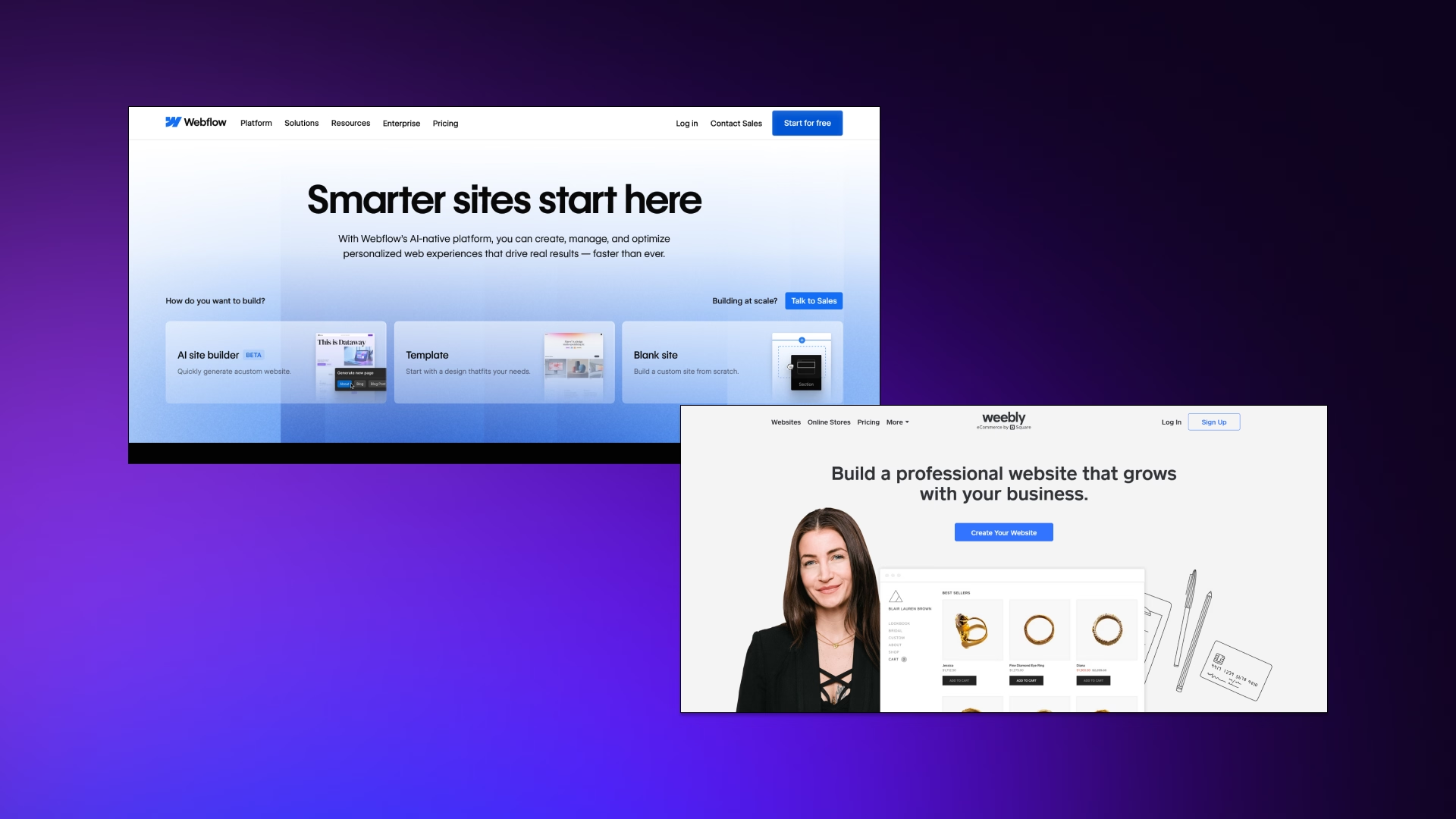
Webflow is an expert web design platform that bridges the gap between visual design and clean, production-ready code.
Think of it as a visual development tool where you design in a visual interface", but behind the scenes, Webflow generates the equivalent HTML, CSS, and JavaScript. …generates the equivalent HTML, CSS, and JavaScript—code that a proficient developer would write by hand..
The platform gives you complete design freedom. You're not locked into template constraints or pre-built sections. If you can imagine a layout, you can build it in Webflow using Flexbox, CSS Grid, and full control over every visual property.
Webflow is the one to go to for:
- Designers who want pixel-perfect control
- Agencies building client sites
- Marketing teams creating high-converting landing pages
- Businesses that need their website to stand out
Webflow's philosophy is simple: you should get professional-grade results without needing to write code manually. Companies like Discord, Dell, and Zendesk use Webflow because it combines the speed of a visual builder with the quality of custom development.
It's not the easiest tool, but it's the most capable, especially when paired with professional Webflow development services.
What is Weebly?
Weebly is a basic drag-and-drop website builder focused on simplicity above everything else. It's owned by Square (acquired in 2018), which means it integrates tightly with Square's payment and point-of-sale systems.
That's its main advantage if you run a physical retail business.
Weebly is for:
- Beginners with no technical experience
- Hobbyists and personal projects
- Very small businesses need a simple website
- Users who want to get online quickly with minimal setup
- People who value ease and low cost over advanced design or performance
The Core Difference
These platforms aren't in the same league. Webflow is a professional tool built for people who care about their website as a business asset. Weebly is a beginner tool built for people who just need something online and cheap.
Long-term decision
- Webflow is an investment.
- Weebly is an expense.
- Webflow grows with your business.
- Weebly is something you'll outgrow
The question isn't which is better, it's which matches where you are and where you're going. If you're serious about your business, that answer is almost always Webflow.
Platform Overview Table
Takeaway: Different tools for different needs. Most businesses should choose the Webflow website builder.
Features & Capabilities Compared
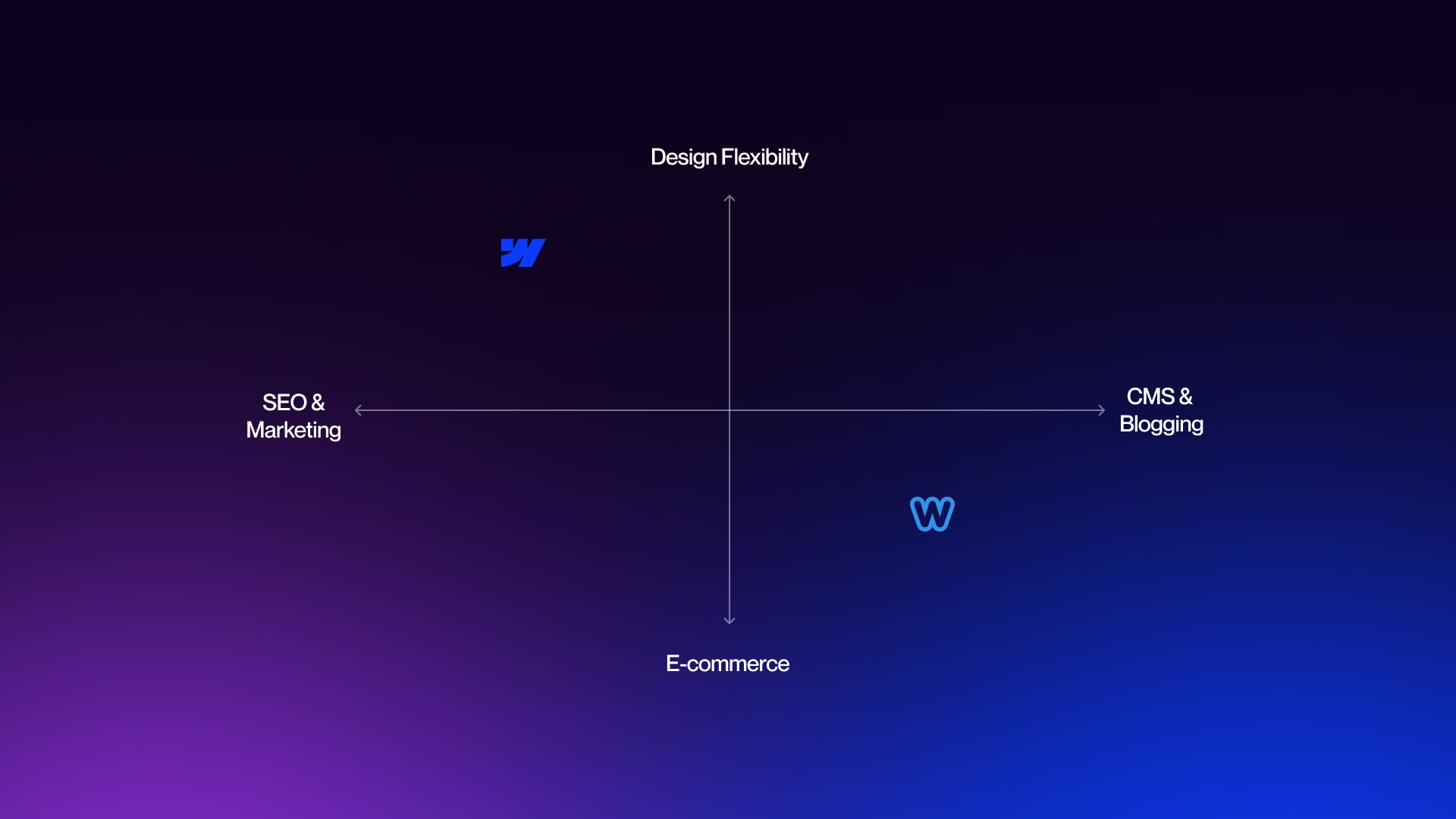
To decide which platform will work better for you, you need to explore their key features and capabilities.
Design Flexibility & Customization
This is where the gap between these platforms becomes impossible to ignore.
Webflow
Webflow gives you complete design freedom. You're not choosing from templates and hoping one of them works. You're building from a blank canvas with full control over every pixel, every spacing value, every animation.
You can use Flexbox and CSS Grid to create any layout you can imagine. You can add custom interactions like parallax scrolling, scroll-triggered animations, and hover effects that would normally require a developer. You can set custom breakpoints for responsive design instead of hoping the default mobile view looks okay.
If you need to maintain brand consistency across a large site, Webflow's design system capabilities let you create reusable components and style guides. If you ever want to move off the platform, you can export clean, production-ready code.
Weebly
Weebly gives you templates with drag-and-drop editing within fixed constraints. You pick a template, swap out text and images, and maybe change some colors if the theme allows it.
You can drag elements like text boxes and images into pre-defined drop zones, but you can't position them freely or create custom layouts. Control over spacing, typography, and visual hierarchy is limited to whatever the template designer decided.
What you see in the template preview is mostly what you get. If you want something that doesn't fit the template structure, you're stuck.
The verdict: The verdict: Webflow is far more flexible. Weebly sites look like Weebly sites, and there's not much you can do about it without diving into custom CSS, which defeats the entire purpose of using Weebly.
On coding requirements: Webflow doesn't require you to code, but understanding basic design principles helps you use it effectively. Weebly requires no coding at all, but it also gives you no option to customize deeply, even if you wanted to.
E-commerce Capabilities
If you're building an online store, the platform choice matters even more.
Webflow
Webflow E-commerce lets you design your store exactly how you want it. You control the product page layouts, the cart experience, and the checkout flow, all while maintaining your brand identity.
You can sell up to 500 products on the Standard plan, 5,000 on Plus, and 15,000 on Advanced. There are no transaction fees on Plus and Advanced plans (the Standard plan charges 2%). Webflow integrates with Stripe and PayPal for payments and handles automatic tax calculations.
The platform is built for businesses that want a high-end, branded shopping experience where the store design is part of the value proposition.
Weebly
Weebly E-commerce is simpler and more limited. It's tightly integrated with Square, which is great if you already use Square for payments or have a physical store.
You get basic product management, Square payment processing, and the ability to sync inventory between online and in-store. The problem is customization. You're stuck with Weebly's standard store layouts, which look generic and feel dated.
There are transaction fees on lower-tier plans, and the overall experience lacks the polish that modern customers expect from online shopping.
The verdict: Use Webflow if you want a custom, branded e-commerce experience. Use Weebly only if you're already deep in the Square ecosystem and need the absolute simplest way to sell online.
Important note: Neither platform is Shopify. If you're running a serious, product-focused e-commerce business, consider using Shopify for the store and Webflow for your marketing site.
SEO & Marketing Tools
Search visibility can make or break an online business, and this is another area where Webflow dominates.
Webflow
Webflow SEO gives you professional-grade control. You have complete control over meta titles, descriptions, and Open Graph tags for every page. You can customize URL structures to match your content strategy. Sitemaps are auto-generated and kept up to date.
You can add schema markup for rich snippets, manage 301 redirects easily, and control every aspect of heading structure and alt text. But the biggest SEO advantage is technical: Webflow generates clean, semantic code and hosts sites on AWS with Fastly CDN.
This means fast loading times and excellent Core Web Vitals scores. Google cares about site speed, and Webflow sites are consistently fast.
Weebly
Weebly gives you basic SEO settings. You can edit meta titles and descriptions, and it generates a sitemap automatically. That's about it.
URL control is limited, there's no easy way to add schema markup, and the overall site performance is slower due to older code architecture and shared hosting.
For a local business that just needs to show up in Google Maps, Weebly's SEO is probably fine. For any business depending on organic search traffic, it's not enough.
The verdict: Webflow gives you the SEO tools and performance to compete. Weebly gives you the bare minimum and hopes it works out.
Key insight: If your business depends on organic traffic, Webflow's SEO capabilities alone justify the price difference. You're not just paying for a website builder. You're paying for a platform that gives you a fighting chance in search results.
CMS & Blogging
Content management is another area where these platforms serve completely different needs.
Webflow
As we covered in our Webflow CMS guide, Webflow CMS is both powerful and flexible. Simply put, Webflow CMS is both powerful and flexible. You can create custom content structures called Collections, where you define exactly what fields each piece of content needs (text, images, dates, numbers, references to other content).
You can then design a template once and have it automatically apply to thousands of items. This makes Webflow perfect for content-heavy sites like magazines, directories, job boards, or case study portfolios.
You get dynamic filtering, sorting, and the ability to reference content across different collections. The CMS scales to thousands of items without slowing down, and you maintain complete design control over how content displays.
Weebly
Weebly blogging is basic. You get a standard post editor with categories, tags, and comments. It works fine for simple personal blogs or occasional company updates. But there's no flexibility in how blog posts display. Also, there’s no way to create custom content types, and there’s a limited ability to organize content beyond basic categories.
The verdict: Webflow CMS is built for serious content marketing and complex content needs. Weebly blogging is adequate if you're just posting updates occasionally and don't care about design or content strategy.
Summary: Webflow wins on features. Weebly wins only on simplicity.
User Experience & Practical Factors
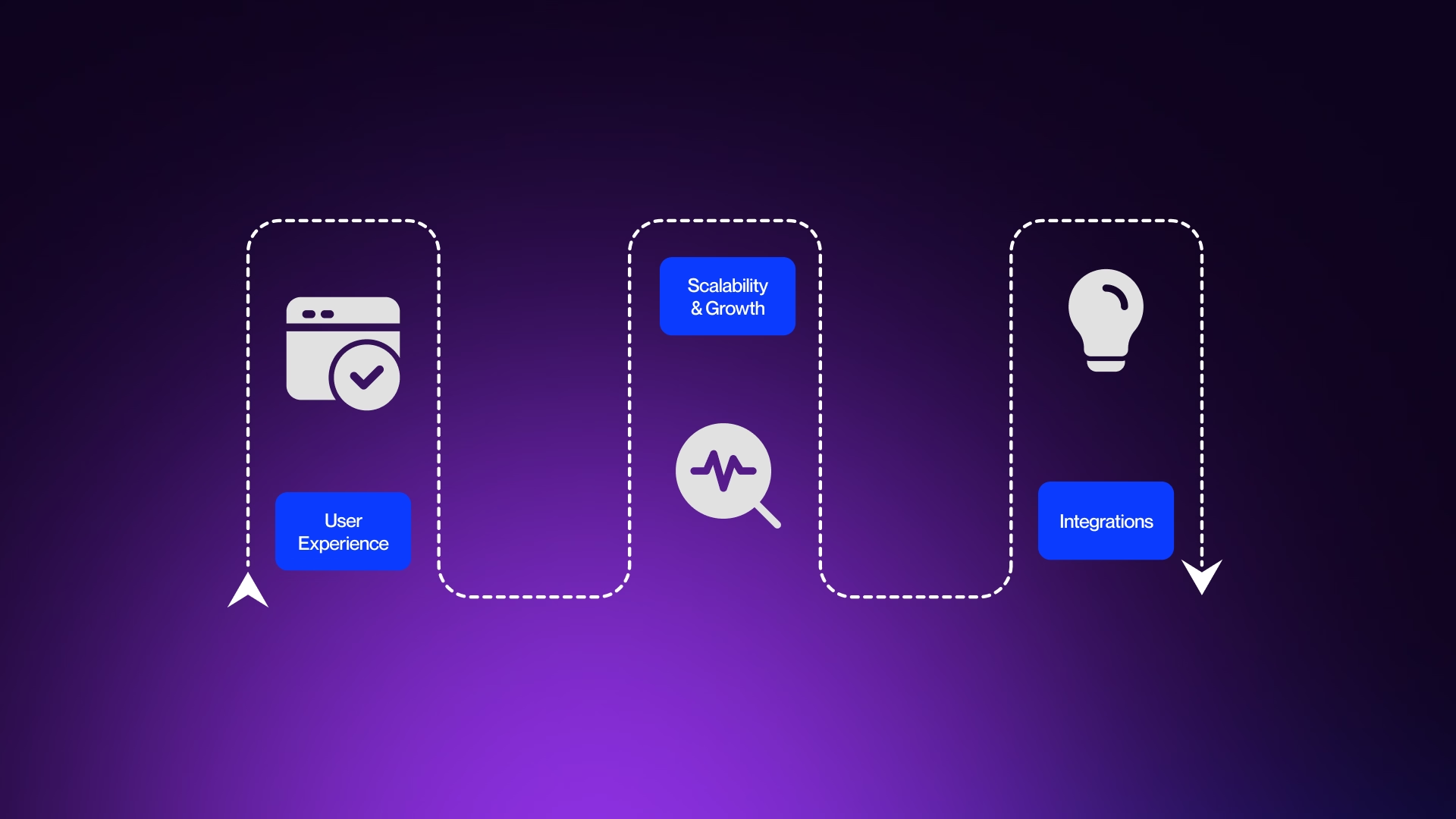
The real differences become apparent in daily use and practical factors.
Since you’ll be using the platform every day, things like the learning curve, performance, scalability, and future potential are important to consider too.
Ease of Use & Learning Curve
Let's be honest: Weebly is easier to get started with. Much easier.
Weebly
With Weebly, you can go from zero to a published website in under an hour. Pick a template, drag some elements around, swap in your text and images, and you're done.
There's almost no learning curve because there's almost no depth to the tool. If you can use PowerPoint, you can use Weebly. This makes it perfect for the "I just need something online" crowd who doesn't want to invest time learning anything.
Webflow
Webflow has a steeper learning curve.
If you're a complete beginner with no design background, expect to spend several days or even weeks getting comfortable with the platform. You need to understand basic web design concepts like the box model, how elements stack and flow, and how responsive design works.
The good news is that Webflow University provides some of the best free training in the industry. The tutorials are clear, entertaining, and thorough. Once you get past the initial learning phase, Webflow becomes incredibly powerful. Designers with existing skills adapt quickly. Complete beginners need patience.
The reality is: Weebly is easier, but "easy" has a ceiling. You'll hit that ceiling fast, and then you're stuck. Webflow's learning curve is an investment that keeps paying dividends. Every hour you spend learning Webflow increases what you can build. Every hour in Weebly just reinforces the same limited capabilities.
Think of it this way: Weebly is like using a microwave. Webflow is like learning to cook. One gets you faster results at first. The other serves you better for the rest of your life.
Hosting & Performance
Website hosting directly impacts your search rankings, user experience, and conversion rates.
Webflow
Webflow runs on Amazon Web Services (AWS) infrastructure with Fastly CDN for global content delivery. This means your site loads fast for visitors anywhere in the world. SSL certificates are included automatically for security.
Sites maintain excellent Core Web Vitals scores, which Google uses as a ranking factor. Webflow handles automatic image optimization, lazy loading, and other performance tricks that would normally require developer expertise.
Enterprise plans include a 99.99% uptime SLA. The hosting is genuinely excellent and would cost significantly more if you built a custom site and hosted it separately.
Weebly
Weebly includes hosting in all plans, and it works fine for basic sites. SSL is included. Performance is adequate for low-traffic, simple pages. But there's no advanced optimization, the CDN is less robust, and complex sites with lots of content or images can feel sluggish.
The infrastructure hasn't been meaningfully upgraded since before the Square acquisition, and it shows when you compare load times side by side with modern platforms.
The verdict: Webflow hosting is a genuine competitive advantage. Weebly hosting is fine, but not impressive.
Why this matters: Faster sites rank better in Google, convert better for sales, and provide better user experiences. A one-second delay in page load can reduce conversions by 7%. Webflow's performance advantage compounds over time as your site grows.
Scalability & Growth
This is where Weebly's cost advantage disappears.
Webflow
Webflow scales from day one to enterprise. You can start with a simple site and grow into a complex, high-traffic web presence without rebuilding or migrating.
The platform handles traffic spikes without breaking, supports thousands of CMS items, and offers enterprise-grade features for funded startups and established companies. Major companies like Zendesk, Discord, and Dell use Webflow for significant parts of their web presence. You won't outgrow it.
Weebly
Weebly doesn't scale well. It works fine for a static five-page site with modest traffic. But as your business grows and you need more sophisticated features, better design, stronger SEO, or higher performance, you'll hit walls.
Those walls require migration to a better platform, which means rebuilding your entire site from scratch, setting up new redirects, and risking lost SEO value. Most businesses that start with Weebly eventually migrate away. That migration costs more in time and money than starting with Webflow would have.
The verdict: If you plan to grow your business, start with Webflow. Migrating later costs more than starting right.
Key insight: The cheapest option now often becomes the most expensive option later. Weebly saves you $10 a month today, but costs you thousands in migration costs and lost opportunities tomorrow.
Integrations & Extensibility
Modern websites need to connect with other tools: email marketing, CRMs, analytics, payment processors, and more.
Webflow
Webflow offers native integrations with major platforms and a robust API for custom connections. You can connect it to Zapier or Make to automate workflows with thousands of other services.
Need to embed custom code for a specific tool? No problem. Want to pull data from external sources? The API makes it possible.
The Webflow ecosystem is growing, with more third-party tools and integrations launching regularly. If you need something Webflow doesn't natively support, there's usually a way to make it work.
Weebly
Weebly has an App Center with basic integrations for forms, social media feeds, and simple features. The Square integration is genuinely good if you're using Square for payments or point-of-sale.
Beyond that, your options are limited. There's no robust API, and the platform isn't designed for complex integrations. You work within what Weebly provides, or you don't do it at all.
The verdict: Webflow offers significantly more integration options and flexibility for connecting your website to your broader business tools.
Insight: Weebly is easier to start, but Webflow scales better as you grow.
Ready to build with Webflow? Veza Digital can help. Contact us to learn more.
Pricing & Value Comparison
Pricing is another key factor to consider, especially when you’re comparing what each platform offers at different price points.
Pricing Breakdown
Let's look at what these platforms cost in 2026.
Webflow pricing
Webflow pricing breaks down like this:
Site plans
- Free - Limited features, mainly for learning and testing
- Basic ($14/month) - Best for simple, static sites
- CMS ($23/month) - Ideal for blogs and content-driven websites
- Business ($39/month) - Higher traffic limits, advanced forms, more CMS items
E-commerce
- Standard ($29/month) - Up to 500 products, 2% transaction fee
- Advanced ($212/month) - Up to 15,000 products, no transaction fees
Weebly
Weebly pricing is lower across the board.
- Free - Includes Weebly branding and major limitations
- Personal ($10/month) - Basic personal websites
- Professional ($12/month) - Small business sites
- Performance ($26/month) - Advanced features and online selling
- E-commerce - Pricing depends on Square plans and is generally cheaper than Webflow
The price difference comes out to roughly $10-25 per month, depending on which plans you compare. Weebly is cheaper, no question about it.
Total Cost of Ownership
Pricing discussions often focus on the monthly subscription cost, but that's only part of the picture.
Weebly
Weebly's upfront cost is lower, but you'll likely need to redesign sooner. Weebly sites look dated quickly, and as your business grows, you'll outgrow the platform's capabilities.
That means paying someone to rebuild your site on a better platform, which costs thousands of dollars. There's also opportunity cost: a limited Weebly site with slow performance and poor SEO misses conversions and traffic that a better site would capture.
Then there's the migration cost when you inevitably move to something better. You'll need to redirect URLs, rebuild the design, transfer content, and hope you don't lose search rankings in the process.
Webflow
Webflow's higher monthly cost is offset by long-term value. You build once on a platform that grows with you. The professional design and strong performance generate better results from day one. You're not rebuilding every few years because you've outgrown your tool.
Key insight: Weebly's lower price is a false economy for any serious business. The $150 you save per year gets wiped out by a single lost customer or the thousands you'll spend migrating later.
Support & Resources
When you're learning a platform or troubleshooting an issue, support quality matters.
Webflow
Webflow offers Webflow University, which is genuinely some of the best software training available anywhere. The video courses are clear, well-paced, and cover everything from basics to advanced techniques.
There's an active community forum where experienced users help newcomers. Documentation is extensive and regularly updated. Email support is available, with priority support on higher-tier plans. There's also a large ecosystem of Webflow agencies and freelancers you can hire if you need expert help.
Weebly
Weebly provides basic support channels, including a help center, documentation, and community forums. Support quality has declined since the Square acquisition, with slower response times and fewer comprehensive resources. The community is smaller and less active than Webflow's.
The verdict: Webflow's learning resources and support ecosystem are significantly better, which matters when you're investing time in learning the platform or need help solving problems.
Notes:
- Prices as of 2026. Verify current pricing before publishing.
- Weebly is cheaper, but Webflow's value justifies the difference for serious businesses.
- Consider the total cost of ownership, not just the monthly price.
Making Your Decision
Choose Webflow If...
- Your website is a business asset, not just a checkbox
- You care about design quality and performance
- You want SEO advantages and organic traffic
- You plan to grow and don’t want to rebuild later
- You want customization without coding
- You’re a designer, agency, or marketing professional
- You want e-commerce with full brand control
- You value long-term investment over short-term savings
Summary: Choose Webflow if your website matters to your business.
Choose Weebly If...
- You need the absolute simplest option possible
- Budget is extremely constrained (price is #1 priority)
- You just need a basic online presence, nothing more
- You have zero technical comfort and won’t learn
- You’re building a personal hobby site, not a business
- You’re already deep in the Square ecosystem
- You genuinely don’t care about design or growth
Summary: Choose Weebly if you just need something online quickly and don’t care about quality or growth.
Note: If none of these apply to you, Webflow is the better choice.
Alternatives to Consider
Webflow and Weebly aren't your only options.
Squarespace
Squarespace sits between these two platforms in terms of capability. It's easier than Webflow but more flexible than Weebly, with better design templates and more room for customization. It's a solid middle-ground choice if Webflow feels like too much and Weebly feels like too little.
See how Webflow compares to other platforms → Webflow vs Squarespace
WordPress
WordPress offers enormous flexibility and the largest ecosystem of plugins and themes, but it requires more technical management, regular updates, and security maintenance. It's powerful but demands ongoing attention.
See how Webflow compares to other platforms → Webflow vs WordPress
Framer
Framer is a rising alternative to Webflow with excellent animation capabilities and a modern interface. It's worth watching as it develops, especially for design-heavy landing pages.
Shopify
If e-commerce is your primary focus and you're planning to sell hundreds or thousands of products, Shopify is purpose-built for online stores and might be a better fit than either Webflow or Weebly.
See how Webflow compares to other platforms → Webflow vs Shopify
Build a High-Performing Webflow Website
Want a Webflow website that drives results? VezaDigital builds high-converting sites for businesses ready to grow. Contact us to learn more.
Frequently Asked Questions
Is Webflow better than Weebly?
Yes, for almost everyone. Webflow is a professional-grade platform with superior design flexibility, better SEO tools, faster performance, and the ability to scale with your business. It produces websites that look custom-built and perform well in search results. Weebly is simpler but severely limited in what you can create and how well it performs.
The only scenario where Weebly might be "better" is if you need the absolute easiest tool possible and have zero budget for anything more capable. For any business that takes its online presence seriously, Webflow is the clear winner.
Is Weebly or Webflow easier to use?
Weebly is easier to use, hands down. You can build a basic site in under an hour with no prior experience. It's drag-and-drop simple with minimal learning required. Webflow has a steeper learning curve that takes days or weeks to master, especially if you're new to web design concepts.
But simplicity comes at a cost. Weebly trades power for simplicity. You'll quickly hit walls where you can't create the design you want or implement features you need. Webflow's learning investment pays off with professional capabilities that grow with your skills and business needs.
Can I switch from Weebly to Webflow?
Yes, but it requires rebuilding your site from scratch. There's no automatic migration tool that transfers your Weebly design to Webflow. You'll need to manually recreate your pages in Webflow's Designer, copy over your content, and set up 301 redirects from your old URLs to maintain SEO value.
This takes time and effort, which is why starting with Webflow makes more sense if you have any growth plans. Many businesses eventually make this switch because they've outgrown Weebly's limitations, but the migration costs more in time and money than choosing Webflow from the beginning would have.
Which is better for SEO, Webflow or Weebly?
Webflow is significantly better for SEO. It generates clean, semantic code that search engines can easily crawl and understand. You get complete control over meta titles, descriptions, URL structures, heading hierarchies, and alt text. Webflow sites load fast thanks to AWS hosting and
Fastly CDN, which directly impacts search rankings. The platform makes it easy to manage 301 redirects and create XML sitemaps. Weebly offers basic SEO settings like editing meta tags, but it lacks advanced controls and suffers from slower performance. For any business depending on organic search traffic, Webflow's SEO advantages alone justify the higher cost.
Is Webflow or Weebly better for e-commerce?
Webflow is better for e-commerce if you want a branded, custom shopping experience. You get complete design control over product pages, cart flows, and checkout while maintaining your brand identity. Webflow handles up to 15,000 products on higher plans with no transaction fees.
Weebly is only better if you're already using Square for physical retail and need dead-simple integration between online and in-store sales. Beyond that specific use case, Weebly's e-commerce feels generic and limited. For serious online selling, consider Shopify over both platforms. It's purpose-built for e-commerce at scale.
Which has better templates, Webflow or Weebly?
Neither platform is primarily about templates, but Webflow's approach is more powerful. Webflow offers premium templates as starting points that you can completely customize and transform. You're not locked into the template structure.
Weebly templates are more restrictive. They look clean but generic, and you can't significantly change layouts without custom coding. The bigger difference is that Webflow encourages building from scratch with full design freedom, while Weebly forces you to work within template constraints. If you want your site to look unique rather than cookie-cutter, Webflow gives you the tools to make that happen.
Is Webflow worth the extra cost over Weebly?
Absolutely, for any business generating revenue. Webflow costs roughly $10-25 more per month, but delivers value in multiple ways. Better SEO drives more organic traffic. Faster performance converts more visitors.
Professional design builds brand credibility. The ability to scale means you won't need to rebuild in two years. The "savings" from Weebly often cost more in the long run through lost opportunities, poor performance, and eventual migration expenses.
If your website generates any business value at all, whether leads, sales, or authority, Webflow pays for itself many times over.
Can beginners use Webflow?
Yes, but with realistic expectations. If you're a complete beginner, plan to invest time learning the platform through Webflow University's free courses. Expect to spend several days or weeks getting comfortable with the basics.
You'll need to understand fundamental web design concepts like layout, spacing, and responsive design. The learning curve is real, but the investment pays off with professional capabilities.
If you have existing design experience, you'll adapt much faster. If you need something immediately and can't invest in learning time, Webflow might not be the right choice right now. But if you're willing to learn, it's absolutely accessible to beginners.
Is Weebly good for small business websites?
It depends on the business. For a local service business that just needs basic contact information, hours, and a simple description, Weebly can work. It's cheap, fast to set up, and gets you online.
But most small businesses need more than that. They need SEO to get found in search results. They need a professional design to build credibility. They need performance that doesn't drive potential customers away.
They need room to grow as the business grows. Weebly falls short on all of these. A small business is still a real business, and Webflow serves those needs better for only slightly more money.
Which is better for portfolios, Webflow or Weebly?
Webflow is dramatically better for portfolios. A portfolio's entire purpose is to showcase your work and demonstrate your professional capabilities.
Webflow gives you complete design control to create a unique, memorable presentation that reflects your personal brand. You can build custom layouts, add sophisticated interactions, and create an experience that makes your work stand out.
Weebly portfolios look generic and template-based, which is the opposite of what a portfolio should communicate. If you're a designer, creative professional, or anyone whose portfolio is a key business tool, Webflow is worth the investment. Your portfolio should showcase capability, not limitations.
Should I use Webflow or Weebly for my blog?
Use Webflow if you're serious about content marketing and growing an audience. Webflow's CMS gives you design flexibility, SEO advantages, and the ability to create custom content structures beyond basic blog posts.
You can build resource libraries, case studies, and complex content architectures that engage readers and rank well in search. Weebly's blog is fine for casual personal blogging or occasional company updates, but it lacks the features and performance needed for content-driven growth.
If your blog is part of your business strategy and you want organic traffic, Webflow is the clear choice.
Which is better for agencies, Webflow or Weebly?
Webflow is infinitely better for agencies. It's specifically designed for professionals building client sites. You get the design flexibility to create unique, custom sites that clients can't get from templates. The Editor mode lets clients update content without breaking the design.
You can build sites faster than custom coding while delivering developer-quality results. Webflow's client billing and project management features support agency workflows. The platform's reputation also attracts better clients who value quality work.
No professional agency should be building client sites on Weebly. It doesn't deliver the quality or capabilities that clients expect from an agency relationship.