.jpeg)
For startups, websites are an early proof of legitimacy and credibility. Investors will check it, early users will judge it, and there’s a team that uses the website daily. Since there are dozens of website builders on the market, choosing the right tool can be confusing.
Many of them claim they are the best or the fastest options. Yet, not all of them match your growth stage. The key question:‘’Which tool fits my current stage and can scale as you grow?’’
In this guide, we will break down how to choose the best website builder for your startup. Instead of a generic pros and cons comparison, we will map tools for each stage, from pre-seed to Series C. Our goal is to help founders get the right start without having to rebuild later.
Quick Answer:
Best website builders for startups: Looking for the best no-code website builders for startups? Framer is ideal for early-stage landing pages, while Webflow is the best choice for growth. Webflow is the best choice for growth-stage startups needing professional marketing sites that scale. Carrd works for ultra-simple MVP pages. Key factors for startups: speed to launch, professional appearance, affordability, scalability, and lead capture. Choose based on your stage: Framer/Carrd for pre-seed, Webflow for seed and beyond.
Abstract
Startups need a website builder that feels intuitive, works fast, and doesn’t cost a fortune. Also, it has to grow as the company grows.
Pick the wrong builder, and it can slow the whole process down. But choose right, and it can help your company have a strong foundation and expand over time. This guide is for startup founders and people who work on early teams.
As a Webflow Enterprise partner providing professional Webflow development services, we've built websites for startups from pre-seed to Series C. We know what works at each stage and how to avoid the rebuild trap.
Startup Website Builder Comparison
Expert Insight: For most startups, the choice comes down to stage: Framer for early-stage landing pages, Webflow for growth-stage marketing sites. Both scale well, but Webflow is where most successful startups end up.
Key Takeaways for Founders:
- The "Rebuild Trap": Choosing a tool that is too simple (like Carrd) is fine for validation, but be prepared to migrate once you hit Seed or Series A.
- Hidden Costs: While WordPress and Carrd look cheapest on paper, remember to factor in the "time-cost" of maintenance or the need for premium templates.
- SEO Matters: If content is your primary growth engine, prioritize Webflow or WordPress early to build long-term organic equity.
Quick Recommendation: Which Platform for Your Startup Stage?
By Funding Stage
By Founder Type
By Startup Type
By Timeline
The Bottom Line: "Start with Framer if you're pre-product and need something today. Move to Webflow when you're ready to invest in a professional site that scales. Most successful startups end up on Webflow, start there if budget allows."
Introduction to Website Builders for Startups

Before we start comparing website builders for startups, it’s important to understand why their needs may differ from those of businesses at other stages.
When you’re an enterprise or a scaling company, you’ve already built a strong reputation, meaning you can play with your website, redesign or build another one if you like.
But startups are building their first impression. Often, websites are the first thing that becomes public before the final product is ready. Once you launch your website, people will judge your idea and how professional you are, building momentum based on it.
All of this moves fast. Much faster than in other growth stages. Things change weekly, sometimes daily, and your website should update fast - messaging, features, branding, content, everything should flow. In this early stage, you can’t wait for long development cycles - you need something that can ship today, improve tomorrow, and scale later.
That’s why the decision of your website builder has consequences. You want to avoid technical debt later without forcing your business to scale on the wrong platform.
Importance of a Website for Startups
Your website is like the first page of your startup’s story, it sets the vibe, shows you’re serious, and gives people a reason to care.
Brand identity and presence
Investors, early customers, and even potential team members will check it before they decide to trust you, try your product, or join your team. Do it right, and you will stand out in the crowded market easily. It communicates your story, mission, and value while building long-term trust.
Building credibility
Investors typically check your website before scheduling a meeting with you. Customers rely on it to judge if they can trust you with their time and money. Talented candidates evaluate your website before considering joining your team. All of these are legit things to consider if you want to build a strong reputation.
How a great website supports your growth:
- Your site is the center of lead generation
- Supports early marketing (content, blogs, SEO)
- Helps drive organic traffic and early signups
- Needs to scale with your company as you expand
The startup reality
In reality, startups are facing limited budgets, time, and human resources. That’s why they must update and iterate quickly without rebuilding every time a new milestone is hit.
Key Considerations for Startups Choosing a Website Builder
When choosing the right tool, there are a few key things to consider.
Budget constraints
Startups must keep spending manageable during the scaling phase.
Pay attention to:
- Protecting your budget and every dollar you spend
- Aligning cost with quality, otherwise you’re facing a lost investment
- Count on total cost: platform, build plus, maintenance
Ease of use
The next criterion is how easy you can use the tool. Fancy builders that promise a lot often might not be the best for the non-technical teams.
When using the tool daily, you want your platform to:
- Be easy for everyone in the team so they can update pages independently
- Have a low learning curve to save time and reduce friction
- Be suitable for self-serve instead of relying on developers all the time
- Offer documentation and support
Scalability
Every enterprise was once a startup, and scaling was something that launched them to the top. Not caring about scalability is one of the mistakes many startups make, so think about the next lines:
- You don’t want to migrate your platform at Series A because it’s expensive, and it kills momentum
- Your website builder should grow with you through each stage
- Features should expand and open up as you need them
- Enterprises exist for the future, make long-term goals and plans
Startup-specific needs
Along with these core considerations, there are more specific needs for startups, including:
- Fast launch and iterate constantly
- Polished look that communicates trust
- Included lead capture tools
- Strong SEO structure
- Integration options (CRM, analytics, automation)
Essential Features of Website Builders for Startups
Once you understand key considerations, it’s time to check what top features every website builder for startups needs to offer.
Customization and Design Flexibility
When it comes to customization and design, there are a few things to consider. You want a tool that has your back but offers design support without sacrificing aesthetics.
That kind of tool often has:
- Templates that are made for startups
- …but also for SaaS, tech, and product companies
- Modern layouts that look professional
- A few pre-made landing page templates, similar to B2B SaaS website examples, that are ready for conversions
- Design options that match common startup aesthetic: minimal, or bold but clean
Brand control
Pre-made templates are a great way to start, but not if you have to sacrifice your brand identity.
Your website builder must have:
- Ability to customize colors, fonts, images, and layout
- Spaces for your brand to feel unique and consistent
- Advanced template design to avoid the cheap, generic look
- Completely custom design options
Ease of customization
The third stage is how all of this is easy to control and apply.
Go for a tool that has:
- Drag-and-drop tools that make customization fast and easy
- Visual editors for non-technical team members
- No code basics for simple edits, pages, or components
- Ability to add custom code when you outgrow default tools
Design & Customization Platform Comparison
Legend:
- ✅ = Available/Strong
- ⚠️ = Limited/Basic
- ❌ = Not available
- ⭐ ratings = Quality level
Mobile Responsiveness and Performance
Regardless of the stage, your website must look clean and professional on all screen sizes. Not to mention how this is crucial for startups that are just starting to build their reputation.
If you’re still wondering why mobile importance is so high, check the following facts:
- Many investors check startup websites on their phone.
- User demos or product previews usually happen on mobile
- Google uses mobile-first indexing, so mobile design affects SEO
Performance requirements
Once you ensure that your website works flawlessly on any screen size, it’s time to check performance.
There are the same criteria for any website, and it includes:
- Pages that load in under 2 seconds
- Core Web Vitals compliance for rankings and conversions
- Clean code output to prevent bloat and slowdowns
- CDN hosting to ensure your site loads fast globally
Performance & Mobile Platform Comparison
Legend:
- ✅ = Available/Strong
- ⚠️ = Limited/Basic
- ❌ = Not available
- ⭐ ratings = Quality level
SEO Tools and Analytics
SEO for startups is a niche in itself. When you start your career on the web, you want to begin building organic traffic. It’s one of the decisive moments that will lower customer acquisition costs.
We refer to:
- SEO that compounds over time and becomes strong with long-term traffic
- Early SEO helps your company look bigger and more established
- Competing with larger players with strong technical foundations
SEO features needed
But if you want SEO to work, your website builder must support you with its features.
Those include:
- Full control of meta titles and descriptions
- Ability to customize URLs for a clean structure
- Automatic sitemap generation for faster indexing
- Schema markup support helps search engines understand content
- Built-in tools or settings for page speed optimization
Analytics integration
There’s no company out there that can survive without real data. We get this data from analytic tools, and before choosing the website builder, check if it is compatible with:
- Google Analytics 4 for traffic insights
- Segment for data routing across tools
- Conversion tracking for signups, demos, and CTAs
- Behavior tools (heatmaps, scroll depth) to understand user actions
SEO & Content Platform Comparison
Lead Generation Platform Comparison
Legend:
- ✅ = Available/Strong
- ⚠️ = Limited/Basic
- ❌ = Not available
- ⭐ ratings = Quality level
Marketing and Collaboration Features
The last category you want to check is marketing and collaboration tools. These will make your and your team's lives easier, turning daily workflows into successful opportunities.
Check whether your website builder have next integrations with:
- Email capture tools like Mailchimp or ConvertKit
- CRM integrations such as HubSpot or Pipedrive
- Analytics tools like Segment or Amplitude
- Live chat tools (Intercom, Crisp) for user support
Collaboration tools
Effective collaboration tools strengthen your startup's workflow.
Tools are there to support processes, and you want your website builder to have:
- Ability for multiple team members to work at the same time
- Role-based access so marketing, design, and leadership have the right permissions
- Version history to undo mistakes or revert changes
- Commenting tools so teams can leave notes and feedback directly on the site
Scalability Platform Comparison
Legend:
- ✅ = Available/Strong
- ⚠️ = Limited/Basic
- ❌ = Not available
- ⭐ ratings = Quality level
Affordability and Pricing Plans
Startups don’t really have the luxury to overspend on their website in the early days. Every dollar matters, and if something doesn’t push the company forward, it just becomes extra weight.
So when you’re picking a website builder, pricing isn’t just a “nice to know” thing, it's one of the biggest deciding factors.
Most startup teams try to keep their website budget as lean as possible in the MVP or pre-seed stage, which is normal. You just need something that works, looks decent, and doesn’t drain your limited runway. The good news is, a lot of the popular platforms today have free plans or very low-cost starter options that can hold you over until you get real traction.
For the first few months, you usually don’t need anything more than that.
But once you start growing, raising a seed round, building out content, or needing better SEO pricing jumps pretty fast. That’s where planning ahead becomes important, because switching platforms later (when you already have traffic, content, and maybe even a designer involved) can easily cost thousands and burn weeks of momentum.
Affordability matters early on, but pricing scalability matters even more. A platform that’s cheap now but expensive later can hurt you just as much as choosing the wrong platform altogether. What matters most is finding something that’s affordable today but still strong enough to stick with when you outgrow the basic plan. That's the sweet spot.
Budget-Friendly Options for Startups
If you're working with a minimal budget early on, you’ve actually got several good choices without spending a single dollar.
Here’s the quick rundown of what “free” means on the big platforms:
- Framer offers a free plan that’s pretty solid for early landing pages.
- Carrd gives you a free tier where you can build up to three simple sites.
- Webflow also has a free plan, but it comes with the webflow.io domain (less ideal, but workable).
- WordPress is technically free if you go the self-hosted route, but hosting still costs a bit.
If you’re okay spending a little more, low-cost plans will unlock custom domains and useful features:
- Carrd Pro is just $19/year (which is very cheap)
- Framer Mini starts at $5/month
- Webflow Basic is $14/month
- Squarespace starts at $16/month
One thing founders forget: even “cheap” websites have hidden costs:
- Custom domains are usually $10-15/year
- Premium templates can run anywhere from $50 to $200
- Some integrations require paid add-ons
Note: if you ever need help from a developer or designer, that’s another layer of cost. The trick is knowing what you truly need now vs. what can wait.
Scalability of Pricing Plans
It’s not enough to look at what a platform costs today. You want to know how expensive it gets once you start expanding. Pricing jumps the moment you need CMS features, team collaboration, better SEO options, or anything “serious.” This is where most startups get caught off guard.
As you move from MVP to Seed to Series A, your pricing naturally climbs, here:
- Webflow gets more expensive once you need CMS and higher traffic limits
- Framer scales too when you add more pages, collaborators, or publishing features
- Squarespace stays fairly stable but tops out faster in terms of flexibility
Premium features unlock along the way, CMS for blogging, more CMS items for scaling content, more form submissions, search features, or even light e-commerce. All of that adds up.
Now, this is the challenging part: migrating platforms later feels like a major overhaul.
So planning helps a lot. Look at what your site might need six months from now, not just today. And keep in mind that agency or freelance costs also go up the moment you start scaling.
Startup Website Builder Pricing Comparison
Free & MVP Options:
Paid Plans by Stage:
Annual Cost (Platform Only):
Total Cost (Platform + Build):
Hidden Costs to Consider
Value Assessment:
Note: For startups, the real cost is rebuilding. Spending slightly more on Webflow early saves $10k–$50k+ in migration costs later. Budget for the platform you'll need at Series A.
E-commerce Functionality for Startups
Not every startup needs e-commerce, but those that do usually find out pretty quickly that not all website builders handle it equally well.
Some platforms are great for full online stores, others are more like “you can make this work if you try.” If you’re selling a physical product, you’re in a different category than a SaaS team selling subscriptions or a services founder booking calls.
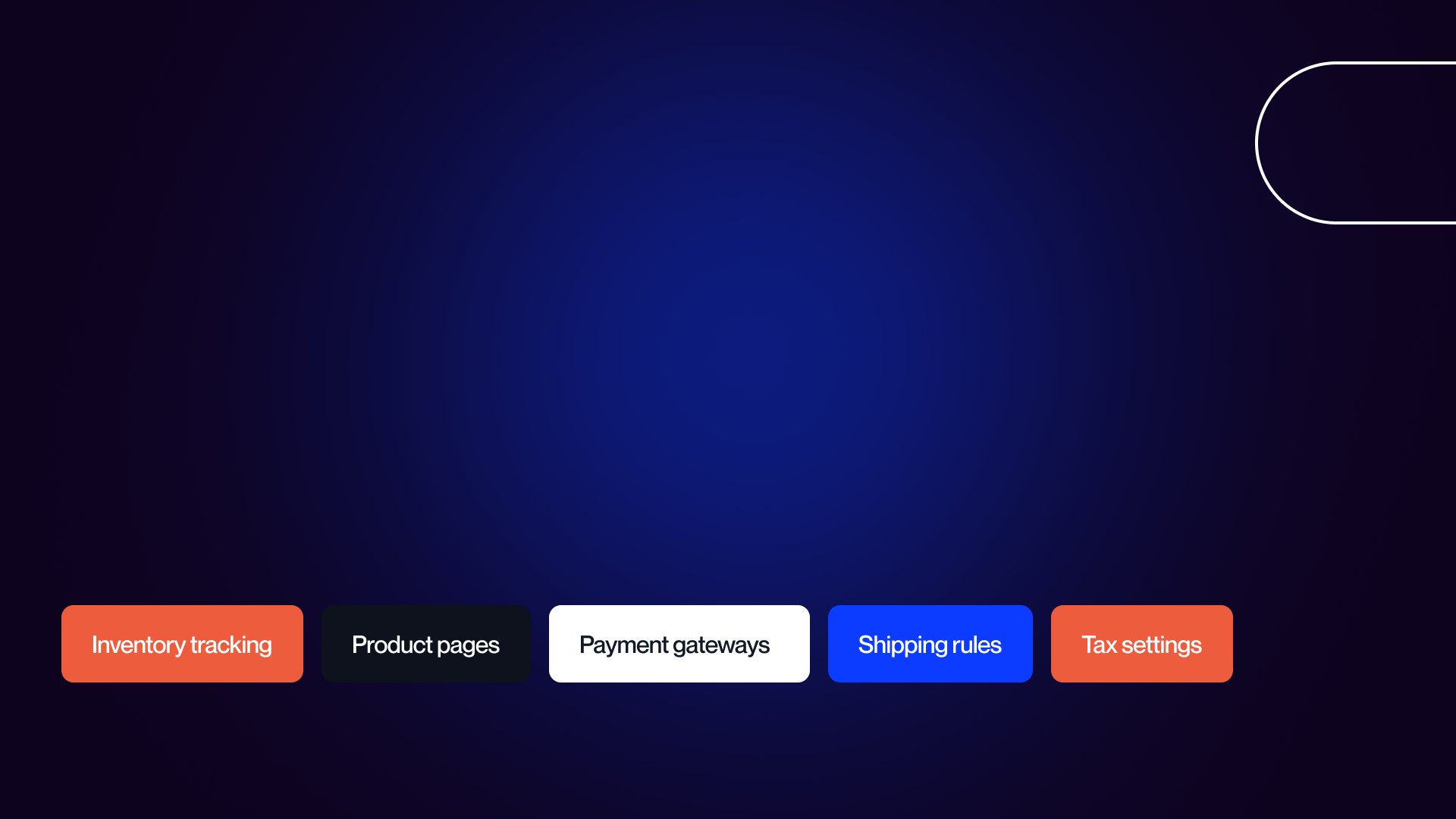
Startups selling physical goods often need real e-commerce features like:
- Inventory tracking
- Product pages
- Payment gateways
- Shipping rules
- Tax settings
In that case, you’re better off with something purpose-built like Shopify. Trying to force a non-ecommerce tool to behave like a full store usually leads to headaches later.
But for most startups, especially SaaS, e-commerce isn’t a huge priority early on. Often, all you really need is a way to accept payments.
Platforms like Stripe Checkout, Gumroad, or LemonSqueezy get you there without committing to a whole store system. And it’s way faster.
Service-based startups are another story: they typically need booking tools, forms, or invoicing instead of product carts. Tools like Calendly + Stripe work really well.
The bottom line: don’t overdo e-commerce if you don’t need it yet. Keep it simple until your product demands more.
E-commerce Plans and Payment Gateways
If you want actual e-commerce inside your website builder, some platforms handle it better than others:
- Webflow and Squarespace both offer solid built-in e-commerce tools
- Wix has improved a lot, too
- Framer and Carrd have very limited e-commerce; you'd need to rely on third-party tools.
Startups often think they need a full-blown online store on day one, but you usually don’t. Payment links get the job done.
Stripe, Gumroad, LemonSqueezy, they’re all simple, fast, and require almost zero setup.
Upgrade to full e-commerce only when:
- You’re selling real physical products
- You need inventory tracking
- You’re processing more than just the occasional payment
- You need a real storefront experience
Until then, keep it light and ship fast.
Plugins and Add-ons for E-commerce
E-commerce add-ons matter a lot once you’re past the MVP phase. You might need subscription billing, product delivery, inventory systems, or order tracking. But again, most SaaS startups don’t even need these.
They don’t “sell” on their website; they convert people to sign up or try the product.
Physical product startups eventually outgrow general website builders and end up on Shopify anyway. Service-based startups usually just need scheduling tools and invoices. Digital product founders typically use Gumroad or LemonSqueezy because they handle delivery automatically.
If you want the simplest rule:
- SaaS - use Stripe
- Physical products - Shopify
- Services - Calendly + invoicing
- Digital goods - Gumroad or LemonSqueezy
E-commerce Capabilities for Startups
E-commerce Features:
Payment Gateways:
Transaction Fees:
Recommendation by Startup Type:
The Startup Reality:
Note: Most SaaS startups don't need e-commerce on their marketing site. Use Stripe for billing and focus your website on lead generation. Only build e-commerce if you're selling physical products.
Ease of Use and Learning Curve
When you’re a startup founder, time is both your biggest asset and the thing you have the least of. So the website builder you choose has to be something you can learn quickly and manage without needing a developer every time you want to tweak a headline.
Ease of use becomes a huge factor for teams juggling product, marketing, hiring, fundraising, and everything else at once. A platform that sounds powerful on paper doesn’t mean much if your team can’t use it without spending several hours learning through tutorials.
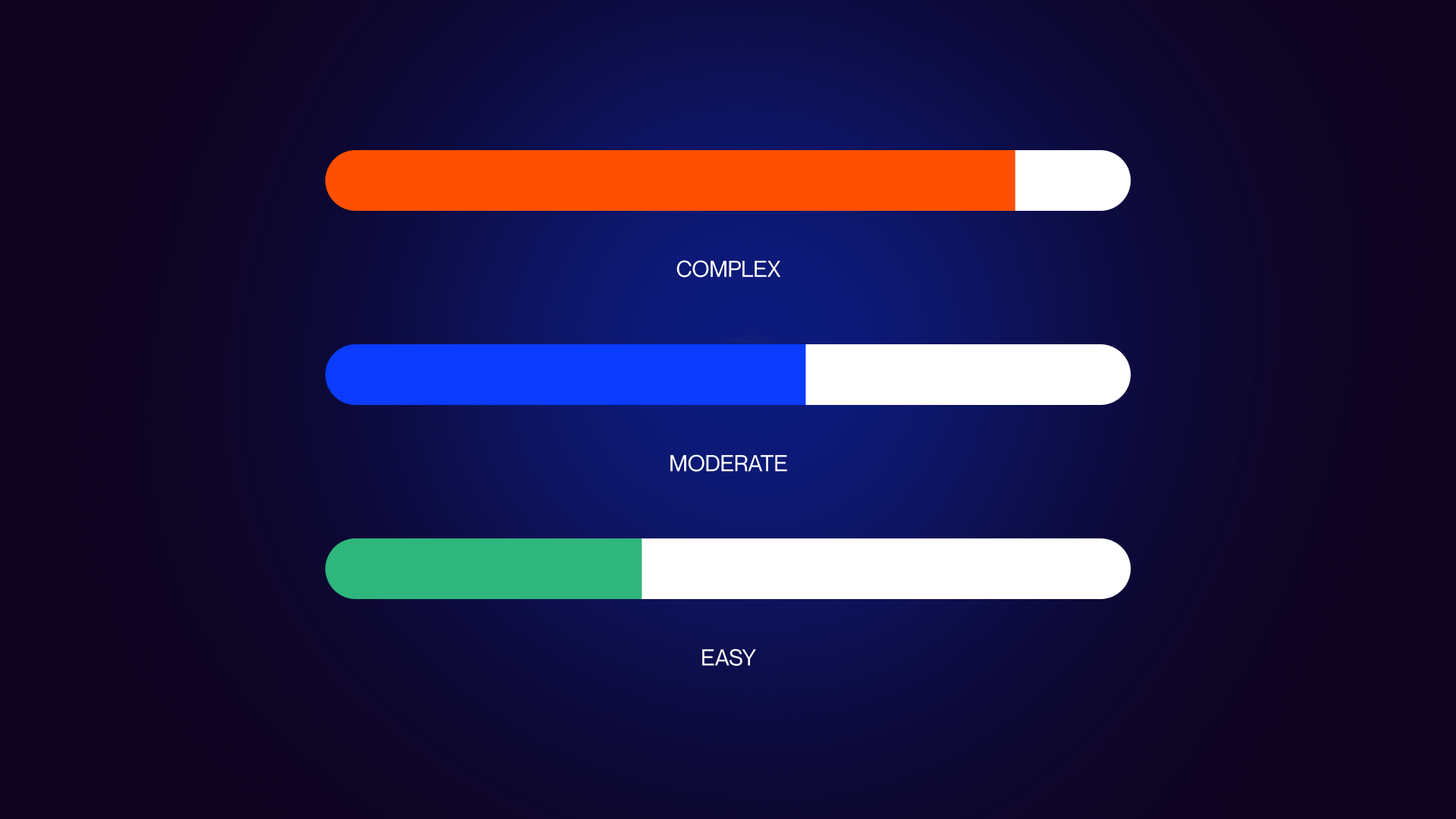
Some platforms are extremely simple (Carrd has minimal learning curve), while others take longer but give you more control long-term (Webflow falls here). And then you’ve got Framer, Squarespace, Wix, all somewhere in the middle, depending on what you’re trying to build.
The real question is:
“Can your team ship fast without friction?”
If not, you’ll face a bottleneck pretty quickly.
User Experience for Startup Teams
Here’s how you can check which one is right for your team:
- If you’re non-technical, Carrd and Squarespace are the easiest to get started with. You can build something solid in a day or two.
- Framer has a bit of a learning curve, but still very approachable
- Wix is easy but can feel cluttered. Webflow is powerful, but you’ll need some patience to learn the basics
- WordPress is the hardest if you’re not technical: plugins, hosting, themes, maintenance… It adds up quickly.
Most founders rely on tutorials, and thankfully, every platform has tons of them:
- Webflow University is one of the best learning resources in the industry
- Framer has good documentation, too
- Squarespace has plenty of help articles
Of course, YouTube covers everything else.
What matters most is whether your team can work independently:
- Can the founder update the homepage fast?
- Can marketing publish pages without developers?
- Can designers tweak things without rewriting code?
If the answer is “not really,” that platform might slow you down.
AI-Powered Website Builders
AI has gotten way better lately, especially with the top AI website builders. In 2026, most platforms offer at least some level of AI support, whether it’s layout suggestions, basic copywriting, or generating placeholder images. Some of it is genuinely useful, and some of it still feels underdeveloped.
Wix is pretty far ahead with their ADI features
- Framer has solid AI design tools, but lighter AI for copy or images
- Squarespace leans more on AI writing than design
- Webflow is slowly adding more AI features, but is still catching up.
But here’s the thing: AI won’t replace strategy. It won’t magically fix weak messaging or unclear positioning. What it can do is help you ship faster, which is almost all startups need.
Choosing a platform that matches your team's technical skills is as important as the feature set itself. This guide breaks down the usability of each builder for the fast-moving founder workflow.
Ease of Use for Startup Founders
Learning Curve:
By Founder Technical Level:
Can the Founder Self-Serve?
Support & Learning Resources:
AI Features (2026):
Recommendation by Time Available:
Note: For busy founders, Framer offers the best balance of speed and quality. Webflow has a steeper learning curve but pays off for growth-stage startups that want full control.
Hosting, Security, and Performance
Startup websites don’t just need to look good, they need to stay online, load fast, and not break the moment traffic spikes.
Most founders don’t really want to deal with servers or DevOps (and they shouldn’t), so the hosting layer becomes a big part of choosing the right website builder. The best platforms take care of everything behind the scenes: uptime, speed, CDN, all that technical stuff you don’t have time for.
Hosting Options and Reliability
When you're running a startup, hosting reliability matters way more than you think.
You want your site to stay up pretty much all the time (like 99.9%+ uptime). Your pages have to load fast everywhere US, Europe, and Asia without doing anything technical.
Startups also deal with weird traffic patterns. One Product Hunt launch or a random investor sharing your link can spike traffic instantly. Auto-scaling hosting becomes a lifesaver here.
Platforms like Webflow, Framer, Squarespace, and Carrd handle hosting for you with no servers and no DevOps. WordPress is the odd one out because hosting depends on the provider, which means more setup and more things you need to maintain. For most early-stage founders, the fully-managed hosting platforms are the easy choice.
Security Features for Startup Websites
Security is another thing founders worry about, but don’t really want to manage themselves.
Luckily, most modern website builders handle the basics automatically. You get SSL certificates out of the box, DDoS protection, backups, and tools to help with privacy like GDPR. Webflow, Framer, and Squarespace all cover this pretty well; you don’t need to do anything technical.
WordPress can be secure too, but it depends on your host and plugins, which adds a bit more responsibility on your side. For most early startups, picking a platform with built-in security is the simplest move. You only need to think about deeper security (SOC 2, enterprise compliance) much later, usually when bigger customers start asking for it.
Hosting & Security for Startups
Hosting Features:
Traffic & Scaling:
Security Features:
Enterprise Security (When You Need It):
Startup Reality Check:
Note: All modern platforms handle basic security well. Don't over-engineer security early. Focus on product-market fit; upgrade security when enterprise customers require it.
Integrations and API Support
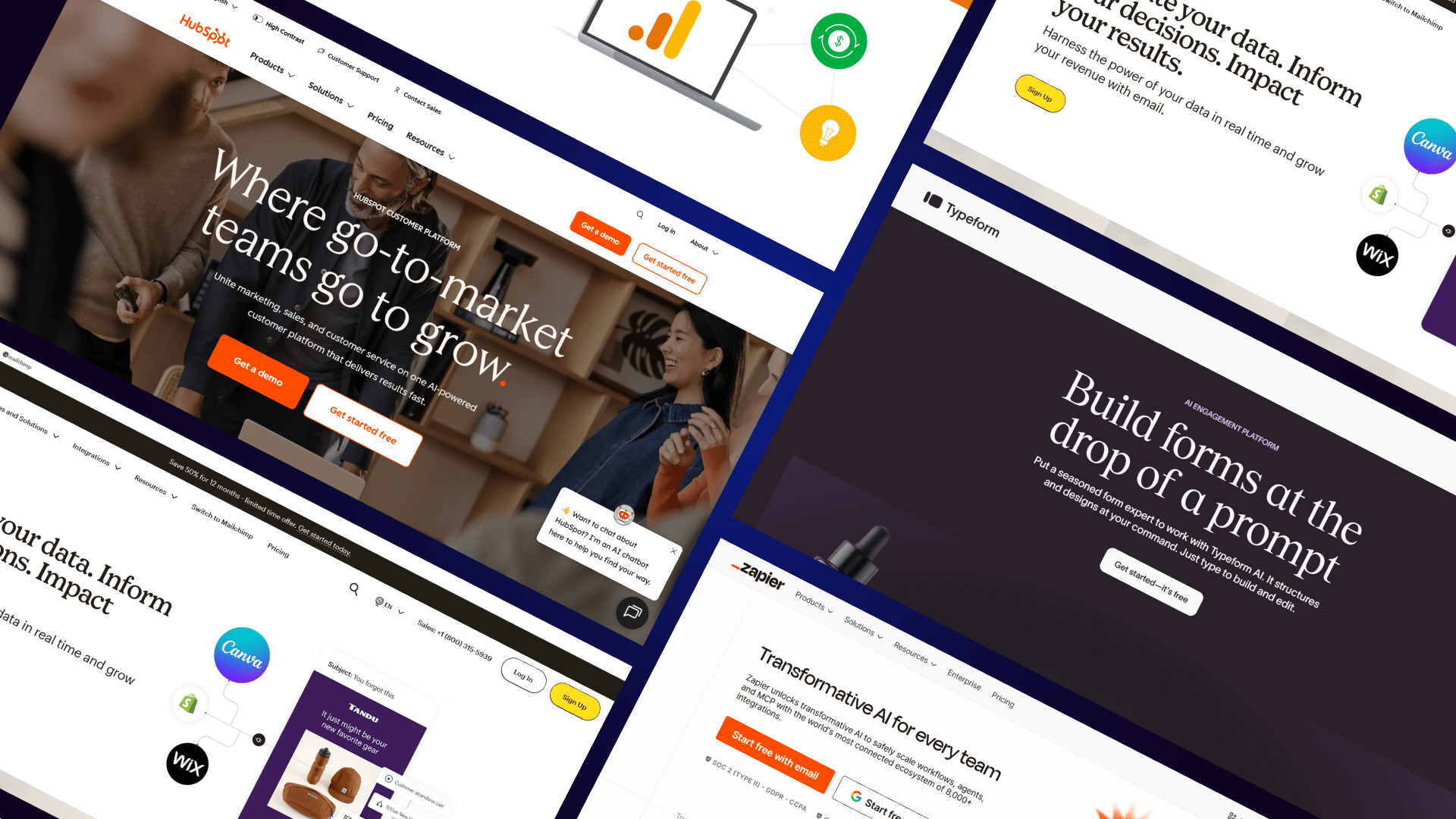
Startups rely on a whole stack of tools: analytics, email, CRM, chat, scheduling, all of it. So your website builder needs to play nice with those tools instead of locking you into its own ecosystem.
Integrations decide how fast you can plug in your marketing tools and whether things break or not later.
Third-Party Integrations
Almost every startup needs the same core integrations: analytics tools like GA4 or Segment, email platforms like Mailchimp or ConvertKit, CRMs like HubSpot, and chat tools like Intercom or Crisp. Scheduling tools like Calendly or Cal.com matter too.
Most website builders support these through either native integrations or just adding a small embed code.
Webflow, Framer, and Squarespace all support the usual integrations pretty well. Carrd is surprisingly solid here too; you can embed almost anything. The main difference is how “native” the integrations feel.
Webflow and Framer tend to be smoother for things like HubSpot or Segment, while Squarespace leans more into the simpler, built-in workflow. If something isn’t supported, Zapier fills the gaps for almost every platform.
API Access for Custom Development
APIs matter mostly when you’re doing something custom, syncing your site with another app, pulling in dynamic content, or creating automated workflows. Not every startup needs this early on, but technical teams usually care about it long-term.
Webflow and WordPress have the strongest API options. Webflow has a full CMS API and webhook support, while WordPress has a full REST API.
Framer and Squarespace have more limited API support, but they still let you add custom code when needed.
Carrd is the most limited here.
If your startup expects to build something dynamic or custom later, Webflow or WordPress gives you the most flexibility. If you’re just building a marketing site, Framer or Squarespace is usually more than enough.
Startup Integration Capabilities
Essential Startup Integrations:
By Integration Category:
Analytics:
Email / CRM:
Chat / Support:
API & Developer Access:
Startup Tool Stack Recommendation:
Note: Most tools work with any platform via embed code. Native integrations are easier but not essential. Webflow has the best native integrations for B2B startup tools.
Specialized Website Builders for Startups
Not every startup needs the same type of website, and this is where the “one-size-fits-all” mindset falls apart. Different platforms stand out depending on what you’re building, how fast you need to launch, and whether design, content, or e-commerce matters most.
So instead of trying to make every platform work for every situation, it’s better to match the platform to the stage and type of startup you’re running.
Business Website Builders
When looking for the best website builders for B2B SaaS, Webflow usually ends up the best fit. It is widely considered one of the best website builders for B2B because it’s clean, professional, and scales well. It’s clean, super professional, scales well, and works with the tools you’ll eventually need (like HubSpot or Segment).
For consumer apps or anything more visual, Framer is unbeatable. It's modern, fast, and has that “startup aesthetic” that people expect now.
If you’re doing e-commerce, it’s hard to beat Shopify since it's literally made for selling products.
Service startups or agencies typically go with Webflow because it builds trust and gives you the portfolio-style layout you need.
Content-heavy startups still lean on WordPress because nobody beats it for blogging and CMS power. If you’re in pure MVP mode and need something today, Framer or Carrd are fast, free, and easy.
For landing pages specifically, Carrd is the fastest, Framer looks the nicest, Unbounce is more marketing-driven, and Webflow gives you full freedom. All the usual startup elements, waitlist capture, pricing sections, testimonials, and screenshots are easy to add to any of these.
Blogging Platforms for Content Marketing
Content marketing is still one of the most underrated growth channels for startups. It lowers CAC, builds long-term SEO traffic, helps you look like you know what you're talking about, and even attracts talent and investors.
But blog quality varies a lot depending on the platform.
- WordPress is still the gold standard for blogging, amazing SEO, tons of CMS flexibility, and unlimited scaling.
- Webflow comes close, with great SEO and a strong CMS, just not quite as deep.
- Squarespace is solid for simpler blogs but not great for heavy content operations.
- Framer has a blog feature, but it’s basic and not really built for content teams.
- Carrd isn’t made for blogging at all.
If content is core to your strategy, go with WordPress or Webflow. If you’re only posting occasionally, Squarespace or Webflow works fine. If you don’t plan on blogging, Framer or Carrd is enough.
Conclusion and Recommendations
By this point, it’s pretty clear there’s no universal “best” website builder for startups; it depends on what you're trying to do and how fast you’re trying to ship.
But even with all the options, the core needs stay the same: launch fast, look legit, keep things affordable, and make sure the platform can scale with you when your startup grows.
Summary of Key Features for Startups
- Startups mainly need speed, flexibility, and a design that makes them look more established than they really are
- They have to launch fast, especially if they’re still testing ideas or validating demand
- Good design matters because people judge your startup on it, even if we pretend they don’t. Affordability matters because budgets are tight, especially early on
- Scalability ensures you won’t need to rebuild everything in six months.
- Lead capture tools, SEO basics, and integration support all play a huge role too.
If you want to move fast, Framers or Cards are the easiest. If you care most about design, Framer and Webflow stand out. For SEO, Webflow or WordPress are the winners. For low cost, Carrd and Framer’s free tier is solid. For long-term scalability, Webflow beats most of the others. And for e-commerce, Shopify is still the clear pick.
Top Recommendations for Startup Website Builders
If you're pre-seed or just validating an idea, Framer is the fastest thing to ship on, and Carrd is the cheapest. For seed-stage companies that need to look more polished for investors, Webflow or Framer both work.
Once you’re at Series A and beyond, Webflow or WordPress are the most scalable choices. You can see how these platforms perform in high-growth environments by browsing our case studies, which highlight deeper features and custom integrations. Also, bigger companies or fast-growing startups usually move to Webflow Enterprise or WordPress VIP for the higher-end features.
Final Recommendations for Startup Website Builders
By Funding Stage:
By Startup Type:
By Priority:
The Growth Path:
VezaDigital's Final Recommendation:
For Most Startups:
- Pre-product: Start with Framer (free) - launch in hours.
- Post-funding: Move to Webflow - professional and scalable.
- Growth stage: Stay on Webflow - it grows with you.
- Enterprise: Webflow Enterprise - full security and support.
Why Webflow Wins Long-Term:
- Scales from seed to Series C+
- Professional design without developers
- Best native integrations for B2B startups
- Marketing team independence
- No migration needed as you grow
When to Choose Alternatives:
- Framer: Pre-product, need a beautiful landing page quickly
- WordPress: Content-heavy or blog-first startups
- Shopify: Selling physical products
- Carrd: Ultra-simple MVP, $0 budget
Next Steps:
We Are a Trusted Partner for Startups
Veza Digital’s general advice is simple: start with Framer if you need a quick landing page today. Move to Webflow when you’re ready for a real marketing site that can scale with your product and brand. Most successful startups eventually end up on Webflow anyway, so if you can afford it early, it’s usually worth starting there.
Ready to build a startup website that grows with you? Veza Digital specializes in Webflow websites for startups. Let’s build something that makes you look bigger than you are.
Work with Veza
FAQs
What is the best website builder for startups?
There’s no single “best,” but Webflow usually fits most startups because it looks pro, scales well, and has strong SEO. Framer is amazing for early-stage landing pages when you need something fast and beautiful. Carrd works for the simplest MVP pages. It really depends on your stage, budget, and how fast you need to ship.
How much should a startup spend on a website?
Early-stage startups should stay lean, usually $0-$500 if you’re pre-seed and just validating. Seed-stage teams might spend $1-3K on a more polished site. Once you hit Series A, it’s normal to invest $10-30K in a real marketing site. The key is not overspending early. Build small first, then upgrade once the site drives leads or revenue.
Should startups build a website or hire an agency?
If you’re early and just need a landing page, build it yourself; tools today are easy enough. If you need something that looks trustworthy for investors or sales, hiring an agency can save you time and avoid rookie mistakes. Agencies help with design, messaging, and structure. A simple rule: DIY for MVP, hire pros when the site becomes part of your growth engine.
What website builder should I use for an MVP landing page?
For pure speed, Framer or Carrd are the easiest choices. You can launch something clean in a few hours, even if you’re not technical. They’re perfect for waitlists, idea validation, or early demos. You don't need fancy features yet, just a page that looks legit and captures emails. Once the idea shows traction, you can upgrade platforms later without much pain.
When should a startup upgrade its website?
Usually, when you feel “blocked.” That means: you can’t update pages easily, SEO becomes important, you need integrations for sales/marketing, or investors start expecting something more polished. Another clear sign is when rebuilding becomes easier than patching what you have. Most startups upgrade around seed or early Series A, when the website becomes a real growth tool instead of a placeholder.
What's the best website builder for a SaaS startup?
Most SaaS teams end up on Webflow because it hits the sweet spot. There are several reasons why every B2B company should be using Webflow, including its strong CMS, SEO capabilities, and deep integration library. Framer is solid for early SaaS landing pages, but Webflow becomes the better long-term home once you need case studies, blog content, product pages, and more advanced marketing workflows.
Do startups need e-commerce on their website?
Most SaaS and software startups don’t need a simple Stripe link or checkout. E-commerce is mainly for physical products or digital goods. If you truly need full e-commerce, Shopify is usually the best move. But early on, keep it simple. Payment links, Gumroad, or LemonSqueezy cover 90% of what you need at the MVP stage.
What integrations do startup websites need?
At minimum: analytics (GA4), email capture (Mailchimp, Loops, ConvertKit), a CRM like HubSpot, and maybe a scheduling tool like Calendly. As you grow, you’ll add things like live chat, session replay, or attribution tools. The main goal is to collect leads and understand how users behave. Don’t overload your stack early; pick the essentials that support your funnel.
How important is SEO for startup websites?
SEO is slow but extremely valuable. It compounds over time, lowers your CAC, and helps people discover you without paying for ads. You don’t need to go crazy early on, but you do need a platform that supports clean URLs, good metadata, and fast performance. Start with basics: a blog, strong messaging, and a few well-written pages. SEO pays off later if you plant the seeds now.
Is Webflow good for startups?
Yes, it’s kind of the sweet spot for most growth-minded startups. Clean design, excellent SEO, flexible CMS, and integrations that scale with your team. It’s not the easiest tool on day one, but once you learn it, you can build pretty much anything without developers. Most startups move to Webflow around seed/Series A because it grows with them instead of holding them back.
Is Framer better than Webflow for startups?
For very early stages, yes, Framer is faster to start, easier to design in, and has that modern startup look out of the box. But for long-term growth, Webflow tends to win because it has more SEO tools, CMS power, and integration support. A lot of founders use Framer for MVP landing pages, then switch to Webflow when their startup gets serious about marketing.
Should startups use WordPress?
If content is a core part of your strategy, blogs, resources, and heavy SEO, then yes, WordPress is still great. It’s super flexible and proven. The downside is maintenance and plugin headaches, which early teams usually don’t want to deal with. If you have a technical team and need deep custom control, it’s solid. Otherwise, Webflow is easier for most startup teams.