.jpeg)
Webflow and Storyblok are two different tools for building and managing websites. For teams looking for the best tool for their needs, usually, the choice comes down to design autonomy vs. content architecture flexibility
One allows marketing teams to update and publish pages without relying on a developer. The other platform is CMS-focused, and it treats content as a set of data that can be sent to any frontend.
In this guide, we break down both platforms in a practical way so you can choose the best tool for your team without guesswork.
Quick Answer
Webflow vs Storyblok: Webflow is an all-in-one website platform (design + CMS + hosting) ideal for marketing websites where design matters and marketing teams need autonomy. Storyblok is a headless CMS (content API only) best for multi-channel content delivery, heavy localization, or when you need a custom frontend framework. For most B2B SaaS marketing websites, Webflow delivers better results faster. Choose Storyblok when content must power multiple platforms or when you need 10+ language localization at scale.
Abstract
Webflow merges design, content, and hosting. Storyblok takes the other path and acts as a headless engine that sends content to any frontend or channel. While similar, Webflow and Storyblok solve different problems.
In this comparison, we cover how each platform stands in terms of features, cost, and use cases for marketing teams and product leads. At Veza Digital, we help clients know their options when it comes to specific requirements.
Overview of Webflow and Storyblok
Many B2B teams frame this choice within the broader group of the best website builders for B2B SaaS. Webflow and Storyblok are often treated as interchangeable, but they solve different problems.
Webflow provides a single environment that covers every aspect of a website. Storyblok focuses on structured data. Before you make a decision, you should know what the highest potential of each is. If you choose wrong, you can create system problems that will slow down your team's productivity.
Let’s take a closer look at both of them.
How Webflow works
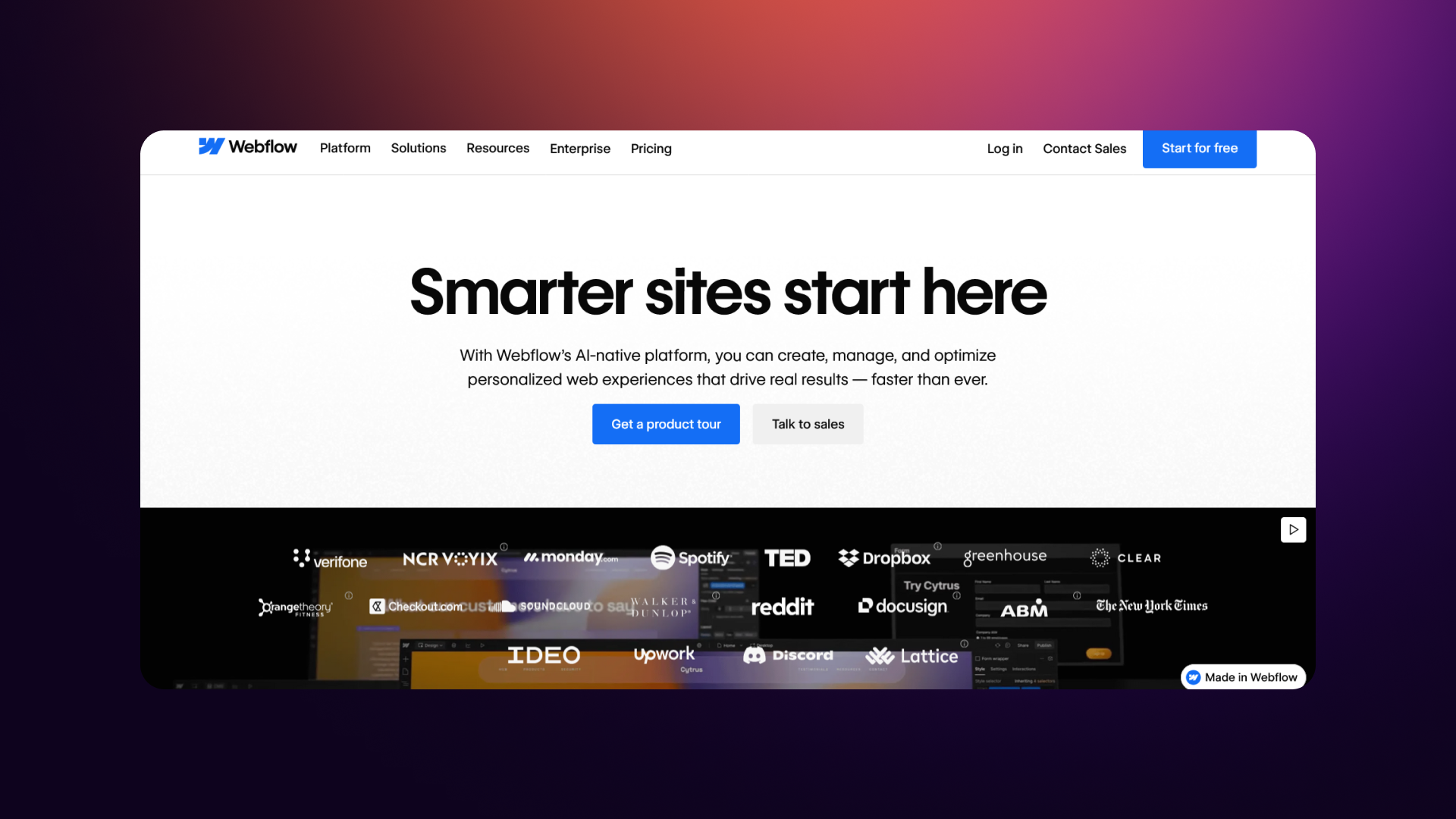
Webflow is a visual platform that combines design, CMS, and hosting. It uses a low-code model but keeps full CSS controls available, so designers can be precise. It allows teams to handle both layout and style without waiting for an engineer.
Webflow's core strengths are:
- Control over layout and spacing
- Responsive design is part of the standard workflow
- Custom animations without manual scripting
Webflow is the best for:
- Teams and agencies that prioritize speed
- Marketing groups that need to make their own updates
- B2B SaaS companies that publish often
- Organizations that prefer a consolidated toolset
The value here is the all-in-one setup. It keeps design and publishing connected, which cuts down on back-and-forth friction. These strengths match the idea behind why every B2B company should be using Webflow.
How Storyblok Works
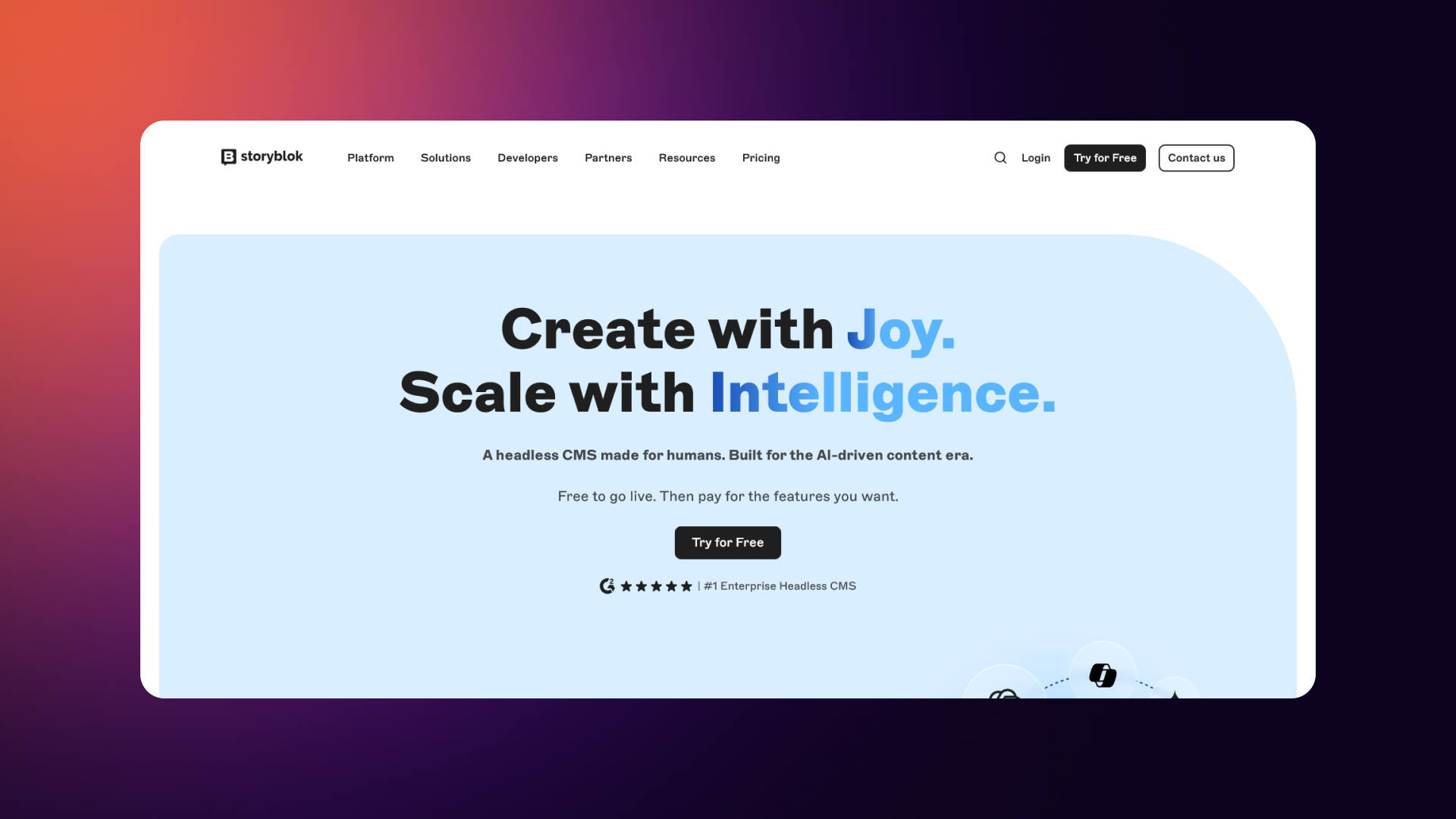
Storyblok is built around content first. It’s a headless CMS that manages data and sends it out via an API. There are no built-in design layers or hosting; you pick your own frontend and connect it.
Storyblok’s core strengths are:
- Flexible content setups
- Nested components for reusable sections
- Strong versioning and approval tools
- Built-in support for multiple languages
Storyblok is the best for:
- Engineering-heavy teams building custom frontends
- Large companies with complex workflows
- Publishers distribute content across multiple channels simultaneously. Projects that need deep localization
The main benefit is the "single source of truth," allowing you to serve the same content to a site, an app, and other interfaces simultaneously.
The Bottom Line
The main contrast is the platform's architecture. Webflow is an all-in-one hub that contains design, CMS, and hosting, which are tied together. Storyblok is modular: it handles the content, while your team manages the frontend and infrastructure separately.
Key Differences Between Webflow and Storyblok
The contrast becomes clear when you compare their architectures and positioning.
Webflow is monolithic: design, CMS, and hosting bundled together. Storyblok is composable: content only, with the frontend and infrastructure left to your team.
Architecture Overview
Platform Positioning
Use Case Summary
- Webflow works best for complete marketing sites where teams want speed and visual control.
- Storyblok fits scenarios where content must feed multiple channels or where heavy localization needs stable support.
Feature Comparison: Webflow vs. Storyblok
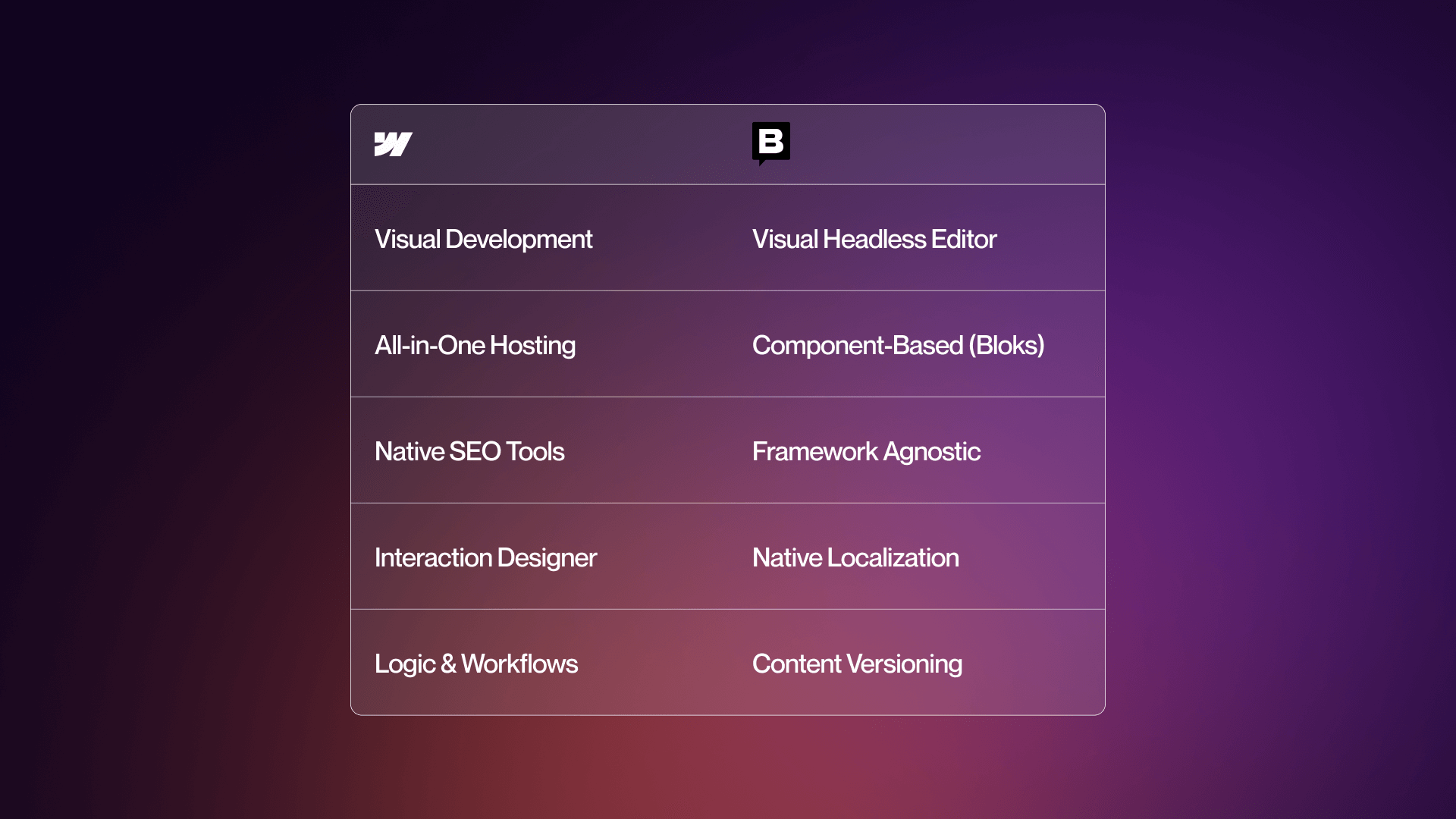
Once you get past the surface, you will see that the same features reveal clear differences between the two platforms.
While Webflow focuses on a unified setup and ease of use, Storyblok favors structure and developer-heavy workflows. Breaking this down by category makes the trade-offs clear.
Content Management Capabilities
Webflow’s CMS uses collections and templates to give non-technical users a smooth editing experience. The interface includes inline editing and fields to link different content types. It works well for marketers who need a clean structure without a steep learning curve. The content modeling is simple, though it lacks the deep flexibility found in headless systems.
If you’re planning a new CMS direction, you can work with Veza to evaluate the options.
Storyblok uses a modular setup. The platform relies on "bloks", nested components that can be anything from a text field to a full layout. This allows for complex patterns and logic that can be reused across different pages or channels. Editors can use a visual tool to preview changes, which is rare for a headless CMS. Tools for versioning and scheduling are standard, making it a good fit for large teams that need a controlled publishing process.
Webflow vs Storyblok: CMS Comparison
Reality check
Webflow supports most marketing website needs with minimal overhead. Storyblok handles complex content structures and multi-team operations with more stability.
Design and Customization Options
Webflow gives design teams complete visual control. The system uses CSS logic through a point-and-click interface, allowing for high-quality layouts without manual coding. You handle animations and responsive settings directly in the builder. Using templates can speed up the start of a project, and designers can put together prototypes fast.
Storyblok does not include any design tools. Since it is headless, you choose your own frontend, such as Next.js or Nuxt. The benefit is total freedom without platform limits. The downside is that design always requires development time. Your team has to build the UI, the components, and the styling from the ground up.
Webflow vs Storyblok: Design and Customization Comparison
Developer involvement
Webflow: Designers can build most of the site; developers step in for custom code. Storyblok: Developers build the frontend; designers guide structure and style.
Scalability and Performance
Webflow includes hosting, CDN delivery, and uptime guarantees. This managed setup reduces the work needed for configuration. It works well for standard marketing sites, and higher-tier plans add security and service-level agreements. The primary constraint is the limit on CMS items tied to specific plans, which can be an issue for sites with massive datasets.
This type of setup is something we handle often in our Webflow development services.
Storyblok scales through its API-based setup. Since you choose the hosting for the frontend, you can optimize for speed, regional access, and backups. The CMS itself does not set tight content limits, particularly for larger companies. Because content goes through a CDN, delivery is consistent across global markets.
Webflow vs Storyblok: Scalability and Performance Comparison
Enterprise readiness
Both platforms offer enterprise-grade features, but Webflow handles infrastructure for you, while Storyblok opens the door to deeper customization.
SEO and Marketing Capabilities
Webflow includes built-in SEO tools that marketing teams can manage on their own. Meta tags, OG tags, schema settings, and clean HTML are part of the platform. Sitemaps are created automatically, and you can handle redirects inside the dashboard. For teams managing campaigns or landing pages, these tools are simple to use. To see Webflow’s SEO outcomes, see our case studies.
Storyblok leaves SEO behavior up to your frontend. Meta tags, schema, and page speed depend on what the developers build. This setup allows for custom configurations but needs engineering time. Marketing teams often need specific tools or guidance built for them to manage these settings.
Webflow vs Storyblok: SEO Comparison
What the marketing team experience looks like
- Webflow: Marketers control SEO directly.
- Storyblok: SEO depends on development choices.
Integration and Developer Experience
Webflow connects to marketing systems using built-in integrations, embeds, and tools like Zapier or Make. While it allows for custom code, the API has more limits than a headless setup. The ecosystem is growing, but the platform stays within certain boundaries to keep things simple.
Storyblok gives you full API access. Developers can use any frontend framework and link it to almost any service. Webhooks allow for custom workflows, and the developer tools are broad. This is a good fit for teams that want complete control over how data is handled, routed, and built.
Webflow vs Storyblok: Integration and Developer Experience Comparison
Framework freedom
- Webflow: You work inside Webflow’s system.
- Storyblok: Frameworks like Next.js, Nuxt, Astro, and others fit naturally.
Decision-Making: Choosing Between Webflow and Storyblok
Teams usually reach this stage once they understand that Webflow and Storyblok sit in different categories. The next step is figuring out which one fits the business, the team structure, and the growth plans.
Breaking the decision into strengths, use cases, cost models, and future scalability helps narrow the choice down quickly.
Strengths and Weaknesses
Webflow leans on an all-in-one structure, which means design, CMS, and hosting stay under one roof. This makes it easy for marketing teams that need autonomy, predictable costs, and rapid deployment. The main appeal is speed.
Visual control shortens the time between concept and live page, which helps teams that ship content often. The trade-offs show up with multi-channel needs, deep localization, and large CMS structures, where the system becomes less flexible.
A quick outline helps highlight where Webflow shines:
- Simple setup with hosting included
- Strong visual design system
- Fast go-live cycles
- Comfortable for non-technical editors
Storyblok takes a different path. It thrives in content-heavy environments where multiple platforms need to share structured data.
Its component-based system and native localization make it useful for enterprise operations. The flexibility is significant, but it comes with development cost and longer timelines.
Storyblok’s advantages show up here:
- Advanced localization tools
- Content modeling built for scale
- Multi-channel outputs
- Robust workflows and versioning
Webflow vs Storyblok: Main Strengths and Weaknesses
Use Cases and Target Audiences
Choosing the right platform often comes down to matching it with the right scenario.
Webflow is built for teams who need to publish marketing pages fast and keep design work fluid. It fits organizations that care about brand quality but don’t want to maintain a custom frontend. Agencies favor it because they can deliver polished sites on tight deadlines.
Situations that match well with Webflow:
- B2B SaaS marketing sites
- Design-driven projects
- Campaign microsites
- Small and mid-size businesses
- Teams that want full control without coding
- Fast launch cycles
Teams often look at Webflow vs Sanity as part of the same decision set.
Storyblok finds its place in larger or more complex ecosystems. When content has to appear across multiple channels or when localization structures involve dozens of regions, Storyblok handles that better than most. Developer-led teams also benefit from the freedom to choose any frontend framework.
Storyblok is a better fit for:
- Enterprises with extensive localization
- Multi-channel experiences like web + mobile app
- Teams building custom frontends
- Operations that require structured workflows
- Complex content or product documentation
Use Case Matrix
Costs and Pricing Models
Pricing models differ because the platforms serve different needs.
Webflow bundles design, CMS, and hosting in a single package. Costs stay predictable and tied to page count, traffic, and team seats. Most builds don’t require deep engineering involvement, which keeps overall budgets down.
Webflow options include:
- Site plans: $14-$212/month
- Workspace plans: $19–$49 per seat
- Enterprise pricing: custom
- Hosting included
Storyblok starts with an accessible entry tier but becomes expensive once development enters the equation. The platform itself may cost less than Webflow at first glance, but you still need a custom frontend, hosting, deployment tools, and ongoing engineering support.
Storyblok pricing considerations:
- Free tier for light use
- Team: $99/month
- Business: custom
- Enterprise: custom
- Frontend hosting and development required
Total Cost Comparison
The takeaway is straightforward: Storyblok’s platform price is only one part of the equation. The real cost comes from building and maintaining the frontend.
Storyblok Cost Breakdown
Migration and Future Scalability
Both platforms allow content migration, though the process differs.
Moving from Webflow to Storyblok means exporting Webflow content, setting up content models, and building a frontend from scratch. Going the other way requires rebuilding inside Webflow’s system. Neither path is problematic if the content structure is well planned.
Scalability often depends on your long-term roadmap. If your brand will only publish website content, Webflow covers growth with its higher tiers and enterprise tools. When teams outgrow Webflow, it’s usually due to multi-channel needs rather than traffic or performance issues.
When a Headless CMS Becomes a Content Infrastructure Decision
Once content has to serve more than a marketing site, the platform question changes shape. It stops being a CMS comparison and starts being an infrastructure decision: what is the content layer that your website, product, mobile app, and increasingly your AI agents all read from.
Sanity sits in that layer as a Content Operating System for the AI era, not a page builder. Content lives in the Content Lake as structured JSON, defined by schemas your developers write in code and queried through GROQ or standard APIs. Editors work in Sanity Studio, a React workspace teams customize to match how they actually publish. The same content model can power a Next.js marketing site, a product interface, a partner portal, and an agent answering questions through the Agent API, without duplicating sources or copying between tools.
That matters when the decision framework in front of you already includes multi-channel delivery and 10+ language localization, because those requirements rarely arrive alone. Product content, help documentation, and pricing usually follow, and each new surface makes ad hoc syncing more expensive. A structured content layer keeps one source of truth across all of them and gives AI workflows something typed and versioned to reason over, rather than scraping a rendered page.
A simple view of scaling paths:
- Webflow Basic - Webflow Enterprise
- Webflow (outgrown) - Consider headless
- Storyblok - Scale by expanding content models and plans
Future-proofing considerations
- Webflow fits brands that stay website-centric.
- Storyblok sets up a foundation for multi-channel ecosystems.
Start with what you need now. If the only required output is a website, Webflow is the simpler choice. Move to headless only when multi-channel demands become real.
Final Comparison
At this stage, the decision becomes easier when reviewing the core factors tied to each platform. A quick framework helps teams cut through uncertainty.
Decision Framework
Final Recommendations
Veza Digital’s perspective
For most B2B SaaS companies, Webflow is the stronger platform. It’s faster to deploy, cost-effective, and supports marketing teams without forcing engineering cycles. Choose Storyblok only when you have firm multi-channel or localization requirements, not hypothetical plans. If you want to get started with Webflow, our team is ready to hear more about your project. Contact us.
FAQ
What is the main difference between Webflow and Storyblok?
The core separation comes from their architecture. Webflow is an all-in-one system that includes visual design tools, CMS, and hosting. It’s built for teams that need to publish websites quickly without relying heavily on developers.
Storyblok is a headless CMS, which means it only manages and structures content. You supply the frontend and hosting. This makes Storyblok stronger for multi-channel delivery, complex content models, and advanced localization. Webflow works best when your content only needs to appear on a website, while Storyblok supports broader digital ecosystems.
Is Storyblok better than Webflow?
Neither platform is universally better. Webflow excels when the focus is on a marketing site that needs fast deployment, strong design control, and minimal engineering involvement. Storyblok becomes the better option when content must be delivered across multiple platforms and languages.
It also works well for teams with developers who want full control over the frontend. If the goal is to publish and update a website efficiently, Webflow fits more teams. If the goal is to manage structured content at scale, Storyblok is stronger.
Can Webflow be used as a headless CMS?
Webflow offers limited headless features. You can access CMS data through its API and serve it to an external frontend, but the approach isn’t as flexible as a true headless platform. The API has constraints, and the system is primarily designed for integrated website delivery.
Teams choosing Webflow for headless use usually want to maintain its editor experience while building a custom frontend. For simple use cases, this can work, but larger or multi-channel projects typically benefit from a dedicated headless CMS like Storyblok.
Does Storyblok have a visual editor?
Yes, Storyblok includes a visual editor, which is unusual for headless CMS platforms. The editor lets users preview changes in real time by integrating with the frontend. This offers a more approachable editing experience compared to traditional headless systems, which often rely on form-based interfaces.
The visual editor helps marketers and non-technical contributors understand how content will appear, even though the underlying structure is handled through components. It improves collaboration between designers, editors, and developers while keeping Storyblok’s headless flexibility intact.
Can I use Storyblok with Next.js?
Storyblok works well with Next.js. Many teams pair the two because Next.js handles routing, server-side rendering, and performance optimizations while Storyblok manages content through an API. Storyblok provides SDKs, starter kits, and documentation specifically for Next.js, which shortens the development cycle.
This combination is often used for multi-language sites, multi-channel projects, and custom digital products. Since Storyblok doesn’t impose restrictions on your tech stack, Next.js is one of the more common choices for building the frontend layer.
Is Webflow good for enterprise websites?
Webflow supports enterprise use cases through advanced hosting, SSO, SOC 2 compliance, and dedicated support. It works well for enterprise marketing websites, documentation hubs, and product content.
The limiting factors appear when companies need complex localization, multiple frontends, or deep content modeling. Enterprises with straightforward marketing sites find Webflow more than sufficient. Enterprises with broad content operations or multi-channel needs typically move toward headless systems. For website-only scenarios, Webflow provides enterprise-grade stability with lower operational overhead.
Should I use Webflow or Storyblok for my B2B SaaS website?
Most B2B SaaS marketing sites fit Webflow well. The platform supports design flexibility, quick iteration, and efficient publishing cycles. It gives marketing teams control over landing pages, blogs, and product updates without waiting on engineering.
Storyblok becomes relevant when the SaaS product has multi-channel requirements or needs structured content delivered to an app, dashboard, or partner ecosystem. If the scope is strictly website-focused, Webflow is usually the more practical choice. If content must serve multiple digital surfaces, Storyblok makes more sense.
Which is better for multi-language websites?
Storyblok is the stronger platform for large-scale localization. It includes native multi-language management, workflows, and content structures that support dozens of markets. Teams can control variations, translators can work inside structured workflows, and developers can build logic for region-specific content.
Webflow can handle basic multi-language setups, but requires manual configuration or third-party tools. For fewer than five languages, Webflow can be sufficient. For ten or more, or when regional governance becomes complex, Storyblok offers far more stability.
Can I use Storyblok without a developer?
Storyblok still requires developers, even though it includes a visual editor. The CMS manages content only, so a developer must build the frontend components, templates, and integrations. Once the system is set up, non-technical editors can work comfortably within the visual editor and content fields.
You will still need developers for layout changes, new components, UI updates, or architectural enhancements. If your goal is to manage a website without developer involvement, Webflow is a better fit.
Is Storyblok more expensive than Webflow?
In most real-world scenarios, yes. Storyblok’s platform fees aren’t the primary cost driver; the custom frontend development and ongoing maintenance are. A Storyblok project requires developers for the initial build, hosting setup, deployments, and future updates.
Webflow includes hosting and a visual builder, reducing development needs significantly. The difference becomes more pronounced as the site grows. Webflow keeps costs predictable; Storyblok scales in cost as complexity increases. For budget-conscious teams, the total cost of ownership favors Webflow.
How difficult is it to migrate from Webflow to Storyblok?
The process requires planning but is manageable. You can export content from Webflow, then recreate content models in Storyblok using blocks and structured fields. The more challenging part is building the new frontend, since Storyblok doesn’t provide one. A development team must create the components, templates, routing, and deployment setup.
Once the structure is ready, content can be imported or manually inserted. The complexity increases with large sites or heavily customized layouts, but migration is straightforward when approached systematically.
What is the total cost of using Storyblok vs Webflow?
Webflow consolidates design, CMS, and hosting into a single subscription. Most projects land between $2K and $30K in the first year, depending on scope. Storyblok’s platform fees may seem low, but the real cost comes from building and maintaining a custom frontend.
First-year budgets often range from $30K to well over $100K, especially for enterprise setups or multi-channel builds. Hosting on Vercel or Netlify and ongoing developer support add to the total. For teams looking for predictable costs, Webflow remains considerably more economical.