.jpeg)
UX/UI is in a new phase where AI not only makes design faster, but also transforms the nature of digital experiences. In 2026, products are increasingly personalized, predictive, and dynamic. In this guide, we will explain how AI is transforming the art of design and what it will entail in the future of product development.
Quick Answer:
AI in UX/UI design (2026) is transforming how digital experiences are created and delivered.
Key trends include: AI-driven personalization that adapts interfaces to individual users, generative AI for design asset and layout creation, conversational AI interfaces, automated accessibility features, and predictive UX optimization. Designers are evolving from creators to curators, using AI as a collaborative partner rather than a replacement. The biggest opportunities are in personalization (10-25% conversion lift), accessibility automation (compliance + better UX), and AI-assisted prototyping (50%+ time savings).
Abstract
AI in UX/UI design is bringing a better experience for users, while data-driven decisions are becoming a part of the regular flow for businesses. Personalization, generative AI, conversational interfaces, and automation - all of these are changing UX/UI design fundamentally.
The reality is that not every AI UI/UX trend is worth implementing. Some of them are production-ready, while others are no more than hype.
As a Webflow agency focused on B2B SaaS, we deliver expert Webflow development services guided by AI-driven design and strategy.
AI in UX/UI Design Trends Overview (2026)
Maturity Level Color Code
- 🟩 Green – Production
- 🟨 Yellow – Maturing / Growing
- 🟧 Orange – Emerging
- ⬜ Gray – Early
Key Insight
Focus on Critical and High-priority trends that are already Production or Maturing. Watch emerging trends, but avoid heavy investment until they show clearer ROI and stability.
Top 5 AI Design Trends to Invest In
1. AI-Driven Personalization — ⭐⭐⭐⭐⭐ Critical Priority
- 10–25% conversion lift potential
- Fully production-ready
- Highest ROI of any AI investment
- Start with: Returning visitor personalization, traffic-source messaging
2. Accessibility Automation — ⭐⭐⭐⭐⭐ Critical Priority
- Ensures ADA/EAA compliance
- Directly benefits 15–20% of users
- Improves UX for all users
- Start with: Automated WCAG checks, AI-generated alt text
3. AI Design Assistants — ⭐⭐⭐⭐ High Priority
- 50%+ time savings on repetitive design work
- Expands idea exploration
- Boosts team productivity
- Start with: Figma AI, Webflow AI, Framer AI
4. AI-Enhanced Prototyping — ⭐⭐⭐⭐ High Priority
- Faster ideation and iteration cycles
- Rapid variation generation for testing
- Stronger stakeholder alignment
- Start with: AI wireframing, multi-variation prototypes
5. UX Optimization AI — ⭐⭐⭐⭐ High Priority
- Data-driven continuous improvement
- Automated A/B insight generation
- Reduces UX friction over time
- Start with: Behavior analytics, heatmaps, pattern detection
What to Deprioritize (For Now)
- Voice interfaces (unless core to product value)
- AR/VR or spatial computing (niche in B2B)
- Fully autonomous design systems (immature)
- Predictive UX (watch but don’t over-invest)
The Key Insight
"Don’t chase every AI trend. Invest in what’s production-ready and tied to measurable ROI. Personalization and accessibility deliver the strongest results for B2B SaaS in 2026."
The Role of AI in UX/UI Design Trends 2026

AI has an impact on many aspects of our websites, and so far, it has been deeply rooted in the UI/UX design. It’s transformative and intuitive, and if you implement the right AI trends, you can get a powerful experience.
AI-Driven Personalization
One of the major AI UX/UI trends is AI-driven personalization. You can see this dynamic in websites adapting to real-time users, where content, layouts, and CTAs change based on behavior. It can predict user needs and segment what will be shown on an individual level, not just cohorts.
AI-personalization works like this:
- Machine learning analyzes user behavior and patterns
- Predictive models anticipate next actions
- Dynamic content systems serve personalized experiences
- There’s continuous optimization based on outcomes
For B2B, personalized onboarding helps with flow, while a role-based interface is highly customized. Users get industry-specific content and examples while behaviour-driven features promote what businesses actually do.
Read more about trends - Best web design trends for small businesses
Impact of the AI-Driven personalization:
- 10-20% conversion rate improvement
- Higher engagement and retention
- Better user satisfaction
- Reduced friction in user journeys
Generative AI in Design
Generative AI in UI/UX design opens major creative possibilities. You can generate layouts, design assets such as images, icons, and illustrations - all based on prompts. Content is where generative AI stands out, so you can get custom copies and content for your website. Using generative AI, you can also create prototypes and multiple variations for testing.
Generative AI design:
- Brings faster ideation phases
- Gets you more options to explore
- Reduces time on repetitive tasks
While having an AI assistant for these tasks, human curation and refinement are still an essential part that you don’t want to skip.
Some of the key tools for generative AI for UI/UX are:
- Figma AI, Framer AI, Webflow AI - For design-specific tasks
- Midjourney, DALL-E, Claude, ChatGPT - For general tasks
- Galileo AI, Wizard - For more specialized tasks
Using AI tools while maintaining human balance is the best combination. AI generates options, while humans provide direction and judgment. Even if AI handles repetitive work, humans are there to ensure quality and brand consistency.
AI Agents and Conversational Interfaces
Another popular AI UI/UX trend is AI agents and conversational interfaces. In 2026, chat interfaces are becoming more natural, while AI agents can handle even complex interactions. Here, voice and text are combined, allowing context-aware conversations.
AI Agents and Conversational Interfaces are:
- Handling FAQs - production-ready
- Enable simple transactions - production-ready
- Offer complex support - currently improving
- Going toward proactive engagement - emerging
For B2B business these trends deliver:
- In-app support and guidance
- Onboarding assistants
- Feature discovery helpers
- Self-service support
If you’re a B2B considering applying some of these, you should know when to use conversational vs traditional UI. Before you start integrating, ensure that conversational interface cases and AI agents fallback to humans seamlessly.
For this, you should set appropriate expectations, as well as personality and brand voice.
AI Capabilities in UX/UI Design (2026)
Design Generation
Design Assistance
Automation
Conversational
Note:
Prioritize Production and Maturing capabilities. Watch emerging and Early trends, but invest cautiously until real ROI becomes clear.
See our AI-forward design work → Case Studies
Emerging Interaction Patterns and Modalities
As interfaces keep evolving fast, users expect more natural ways to interact with products. This pushes teams to think beyond clicking and tapping. Now we see voice, gestures, spatial interactions, and smarter motion all becoming part of everyday UX.
Note: Some of these web design trends are still early or not widely adopted in B2B.
These patterns don't replace traditional screens, but they add layers of interaction that feel more intuitive when done right.
Voice Interfaces and Gesture Controls
Voice and gesture controls are changing how people interact with software, and in 2026, voice feels more natural than before, while gesture control slowly grows because camera recognition keeps improving.
Multimodal usage (mixing voice, gestures, and screens) is also becoming a thing, even if many business products haven't fully embraced it yet.
Voice & Gesture Controls are:
- Natural language understanding - strong
- Better conversation context - improving
- Multi-step voice commands - emerging but real
- Voice error recovery - getting better
- Touchless gesture navigation - early but growing
- Camera-based gestures - niche
- Accessibility enhancements - meaningful use
- Preparing users for spatial computing - an ongoing trend
For B2Bs, these trends also enable:
- Hands-free workflows
- Accessibility-first experiences
- Consumer-facing innovation
- New differentiators for crowded markets
Right now, the AI voice trends are still more consumer-driven (Alexa, Siri, Google Assistant), and gestures live mostly in specific niche tools.
So if you're thinking of adding them, you should treat them as useful enhancements, not replacements. Only invest deeper if these inputs directly support your core value instead of complicating the UX.
Mixed Reality and Spatial Computing
Mixed reality is changing how interfaces are designed because users can now interact with digital content in a more immersive way. Also, spatial computing is starting to push this even further, especially with devices like Apple Vision Pro entering the scene.
AR and VR help with training, onboarding, and visualizing complex information, and even though adoption is growing, the tech is still not fully mainstream for most software teams.
Mixed Reality and Spatial Computing refers to:
- Immersive product experiences
- Training and onboarding simulations
- 3D data visualization
- Shared collaborative workspaces
- Consumer AR growth (filters, shopping)
- Enterprise VR (training, design, architecture)
- The spatial computing era is starting
- Web AR/VR is improving, but limited
For B2B websites, these trends bring:
- 3D interface thinking
- Spatial navigation principles
- Depth and layering awareness
- New interaction patterns outside flat UI
B2B teams can use MR for product demos, remote collaboration, complex data views, and training simulations. The truth is, AR/VR is still a niche for SaaS and probably not worth prioritizing unless your product really benefits from spatial computing.
Key insight: Web design trends for AI companies have a goal - focus on strong web-first UX while keeping an eye on how the tech matures.
Microinteractions and Motion Design
Microinteractions are becoming smarter because AI helps with timing, context, and subtle feedback that guides the user without distracting them. Motion design prioritizes performance and meaning over ornamental effects. Motion increasingly acts as part of brand personality, which makes consistency more important.
Microinteractions and Motion Trends are:
- AI-informed animation timing
- Context-aware movement
- Feedback that clarifies user actions
- Delight that doesn't annoy
- Performance-focused animation
- Meaningful movement, not decoration
- Accessibility-driven decisions
- Brand expression through motion
For B2Bs, they bring:
- Personalized animation behavior
- Performance-based adjustment
- A/B testing for motion
- Data-driven choices
Best practice stays simple: purpose before decoration, subtle over dramatic, and consistent motion patterns. Always offer reduced-motion options so the experience stays inclusive.
Emerging Interaction Patterns (2026)
Gesture Controls
Conversational Interfaces
Mixed Reality (AR/VR)
Microinteractions & Motion
Adoption Recommendation
Note
Focus on conversational interfaces and microinteractions. Voice, gesture, and AR/VR should remain watch items unless they are core to your product experience.
Visual Design Trends in AI-Enhanced Interfaces
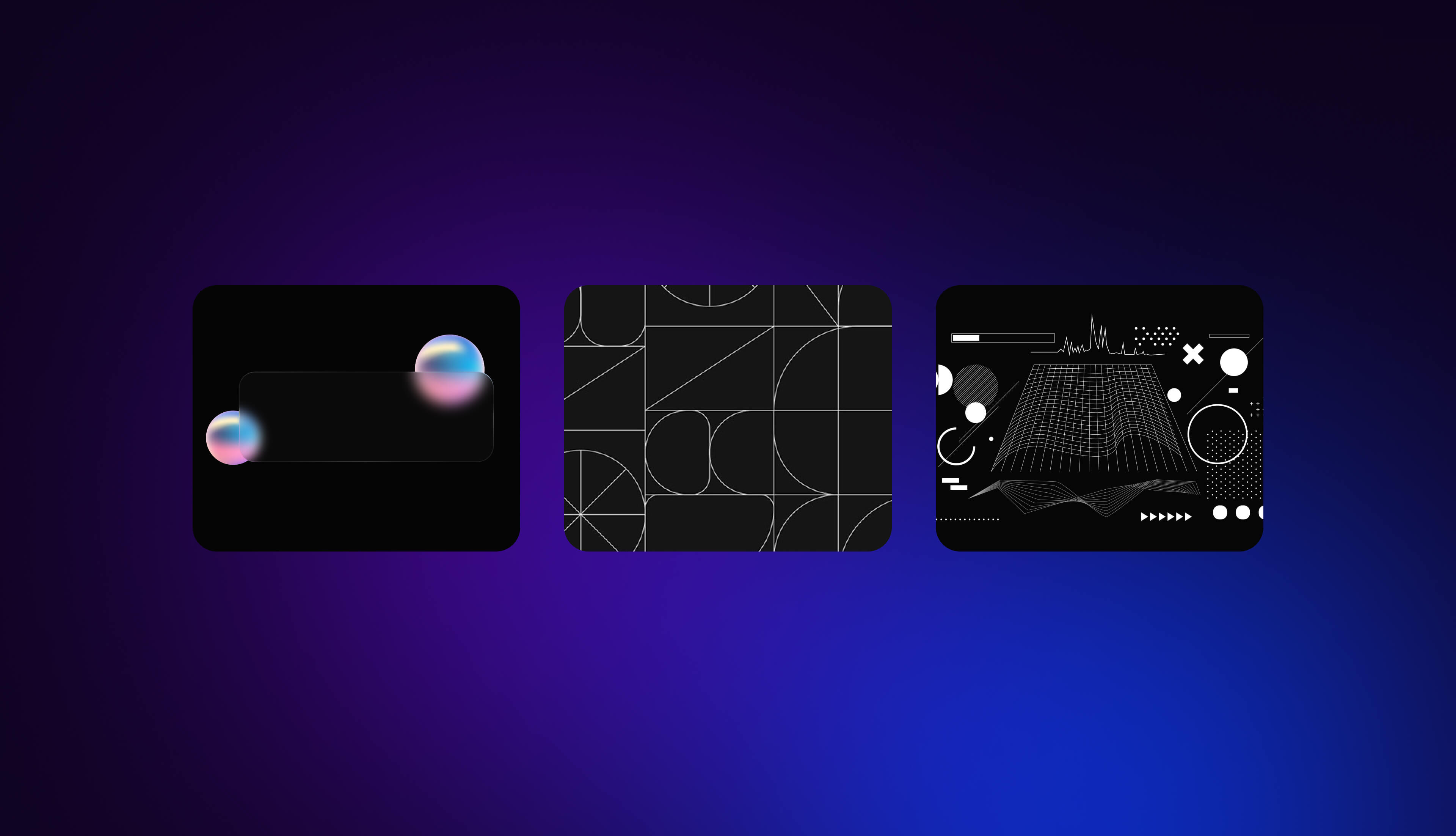
AI is shaping how interfaces look in 2026, not just in functionality but also in visual expression. Visuals become more adaptive, dynamic, and personalized than ever.
The aesthetic stands between minimal, glass-like surfaces and bold, expressive directions depending on user preference and context. AI acts as the engine that adjusts everything in real time.
Glassmorphism and Minimalism
Glassmorphism in 2026 looks more polished than its first wave because teams combine frosted effects with performance-conscious techniques. This won't slow the UI down. Minimalism evolves, too, since AI now helps hide complexity and show only what matters at the exact moment.
Now, Glassmorphism & Minimalism are:
- More mature frosted-glass effects
- Combined with other modern layers
- Performance-optimized visuals
- Cleaner, adaptive minimal layouts
- AI-driven relevance filtering
- Dynamic complexity based on context
- Personalized minimal experiences
- Progressive disclosure powered by prediction
This enables:
- Dashboard simplification
- Role-based UI density
- Focus modes
- Adaptive information architecture
Overall, the connection between minimalism and AI means the interface isn't static anymore. It expands and contracts based on user patterns, reducing overload while keeping flexibility.
Dynamic Color Palettes and Typography
AI-generated colors and typography are becoming standard tools. They adjust to user preferences, accessibility needs, and brand rules all at once.
- Dynamic themes shift based on context, mood, or time of day
- Typography adapts through variable fonts that improve readability for different users or situations.
Dynamic Color & Typography Are:
- AI-created palettes
- Accessible color combinations
- Context-driven dynamic themes
- Brand-consistent variations
- Variable fonts that adapt
- AI-selected pairings
- Readability optimization
- Responsive type scaling
Implement them wisely, and you get:
- Color change based on mood/time
- Personalized visual themes
- Accessibility-first corrections
- Scalable visual identity
When implementing these, you still need to consider performance, brand guidelines, and user preferences. Even if AI automates lots of visual decisions, it must remain consistent and accessible.
Dark Mode and Maximalism
Dark mode keeps improving all the time. This happens because devices automatically switch based on system settings, time of day, or user comfort. At the same time, maximalism is returning. Bold colors, richer layering, and expressive layouts that act as a counterbalance to extreme minimalism.
With Dark Mode & Maximalism, you get:
- System-aware dark switching
- Time-based theme changes
- Reduced eye strain
- Energy-efficient with OLED
- Bold expressive visuals
- Heavy gradients and layers
- Rich complexity and personality
- A pushback against minimalism
For B2Bs, Dark Mode and Mazimalism helps with:
- Personalized visual density
- AI-driven complexity adjustments
- Aesthetic flexibility
- Stronger brand expression
For business environments, it's important to balance clarity, data readability, and aesthetic preference. Users often toggle between modes while AI provides reasonable defaults without taking too much control.
Aesthetic Trends
Color Trends
Typography Trends
Layout Trends
B2B SaaS Visual Design Priorities
Note
B2B SaaS should prioritize functional aesthetics over decorative trends. Dark mode, accessibility, progressive disclosure, and adaptive layouts matter more than glassmorphism or maximalist styling.
Accessibility and Inclusivity in AI UX/UI Design
Accessibility is evolving fast because AI makes it possible to scale improvements that used to take tons of manual effort. Now teams can deliver more inclusive interfaces even if they don't have full accessibility expertise in-house.
However, human judgment is still needed to avoid shallow compliance. The main idea is that AI lifts the heavy tasks while humans guide decisions that actually help real users.
AI-Powered Accessibility Features
AI accessibility tools keep getting better, and they automate a big portion of what designers struggled with before. In 2026, many apps already rely on these features quietly in the background to make experiences more inclusive by default.
From real-time captions to automatic alt text, AI reduces friction for users with disabilities but also benefits everyone using your product.
AI Accessibility Features:
- Automate alt text generation
- Fix color contrast
- Optimize screen-reader
- Test keyboard navigation
- Scan WCAG
- Enables live captioning
- Converts text-to-speech
- Recognize images
- Translate automatically
Currently, AI can automate:
- 60-80% of WCAG A compliance
- Most straightforward image descriptions
- Color accessibility issues
- Basic nav patterns
- Common accessibility components
Strategic accessibility priorities: Complex alt text, nuanced accessibility choices, edge cases, genuine usability testing with disabled users, and strategic priority setting still require humans.
The business case is pretty strong since accessible design improves UX for everyone. It helps avoid legal issues (ADA, EAA), expands reach to 15-20% of users, boosts SEO, and even improves brand reputation. The key point is AI scales accessibility work, but humans make sure it's truly inclusive, not just technically compliant.
Personalization for Diverse User Groups
AI-driven personalization helps interfaces adapt to different user needs automatically. One-size-fits-all design often creates friction for people with motor limitations, visual impairments, cognitive load differences, or even cultural expectations.
As models learn from diverse groups, they provide smoother adjustments without forcing users to dig through settings.
Inclusive Personalization is:
- Cognitive-load adjustment
- Motor-friendly UI layouts
- Visual impairment accommodations
- Hearing accessibility features
- Age-appropriate interactions
- RTL/LTR switching
- Cultural color considerations
- Regional content preferences
- Tone and language adaptation
- Local regulation adjustments
In this part, AI also supports:
- Detecting gaps in accessibility
- Suggesting inclusive alternatives
- Testing across diverse situations
- Reducing cultural friction in design choices
But there are ethical considerations too. This includes preventing adaptation bias, ensuring equitable assistance quality, respecting accessibility data privacy, and giving users control over personalization levels.
When done right, AI makes products feel naturally inclusive instead of forcing users to adapt to the interface.
Automated Detection
Automated Fixes
Real-Time Accessibility
WCAG Compliance Automation
Business Case for AI Accessibility
Implementation Priority
Note
AI makes accessibility scalable, but human review is essential for true inclusivity. Start with automated scanning and alt text generation for the fastest and most meaningful impact.
Prototyping, Design Systems, and Automation
AI is transforming how designers build, test, and ship interfaces. Automation reduces workflow bottlenecks, allowing teams to explore more ideas quickly and consistently. These tools don't replace designers, but they shift their work toward direction, creativity, and decision-making while AI handles repetition and structural tasks.
AI-Enhanced Prototyping Tools
AI prototyping tools can create wireframes, design variations, and even rough code extremely fast. That changes the early phases of design because teams can ideate more quickly and see more possibilities before committing.
Tools like Figma AI, Framer AI, Webflow AI, Wizard, and Galileo make it easier to test flows or generate alternatives that used to take hours.
AI Prototyping Capabilities are:
- Rapid wireframe creation
- Interactive prototype building
- Design-to-code translation
- Variation generation for testing
- Faster user-testable outputs
These tools support B2B workflows by:
- Making ideation 50-70% faster
- Allowing more iterations at once
- Speeding up user testing
- Improving design-to-dev handoff
Best practice here is using AI for volume and humans for direction. In practice - generate wide, curate narrow, test early with real users, and maintain visual or brand consistency.
Evolving Design Systems with AI
AI also helps maintain and scale design systems. It automatically suggests components, detects inconsistencies, and generates tokens or documentation updates. This keeps systems cleaner and easier to use across multiple teams or products.
AI in Design Systems is:
- Automated component suggestions
- Consistency checking
- Pattern recognition
- Documentation creation
- Usage analytics
- Token management
- Component generation
- Version control support
AI also assists with:
- Cross-product consistency
- Multi-brand design
- Theming tools
- Accessibility integration
Challenges exist, too. The most common include maintaining brand intent, avoiding system bloat, and ensuring proper team adoption of automation. Designers still need to supervise these outputs so the system stays coherent.
Want AI-enhanced UX for your SaaS? Let's talk. → Work with Veza
Automation in UX/UI Workflows
AI automates many repetitive or time-consuming tasks so designers can focus more on strategic decisions and creative direction. Instead of hours spent preparing assets, documenting screens, or synthesizing research, AI reduces these steps drastically.
In practice, AI automates:
- Repetitive design work
- Asset optimization
- Documentation writing
- Research summarization
- Testing and QA patterns
Having an efficient workflow, you get:
- Wireframing: 4-8 hrs - 1-2 hrs (75% saved)
- Asset creation: 2-4 hrs - 30 min (80%)
- Research synthesis: 1-2 days - 2-4 hrs (75%)
- Documentation: hours - minutes (90%)
This lets humans spend more time on empathy, strategy, quality, and stakeholder alignment.
Design Tasks
Development Tasks
Content Tasks
Research Tasks
Project Phase Impact
What AI Can’t (Fully) Automate
Note:
AI reduces repetitive task time by 50–90%. The time saved should be reinvested into strategy, creativity, and user empathy, where humans uniquely excel.
Future Innovations and Ethical Considerations
AI keeps pushing UX/UI into new directions, and the next few years will bring major shifts in how people interact with digital products.
This is a call for designers to keep an eye on fast-moving technologies while also thinking carefully about ethics, privacy, and user trust. Innovation and responsibility now go hand in hand since users expect smart, safe, and transparent experiences.
Emerging Technologies Shaping UX/UI Design
A new wave of technologies is slowly shaping how interfaces evolve. Even though not all of them are mainstream yet, they're already influencing how teams think about the future.
Spatial computing is moving from early demos to more practical use cases. AI agents are becoming capable of handling complex multi-step tasks. Ambient computing brings interactions into the background of users' environments.
Emerging UX Technologies are:
- Spatial computing is entering the mainstream
- AI agents managing complex workflows
- Ambient computing adoption
- Predictive UX systems
- Brain-computer interfaces (far future but notable)
Near-term impacts (2026-2028) include:
- Advanced personalization
- Autonomous UX optimization
- Cross-device experience continuity
- AI acting as a real design collaborator
Longer-term possibilities stretch into interfaces that anticipate needs and a fully adaptive user experience. These new interaction paradigms are strongly pointing to human-AI design partnerships.
For B2B SaaS, the realistic approach is focused on strong web-first innovation and making sure the system stays flexible. Having this, future technologies can be added without rebuilding everything from scratch.
AI in UX/UI Design: Evolution Timeline
2024 (Past) ━━━━━━━━━━
• Basic AI design assistants
• Simple personalization
• AI content generation is emerging
• Automated image optimization
• Chatbots becoming standard
2025 (Recent) ━━━━━━━━━━━━
• AI design assistants are mainstream
• Personalization engines maturing
• Generative AI for design is growing
• Accessibility automation is improving
• Figma AI, Webflow AI launched
2026 (Current) ━━━━━━━━━━━━
• Sophisticated AI design partners
• Advanced predictive personalization
• Production-ready accessibility AI
• AI-human collaboration refined
• Conversational interfaces are growing
• AI-powered design systems
2027 (Near Future) ━━━━━━━━━━━━━━━━
• Predictive UX optimization
• Autonomous A/B testing
• AI agents for multi-step tasks
• Spatial computing adoption begins
• Real-time experience adaptation
2028+ (Future) ━━━━━━━━━━━━━
• Near-autonomous design generation
• Predictive everything
• AI as true design partner
• Spatial interfaces are common
• BCI (brain–computer interface) experiments
• Human oversight, AI execution
Capability Evolution
What to Prepare For
Designer Role Evolution
The Constant:
Human creativity, strategy, empathy, and ethical judgment remain essential.
AI handles execution; humans provide direction.
Note: These timelines may accelerate. Build flexibility into your approach and stay current with AI developments. The designers who thrive will be those who learn to collaborate with AI effectively.
Ethical AI Design Practices
As AI grows more integrated into UX/UI, ethical design becomes essential. Yes, users want personalization, but not at the cost of privacy. Also, they want AI assistance without manipulation or hidden decision-making. Now, designers play the main role in ensuring fairness, clarity, and respect inside AI-driven systems.
Key Ethical Concerns are:
- Algorithmic bias
- Privacy around behavioral tracking
- Transparency about AI use
- Persuasion vs manipulation
- Job displacement worries
Best ethical AI design practices include:
- Regular AI bias audits
- Clear communication about where AI is used
- User control panels
- Consent-based design
- Considering edge-case vulnerabilities
Building trust for B2B SaaS companies requires explainable AI decisions and the ability for users to override them. The next step is privacy-first personalization, which must operate within honest capability boundaries.
Key Ethical Issues
Bias Detection and Prevention
Privacy Best Practices
Responsible Personalization
Human-AI Balance
Ethical Design Checklist
- AI decisions are explainable
- Users can opt out of personalization
- Bias testing is conducted regularly
- Privacy policy is clear and accessible
- Data collection is minimized
- AI benefits users, not just businesses
- Diverse user testing conducted
- Human oversight on all AI decisions
- Accessibility is maintained with AI
- Transparency about AI use
When NOT to Use AI
Note: Ethical AI design isn't optional — it's essential for user trust and long-term success. Build ethics into your AI design process from the start, not as an afterthought.
User Behavior and Engagement in 2026
User behavior in 2026 is shaped by higher expectations because people want personalization but also feel occasional AI fatigue, especially when systems are too aggressive or too "smart." Privacy awareness continues rising, and authenticity becomes more important than polished perfection.
User Behavior Trends include:
- Rising personalization expectations
- Slight AI fatigue in crowded tools
- Higher privacy demands
- A desire for authentic experiences
- Engagement patterns now include:
- Blended multi-device journeys
- Asynchronous interaction habits
- Community-driven participation
- More context-based engagement
The challenge is keeping engagement meaningful without pushing users too far. Offer personalization without creepiness and assist without creating dependency. The takeaway:: remain human-centered without adding unnecessary complexity.
Conclusion
AI is reshaping UX/UI at every level, turning interfaces into smarter, more adaptive, and more context-aware experiences. This means designers are no longer just creating static screens but dynamic systems shaped by data, personalization, and automation.
Key takeaways:
- Include prioritizing personalization since it brings the strongest ROI
- Invest in accessibility automation because it helps everyone
- Use AI for workflow efficiency rather than replacement
- Keep human oversight to ensure fairness and clarity
Teams should keep an eye on emerging trends but invest mainly in what's production-ready and aligned with their core value.
Veza Digital brings an AI-forward approach to Webflow and B2B SaaS design, focusing on real implementation instead of theory and supported by the broader Veza Agency Network.
Ready to bring AI-powered UX/UI design to your B2B SaaS?
Veza Digital combines Webflow expertise with AI-forward design thinking to create experiences that convert. Let's discuss how to apply these trends to your product.
FAQ
General
How is AI changing UX/UI design in 2026?
AI in 2026 is transforming UX/UI by automating repetitive tasks, optimizing interfaces based on real user behavior, and enabling personalization at scale. Designers can focus on strategy, creativity, and high-level decisions while AI handles things like layout suggestions, adaptive content, accessibility checks, and microinteractions.
Interfaces are becoming more dynamic and context-aware, responding to user preferences in real time across devices. AI also supports predictive UX, suggesting the next steps or adjusting workflows automatically.
What are the biggest AI design trends this year?
In 2026, major AI-driven design trends include advanced personalization, automated accessibility, multimodal interaction patterns, and dynamic visual systems like adaptive color and typography. Spatial computing and AR/VR continue growing in niche areas, while motion design and microinteractions are increasingly AI-informed for timing and user context. AI agents and conversational interfaces are improving, especially for support and onboarding.
Overall, the focus is on creating adaptive, inclusive, and efficient experiences while using AI to speed prototyping, workflow automation, and iterative testing without compromising human creativity or brand identity.
Will AI replace UX/UI designers?
No, AI is not replacing designers in 2026; instead, it reshapes their role. Designers spend less time on repetitive tasks like generating layouts, optimizing assets, or creating variations, and more time on strategy, creative decision-making, and empathy-driven work.
AI acts as a collaborator, helping generate ideas, simulate user scenarios, or suggest personalization, but human judgment remains essential for usability, ethics, and brand consistency. Designers curate AI outputs, test real user reactions, and handle edge cases AI cannot resolve.
Capabilities
What can AI do in UX/UI design today?
Today, AI can generate wireframes, interactive prototypes, and visual variations, optimize color contrast, check accessibility compliance, and create alt text for images automatically. It can suggest layout improvements, adjust typography, and even recommend content placement based on user data.
AI supports personalization, real-time feedback, and motion timing for microinteractions. Tools can also analyze user behavior to improve navigation, streamline workflows, and generate design documentation.
How does AI personalization work in web design?
AI personalization in web design uses data on user behavior, preferences, location, device, and past interactions to adapt interfaces dynamically. It can reorder content, highlight relevant features, adjust layout complexity, or modify color and typography for accessibility or cultural context.
Predictive algorithms anticipate user needs, suggesting next steps or streamlining workflows. AI also learns over time, refining experiences based on engagement metrics, clicks, scroll patterns, and feedback.
What is generative AI for design?
Generative AI for design refers to tools that create content, visuals, layouts, or even code from prompts or parameters. Designers can input ideas, constraints, or style guidelines, and AI produces multiple options, variations, or fully realized components.
This accelerates prototyping, iteration, and testing by generating designs that might take hours manually. It also helps explore unconventional ideas or adapt content to different user segments automatically. It's essentially a co-creator that expands creative possibilities while reducing repetitive workload.
Implementation
How should designers start using AI?
Designers should start small by integrating AI into tasks that save time or improve insight, such as automated wireframing, accessibility checks, or content suggestions. Begin by experimenting with prototypes or internal projects to understand capabilities and limitations.
Combine AI outputs with human judgment, reviewing suggestions for usability, inclusivity, and brand consistency. Focus on one area at a time, like personalization, motion design, or workflow automation.
What AI design tools are worth using?
Some widely adopted AI design tools include Figma AI, Framer AI, Webflow AI, Wizard, and Galileo for rapid prototyping, layout suggestions, and interactive design.
Tools like Stark or Axe help with accessibility and color contrast checking, while ChatGPT and other LLMs assist with content generation or UX copy.
How can B2B SaaS companies use AI for UX?
AI enhances B2B SaaS by improving onboarding, surfacing relevant features, and optimizing navigation based on user behavior. Personalization tailors dashboards and workflows for different roles. Accessibility automation ensures compliance, while generative tools accelerate prototype and content iteration. Predictive UX anticipates needs, reducing friction and boosting efficiency. AI also monitors engagement, detects fatigue, and suggests ongoing improvements.
When implemented thoughtfully, these features improve adoption, retention, and user satisfaction while freeing human designers to focus on strategy, workflow optimization, and high-value creative decisions.
Ethics and Future
What are the ethical concerns with AI in design?
Ethical concerns include algorithmic bias, privacy issues, transparency, manipulation vs. persuasion, and potential job displacement. AI might unintentionally favor certain groups over others, misinterpret sensitive data, or nudge users toward decisions without clear consent. Designers must ensure personalization is inclusive, provide clear explanations for AI actions, allow users to override decisions, and respect privacy.
Accessibility and fairness should be the default, not optional. Ethical AI design also involves auditing algorithms, training teams on bias mitigation, and setting clear communication with users about AI use.
How should designers prepare for AI?
Designers should learn AI tools, understand their capabilities, and experiment with low-risk projects to see how outputs integrate into workflows. Building AI literacy includes understanding data-driven decision-making, personalization techniques, accessibility automation, and generative design.
They should also develop ethical awareness around bias, transparency, and privacy, while establishing processes for human oversight. Preparing means shifting from purely creating to curating AI outputs, testing AI-generated designs with real users, and continuously iterating.
What AI design trends are overhyped?
Some overhyped trends include fully autonomous UX systems, brain-computer interface adoption in the near term, and "hands-free everything" gestures for business software. While interesting, these technologies are either experimental, niche, or not yet cost-effective for most products.
Similarly, expecting AI to replace designers entirely or solve all personalization challenges without human oversight is unrealistic.