.jpg)
Featured Snippet: Webflow vs Ghost
Webflow is a design-first visual development platform that is designed for custom business and enterprise websites. Ghost, on the other hand, is a content-first publishing platform that is designed for writing, newsletters, and memberships.
Select Webflow if you prioritize design flexibility, visual control, and marketing pages. But if publishing content and writing experience is your primary goal, Ghost is the best option.
Abstract
Webflow and Ghost sometimes invite comparisons, but they are not the same, and both are built for very different jobs.
Webflow is a visual platform with design-first capabilities that provides businesses with full control over layout and branded experiences. Conversely, Ghost is a content-first platform optimized for writing, publishing, and newsletters.
In this guide, we break down the core differences between Webflow and Ghost with regards to features, pricing, SEO, integrations, performance, and more. You’ll see where Ghost stands out, where Webflow excels, and why the majority of business websites need different platforms.
As a Webflow agency, Veza Digital works with both platforms in real client scenarios, so we provide an objective comparison based on real project experience that will help you find the perfect platform for your 2026 goals.
Quick comparison table:
Bottom line: If your primary focus is on publishing content, i.e. blog, newsletter, and membership, Ghost is the clear winner. If your goal is a designed website that also contains content, Webflow stands out, and provides far greater and more hands-on control. The majority of B2B websites will need Webflow.
Overview: Webflow vs Ghost at a Glance
At first glance, Webflow and Ghost appear to overlap. And, while the two share some similarities - both publish content, manage pages, and support modern websites - they differ at a structural level.
It’s important to understand the way each platform differs, and what it is fundamentally designed to achieve.
What is Webflow?
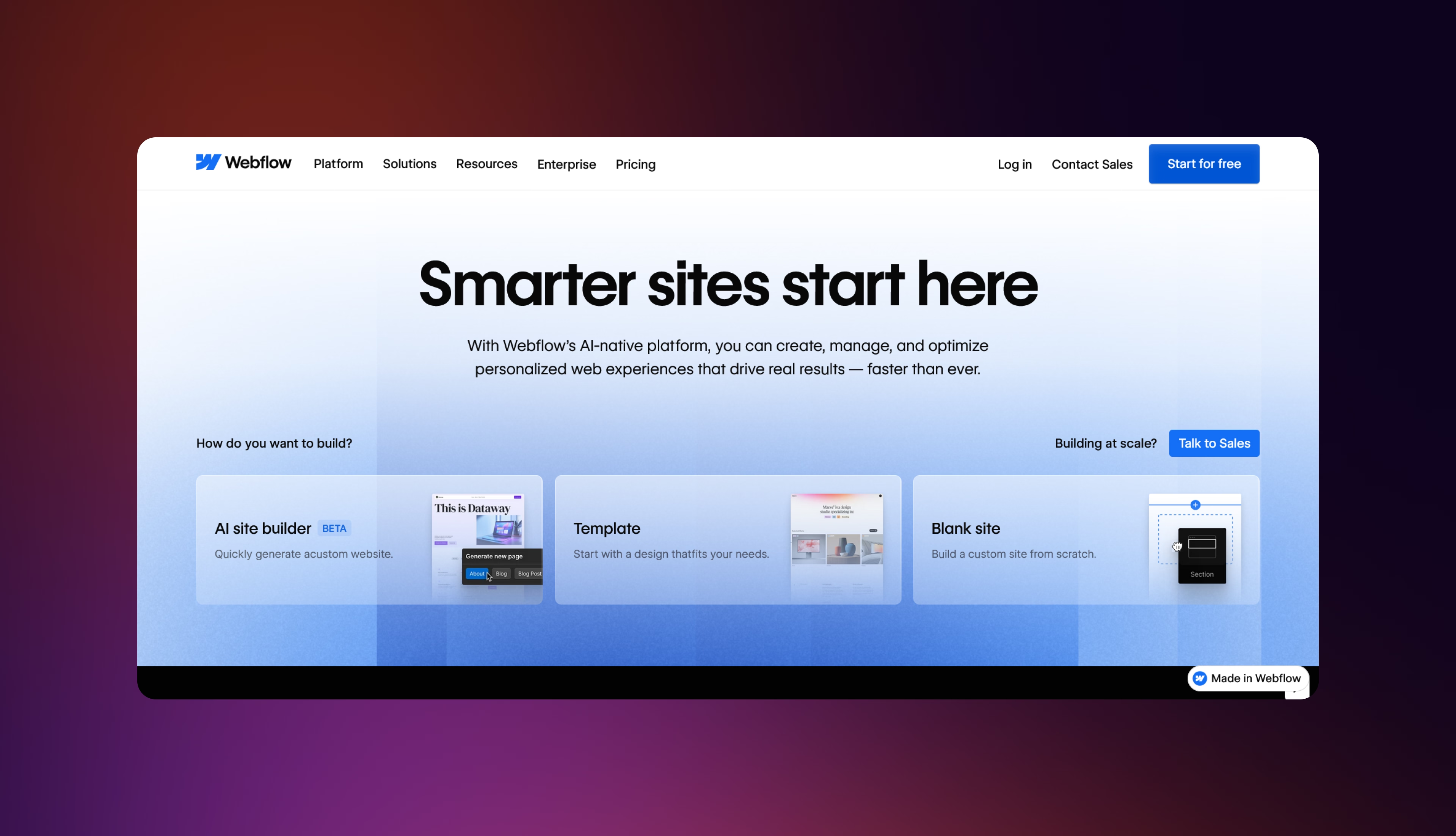
Webflow is a visual web development platform designed to allow for complex website design and development, without the need for coding experience. The interactive, user-friendly interface and drag-and-drop mechanics provide design freedom, allowing users to launch fully customised websites.
Designers and marketers have complete control over layouts, interactions, and responsive behavior. With Webflow, you actually build the front end of marketing websites, B2B business sites, portfolios, landing pages, and content-driven sites.
Webflow is perfectly suited for companies where the website is a core growth asset and not just a publishing tool.
What is Ghost?
.avif)
Ghost is an open-source publishing platform that’s built and designed for the purpose of content creation, newsletters, and memberships.
The primary focus is on the writing experience. Ghost utilizes a clean, markdown-based editor designed to remove distractions and allow for fast publishing. Content can be sent via a newsletter, gated behind memberships, or published directly to the site, all from the same interface.
Ghost is typically utilized for things like online publications, blogs, newsletters, and membership-driven content platforms. Yes, design does exist here, but it is a secondary feature. Customization happens via themes, and deeper changes need developers to take charge.
For businesses with a focus on content first and foremost, Ghost helps keep the focus on publishing.
The Fundamental Difference
The easiest way of understanding this difference is to consider the philosophy of the different roles each plays in your website. Imagine your website is a car… Webflow is design-first. It’s the inner workings of the vehicle. It’s what determines how the car works. Ghost is content-focused. This is the bodywork and cabin. It’s what determines how the car presents itself. Neither are direct competitors; they solve different problems, and provide different benefits. The decision is not which platform is better, but which platform is more suited to my business needs.The difference between Webflow and Ghost isn’t about features, it’s to do with philosophy.
Feature Comparison: Webflow vs. Ghost
At first glance, both Ghost and Webflow allow you to publish content. However, comparing them on a feature-by-feature basis reveals their priorities.
Webflow helps with designing and scaling marketing websites, while Ghost is built to help teams write and publish content with minimal friction.
Content Management & Blogging
Ghost’s biggest advantage is the writing experience. The editor is fast, stripped back, and built around publishing workflows - markdown-first, distraction free, and perfect for teams shipping posts frequently. It also provides scheduling and native newsletters, allowing you to write once and publish to the site and email list from the exact same place.
Webflow approaches content a little differently. Its Webflow CMS guide allows you to model content types beyond simply blog posts, such as case studies, resources, integrations, and locations. You’re not limited to a theme’s post template; you can build rich, visual layouts, and reuse dynamic content across pages.
Verdict: For pure writing and publishing speed, Ghost wins out, while Webflow is key for when content needs to match design for marketing purposes.
Mandate: Content Management Comparison Table
Design & Customization
Design is really where the difference between Webflow and Ghost becomes undeniable.
Webflow is built to provide full visual control, allowing your team to design pixel-perfect layouts, and create advanced interactions and animations without reliance on templates. Designers work directly with real layout concepts, such as CSS grid, flexbox, spacing, and positioning.
These make it possible to build pretty much any layout or experience. It’s also a great way of enabling scalable design systems through reusable classes and components.
Ghost takes an entirely different approach, and prioritizes simplicity and speed, offering clean, minimal themes that look great out of the box. Theme switching is simple and non-designers can produce a presentable site live quickly. Customization is limited, and the constraints of a theme tend to involve developers having existing knowledge of Handlebars templates.
Ghost is approachable, but it can also be restrictive. Complex layouts, branded interactions, and bespoke visuals are tough to achieve without custom development.
Verdict: If design matters, then Webflow is the decisive victor. Ghost is great for more simple, content-focused sites, but Webflow is the only option for businesses seeking full creative control.
Mandate: Design Capabilities table
Performance & Hosting
Both Webflow and Ghost deliver strong performances when they have the right configurations, but they tend to approach hosting and infrastructure differently.
Webflow provides fully managed hosting built on AWS and Fastly’s global CDN. Hosting, SSL, backups, and infrastructure management are included. While Webflow sites can include more design and interaction logic, the platform outputs clean, optimized code, consistently delivering strong real-world performance for marketing websites.
Ghost is lighter by nature, with its content-first architecture producing minimal markup. This allows pages to load quickly with minimal tuning. Ghost(Pro) offers managed hosting options, while self-hosting is available for teams seeking full control.
If optimized effectively, Ghost sites can be extremely fast, especially for blogs and publications.
In practice, performance is rarely the deciding factor when comparing the two. Ghost is lighter, while Webflow tends to carry more overhead as a result of its flexibility. Nevertheless, Webflow’s managed infrastructure and CDN ensure it remains excellent at scale.
Verdict: This is more or less even. Ghost is lightweight and fast, while Webflow offers more robust performance at scale.
SEO Capabilities
SEO is one of the areas where the philosophical differences between Webflow and Ghost are clear to see.
Webflow provides granular, hand-on SEO control. Teams can manage meta titles and descriptions, Open Graph tags, custom URL structures, schema markup, alt text, and 301 redirects within the platform, supported by advanced Webflow SEO capabilities. This, coupled with strong performance, gives marketing teams the flexibility they require in competitive search environments.
Ghost is perfect for providing SEO fundamentals out of the box. This helps generate clean, lightweight code, auto-creates sitemaps, and includes structured data for articles. For blogs and publications, this is sufficient, but SEO customization is more limited. There are fewer options when it comes to fine-tuning templates, metadata logic, and complex site structures, without the need for developer intervention.
The practical difference here is clear to see at scale, with Webflow better suited to multi-page business sites that require technical SEO control, structured content, and ongoing optimization. Ghost is the best option when it comes to straightforward publishing, but it’s more restrictive for SEO-driven strategies.
Verdict: Webflow is clearly the optimal choice here when it comes to SEO control and long-term scalability. On the other side, Ghost is adequate for content-focused blogs, but Webflow offers the necessary flexibility that plays a role in serious organic growth.
Integrations & Ecosystem
Integration is where Webflow and Ghost’s differences become very operationally essential.
Webflow is designed to sit inside a broader marketing stack. It integrates easily with tools like HubSpot, Salesforce, GA4, and popular automation platforms, including Zapier and Make. Forms, analytics, custom workflows, and personalization tools can be layered through native settings or custom code, making Webflow essential for growing your business.
Conversely, Ghost provides a more opinionated approach, offering features natively, such as memberships, subscriptions, newsletters, and Stripe payments. Consequently, Ghost is highly efficient for publishers and creators seeking monetization without relying on third-party tools.
However, this comes at a price, and that price is flexibility. Ghost’s ecosystem is smaller, and while APIs exist, complex marketing stacks need workarounds.
Verdict: Ghost is the winner for content monetization right out of the box. But Webflow wins for businesses seeking deep CRM integration, analytics, and marketing automation systems.
User Experience & Learning Curve
User experiences differ due to the contrasting use cases of each platform, and the experience with Webflow and Ghost reflects different underlying philosophies. This has a direct impact on usability, as well as the learning curve involved in each.
Webflow certainly has a steeper learning curve, with users required to understand core web concepts including layout, spacing, and basic CSS fundamentals. As such, it can be more demanding upfront, but this results in greater power and flexibility. Teams take a few days to a few weeks to become proficient.
On the other hand, Ghost feels more familiar. The interface is stripped back, and more akin to a writing application than a website builder. Writers can publish within hours without the need to focus on structure, layout, or design systems.
Ultimately, it’s about intent. Webflow rewards investment with scalability, whereas Ghost focuses on speed and simplicity - see our case studies.
Verdict: Ghost wins for usability and fast onboarding, while Webflow offers much greater long-term capabilities, despite more effort to learn.
Learning Curve Comparison Table
Pricing: Webflow vs Ghost
Pricing is a key element of Webflow vs Ghost that needs to be accounted for, and can often be misunderstood. At a glance, Ghost appears less expensive, but the real difference comes down to what represents value for money.
Webflow Pricing
Webflow pricing has both site plans and workspace plans available.
Site plans include a free Starter tier, and three paid options: Basic ($14p/m), CMS ($23p/m), and Business ($39p/m). Enterprise pricing is customized, with hosting, SSL, CDN, and backups included.
Workspace plans start free, with three paid options: Core ($19/seat/p/m), Growth ($49/seat/p/m), and e-commerce plans ($29-212p/m depending upon scale).
Reality: The reality is that most businesses will require at least the CMS plan ($23p/m), plus the Core workspace ($19p/m), equating to around $42p/m as a starting point.
Ghost Pricing
Ghost provides much simpler Ghost(Pro) pricing managed hosting, with four different monthly tier scales: 500 Members ($9p/m), Creator ($25p/m), Team ($50p/m), and Business ($199p/m).
You can also self-host for free, but this then results in costs relating to things like servers, security, maintenance, and updates.
Reality: Ghost is the more affordable option for small publishing businesses, but can get more expensive as complexity grow.
Pricing Verdict
Pricing varies depending on which platform is most useful to you. If your focus is on publishing, then Ghost is comfortably the cheaper option. Despite Webflow being more expensive, it is essential for design, layout, and marketing needs.
Main differences:
- The cost of Ghost tends to scale with members and context.
- The price of Webflow will scale alongside features and flexibility
There are hidden costs on both sides, with Ghost often requiring extra tools, and Webflow relying on third-party tools.
Pricing Comparison Table
Use Cases: When to Choose Webflow vs Ghost
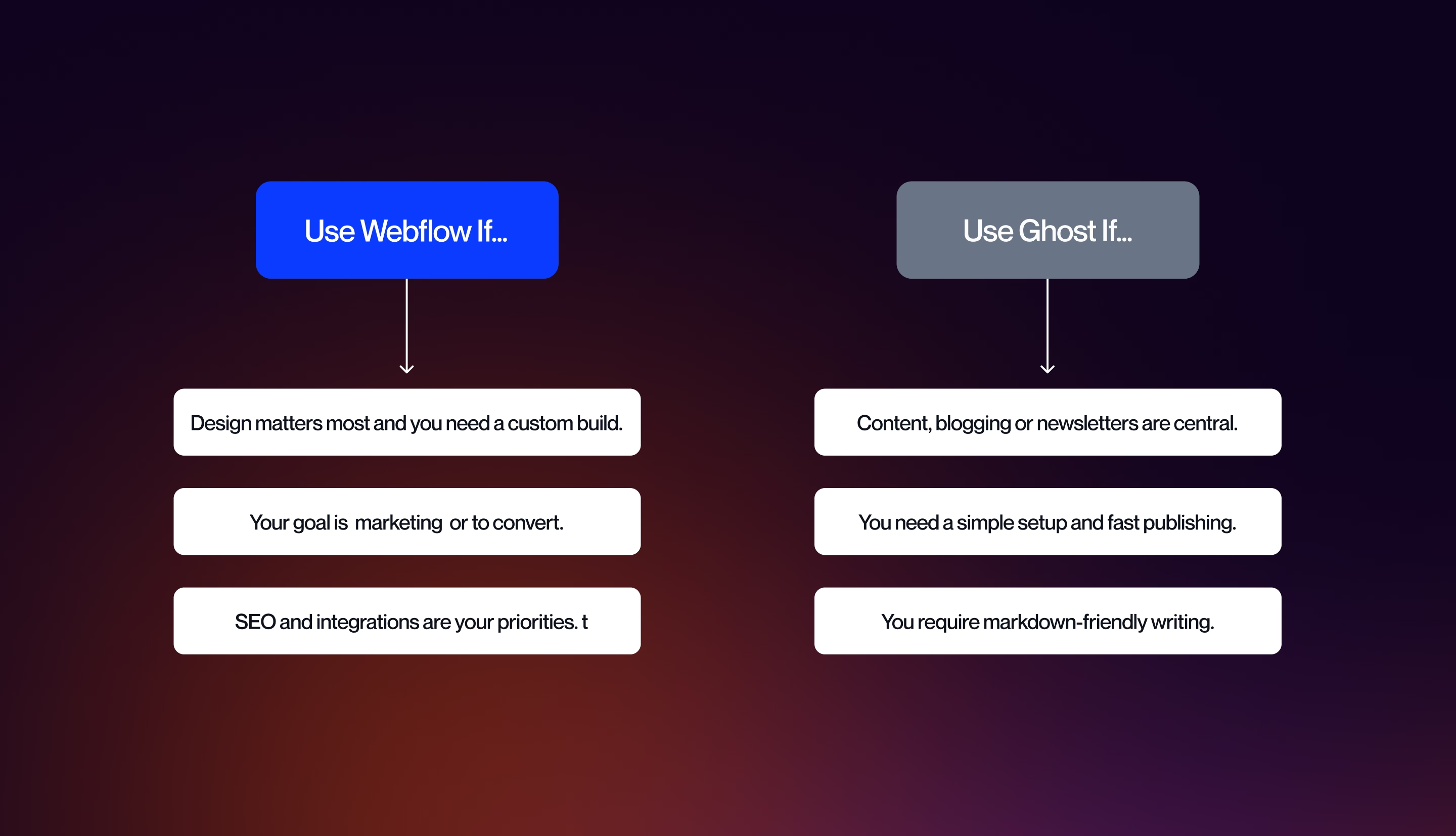
The comparison between the two platforms should be getting clearer by this stage. Both are capable, and both excel in different situations. Which is right for you will depend less on features in isolation, and more on how you intend to use the platform.
These are some of the most common real-world use cases, along with the platforms that fit them the best.
Choose Webflow If…
Webflow is the undisputed choice when your website is a primary business asset as opposed to simply a publishing tool.
Choose Webflow if you’re a fully designed site with brand, layout, and visual identity playing a key role in this. It’s perfect if you want custom interactions, animations, and page layouts that are more advanced than regular blog templates.
Webflow is very well suited to B2B marketing websites, with multiple page types, such as landing pages, case studies, and blog resources all within a scalable CMS. It’s also the best choice if SEO control is a priority, or if you want to integrate your site with CRM and marketing automation tools.
E-commerce plays another key role in differentiating the two. If you want to sell products, services, or digital goods, Webflow provides native e-commerce capabilities that Ghost simply cannot do.
Ideal users: B2B companies, agencies, SaaS businesses, portfolios, and marketing teams focussed on design and conversion.
Choose Ghost If…
Ghost is the preferable choice when content itself is the core focal point.
If you’re building a blog, newsletter, or publication where writing experience and publishing speed matter more than visual aesthetic, Ghost is the winning option. The platform stands out for those who want to focus on writing without worrying about design systems.
Ghost is also the stronger option if subscriptions and memberships are key to your business model. Native email newsletters, paid memberships, and Stripe integration make it easy to monetize content.
If you want to write in markdown, need a simple setup, or plan to self-host, Ghost offers a streamlined, flexible, and creator-friendly option.
Ideal users: Newsletter creators, bloggers, journalists, solo creators, membership businesses, publishers, and small teams focusing on content distribution.
The Hybrid Approach
Some businesses don’t need to choose just one platform.
A typical hybrid setup utilizes Webflow as the main website, and Ghost for publishing, and connects the two via subdomains:
- www.company.com - Webflow (marketing site, services, pages)
- blog.company.com - Ghost (blog, publication, memberships)
This approach uses the strengths of Webflow’s design flexibility, with Ghost’s writing and membership benefits. This provides added complexity, with two platforms to maintain and manage, but this is the trade-off that comes with benefitting from two subdomains. Use Case Decision Framework: Webflow vs Ghost
If your site is website-first, Webflow is the optimal choice. If your site is content-first, Ghost is purpose-built. If both matter equally, a hybrid setup provides the best balance.
Platform Selection Flowchart: Webflow vs Ghost
If your site is website-first, Webflow is the right choice. If it’s content-first, Ghost is optimal, and if both matter equally, a hybrid setup gives the best balance.
Limitations: Honest Assessment of Both Platforms
Both Ghost and Webflow have a wealth of benefits and advantages, depending on what your business requires. However, neither is perfect, and there are drawbacks and limitations to each of them.
Webflow Limitations
Webflow’s biggest strength is flexibility, but this is also its biggest weakness. There is a much steeper learning curve, and users will need to understand basic web concepts in order to make the most of Webflow, which can be overwhelming for inexperienced users.
Webflow is also more expensive than Ghost, but lacks native membership and newsletter functionality, necessitating the need for third-party tools.
Lastly, while Webflow is undeniably empowering long-term, complex design systems often require ongoing support.
Ghost Limitations
Ghost also has limitations, but these tend to revolve more around design and flexibility elements. Complexity does not come naturally to Ghost, and it isn’t suited to things like custom layouts, landing pages, or advanced interactions.
Design customization depends a lot on theme, and deeper changes require developer knowledge. Ghost provides fewer overall integrations, and is not suitable for an e-commerce environment.
SEO control is suitable for blogs and publications, but is less detailed and focused than Webflow. What’s more, self-hosting might be free, but it also introduces technical complexity that can’t be ignored.
Alternatives to Consider
There is a chance that neither Ghost nor Webflow will feel right for your business, in which case you will need to come up with alternative options. WordPress offers more flexibility than Ghost, however it requires more maintenance overhead - check out the Veza Digital Webflow vs WordPress comparison for more detail.
Squarespace is much more user-friendly than Webflow, but far more rudimentary, and less powerful. Substack simplifies newsletters, but has limits on control, while Framer is a Webflow alternative with a different workflow.
Limitations Comparison Table
Final Verdict: Webflow vs Ghost
Trying to make the decision between Webflow and Ghost will fundamentally come down to which best suits your business intent. It’s important to keep in mind that these platforms are not direct competitors, but are purpose-built to fulfil very different roles.
Webflow is design-first, and excels when your website is a core business asset, requiring custom layouts, advanced interactions, SEO control, and scalability. Webflow development services are ideal for B2B companies, marketing teams, and SaaS brands.
Ghost, on the other hand, is a content-focused platform, which stands out for publishers, newsletter creators, and membership-based businesses where speed of publishing, writing experience, and native subscriptions are paramount. Ghost is highly efficient for blogs and newsletters.
If your business is comparing these platforms, Webflow is typically the leading option, because your business needs more than just somewhere to publish content.
The decisive question you need to ask should be: is your primary goal to publish content, or have a website that also contains content?
If the answer is the first part, Ghost is what you need, if it’s the second option, Webflow wins out.
If you are still unsure, Veza Digital specializes in helping B2B companies make the right platform choices to help drive business growth.
CTA: Need help deciding or building your Webflow site? VezaDigital specializes in Webflow development for B2B companies. Contact us to talk about your project.
FAQs
General Comparison
Is Webflow better than Ghost?
This is an entirely subjective question, and the answer will depend on what you need your website to do. If you want a fully designed business website with detailed features and marketing flexibility, Webflow is the choice for you. However, Ghost is better for content-first publishing.
Is Ghost better than Webflow for blogging?
Definitely, for pure blogging Ghost is superior to Webflow because it offers a faster writing experience, with limited distractions.
Can I use Webflow for a blog?
Of course, Webflow can power blogs via CMS Collections. However, it is better suited to blogs requiring strong design control.
Can I use Ghost for a business website?
Ghost can be used for simple business websites, but it is not suitable for more complex, design-led marketing sites.
Features
Does Webflow have membership features?
No, Webflow doesn’t offer native memberships, but it does support them via third-party tools.
Does Ghost have a visual editor?
No. Ghost’s markdown-based editor is focused on writing instead of a visual design interface.
Which is better for SEO, Webflow or Ghost?
When weighing up which platform is better, SEO is one of the defining factors that can help with this decision. Overall, Webflow is superior for SEO because it gives you more granular control.
Can I use Ghost and Webflow together?
Yes. In fact, this is what you should be looking to do. Many businesses use Webflow for their main website, while utilizing Ghost for blogging.
Practical
Is Ghost cheaper than Webflow?
Ghost tends to be less expensive than Webflow for blogs and newsletters. Webflow costs more, but it provides considerably greater design capabilities.
Is Webflow harder to learn than Ghost?
Yes, Webflow has a steeper learning curve than Ghost, and this is because it requires knowledge of basic web design concepts.
Which is faster, Webflow or Ghost?
Both platforms are fast at what they do, with Ghost being lighter, while Webflow provides stronger performance at scale.
Can I migrate from Ghost to Webflow?
Yes, it is possible to migrate content from Ghost to Webflow via CMS imports. However, to preserve SEO and structure, you will need to plan this out.